Special Char (&) in Object name makes DocComments.xml invalid #7353

Description

1. Describe the bug
Having an Special Char like & in Object Name leads to an invalid DocComments.xml file and will hide inline documentation in intelisense.
2. To Reproduce
Steps to reproduce the behavior:
Create an Object with Special Char and try intelisense
codeunit 50100 "PTE A&B"
{
    /// <summary>
    /// Any Documentation
    /// </summary>
    procedure DoSomething()
    begin
    end;
}
You can also unpack the compiled app and throw the generated DocComments.xml in an validator. That will fail.
Generated DocXomments.xml:
<?xml version="1.0"?>
<doc>
    <application>
        <id>e06618b0-cd4f-4a98-a1ea-05327c708fe0</id>
        <name>TechDocTestApp</name>
        <publisher>Default publisher</publisher>
        <version>1.0.0.0</version>
    </application>
    <members>
        <member name="M:Codeunit::PTE A&B.DoSomething">
            <summary>
            Any Documentation
            </summary>
        </member>
    </members>
</doc>
Try validation at https://www.xmlvalidation.com/
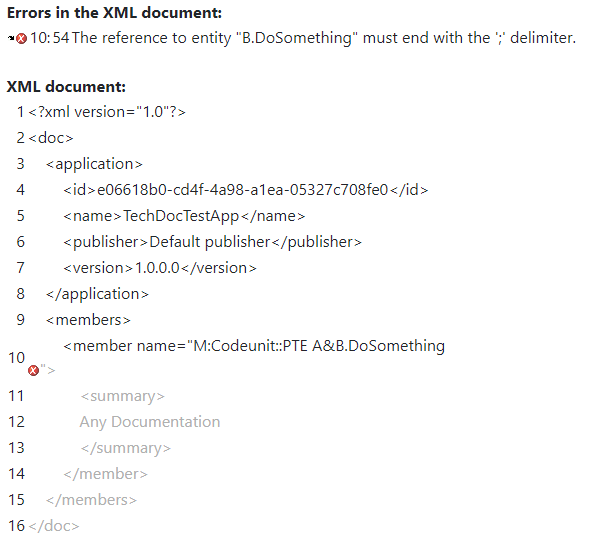
3. Expected behavior
Special Chars should be encoded or something
4. Actual behavior
Intelisense do not show inline doc:
With Special Char:
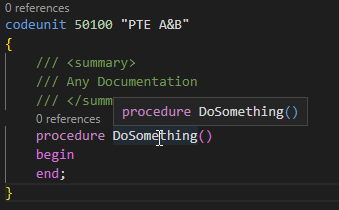
Without Special Char:

5. Versions:
- AL Language:
- Visual Studio Code:
- Business Central:
- List of Visual Studio Code extensions that you have installed:
Final Checklist
Please remember to do the following:
-
Search the issue repository to ensure you are reporting a new issue
-
Reproduce the issue after disabling all extensions except the AL Language extension
-
Simplify your code around the issue to better isolate the problem