Storage Explorer Version: 1.7.0
Platform/OS Version: win10
build number:MAS_Release_1.1901.0.95_staged
Steps to Reproduce:
1.Prepare the Environment:
Install the 1.7.0 version Storage Explorer ,Import the certificate , Target to the AZURE Stack, log in the AAD admin/tenant accounts and ADFS admin/tenant account;
2. Pick up one account/blob container/table/queue randomly, right click , select the "Copy Direct Link To Table".
3.Open the URL in the browser
Expected Experience:
In the storage explorer you can see the previous selected item directly.
Actual Experience:
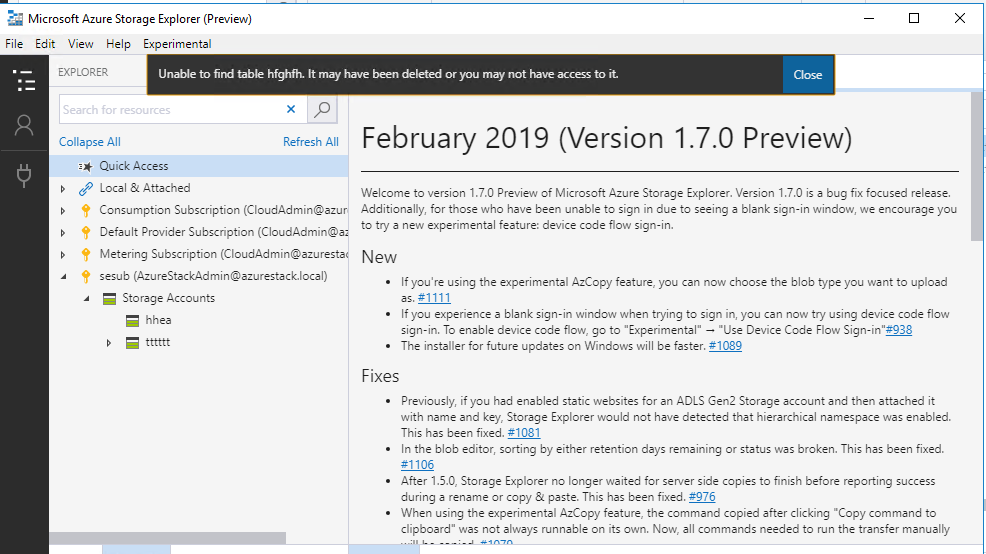
In the ADFS: Web browser will launch a new storage explorer, then will locate the previous item's account but the account cannot list its' item; For table/blob container/queue it will additionally alert message that "Unable to find "item type+ item name". it may have been deleted or you may not have access to it.".
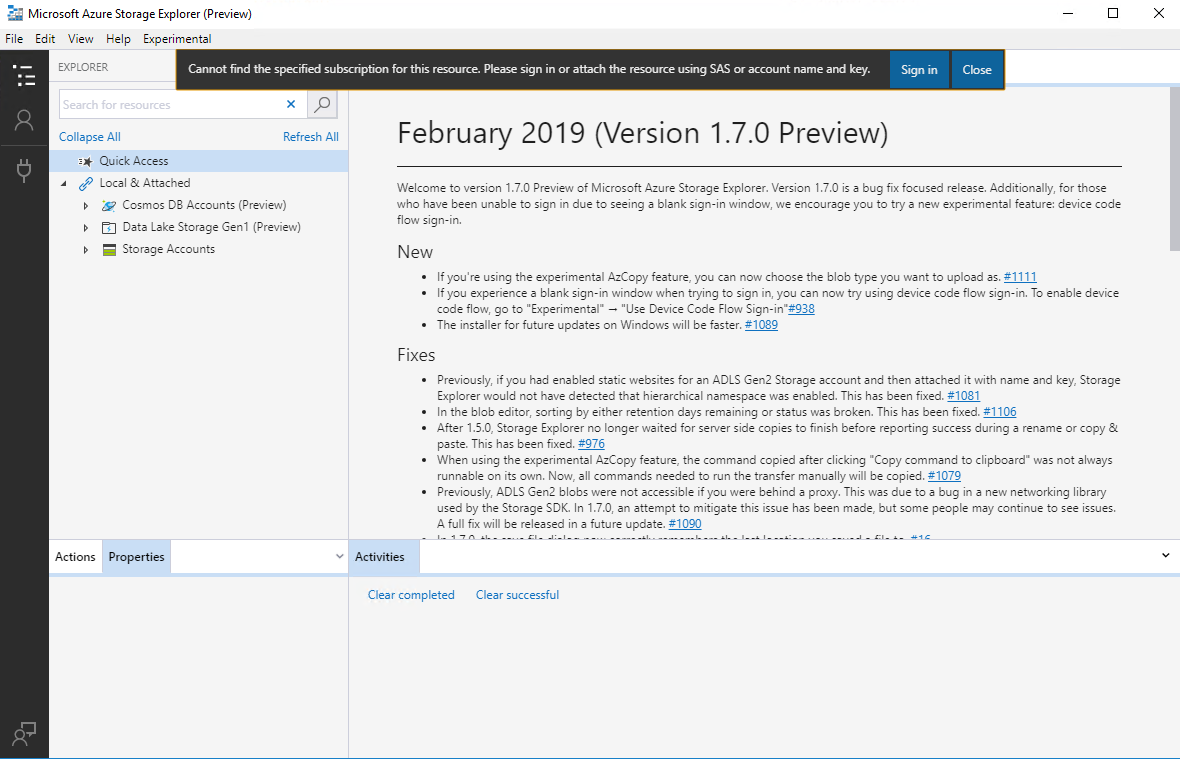
In the Global:Web browser will launch a new storage explorer and alert message that "Cannot find the specified subscription for this resource. Please sign in or attach the resource using SAS or account name and key." .

Storage Explorer Version: 1.7.0
Platform/OS Version: win10
build number:MAS_Release_1.1901.0.95_staged
Steps to Reproduce:


1.Prepare the Environment:
Install the 1.7.0 version Storage Explorer ,Import the certificate , Target to the AZURE Stack, log in the AAD admin/tenant accounts and ADFS admin/tenant account;
2. Pick up one account/blob container/table/queue randomly, right click , select the "Copy Direct Link To Table".
3.Open the URL in the browser
Expected Experience:
In the storage explorer you can see the previous selected item directly.
Actual Experience:
In the ADFS: Web browser will launch a new storage explorer, then will locate the previous item's account but the account cannot list its' item; For table/blob container/queue it will additionally alert message that "Unable to find "item type+ item name". it may have been deleted or you may not have access to it.".
In the Global:Web browser will launch a new storage explorer and alert message that "Cannot find the specified subscription for this resource. Please sign in or attach the resource using SAS or account name and key." .