App crashes while starting if entrypoint set to <projectname>.App in Package.appxmanifest #1889

Description

Describe the bug
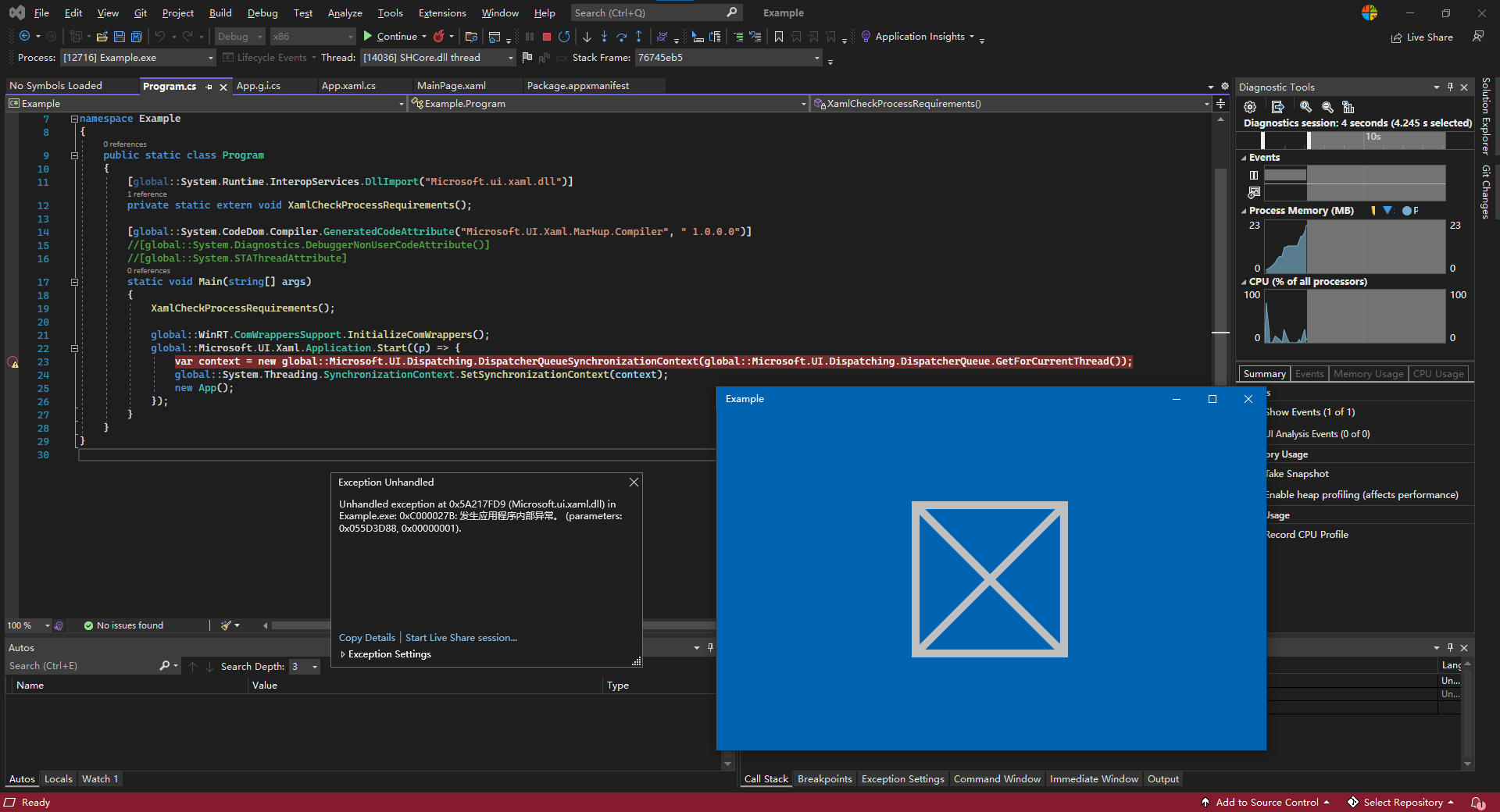
If you set entrypoint to the App class to make the app a CoreWindow Application, the app will crash during the splash screen.
Steps to reproduce the bug
1.Go to Package.appxmanifest and set the Entrypoint to .App
2.Disable the default generated Main method by defining DISABLE_XAML_GENERATED_MAIN and copy the auto-generated code in App.g.i.cs to Program.cs. Remove the [global::System.STAThreadAttribute] attribute to avoid thread-related issues due to different threading model used by CoreApplication and Legacy Desktop Application.
3.Run the app in debug mode.
The app will crash before InitializeComponent with an exception in Microsoft.UI.Xaml.dll
Unhandled exception at 0x5A217FD9 (Microsoft.ui.xaml.dll) in Example.exe: 0xC000027B: An application-internal exception has occurred. (parameters: 0x055D3D88, 0x00000001).
Expected behavior
The app starts normally and navigates to the MainPage.
Screenshots
NuGet package version
1.0.0
Packaging type
Packaged (MSIX)
Windows version
Windows 11 version 21H2 (22000)
IDE
Visual Studio 2022
Additional context
No response