fix: [FluentRadio] Not displaying initial "checked" state #319


Description

🐛 Bug Report
I have two FluentRadio buttons within a column in a FluentDataGrid. I'm using a boolean value from the data context to try to set the Checked state.
<TemplateColumn Title="Is this an Event Attribute?" Align="Align.Center">
<FluentRadioGroup Orientation="Orientation.Horizontal">
<FluentRadio Id="radioYes" Value="true" Checked="@context.UseAttribute">Yes</FluentRadio>
<FluentRadio Id="radioNo" Value="false" Checked="@(!(context.UseAttribute))">No</FluentRadio>
</FluentRadioGroup>
</TemplateColumn>
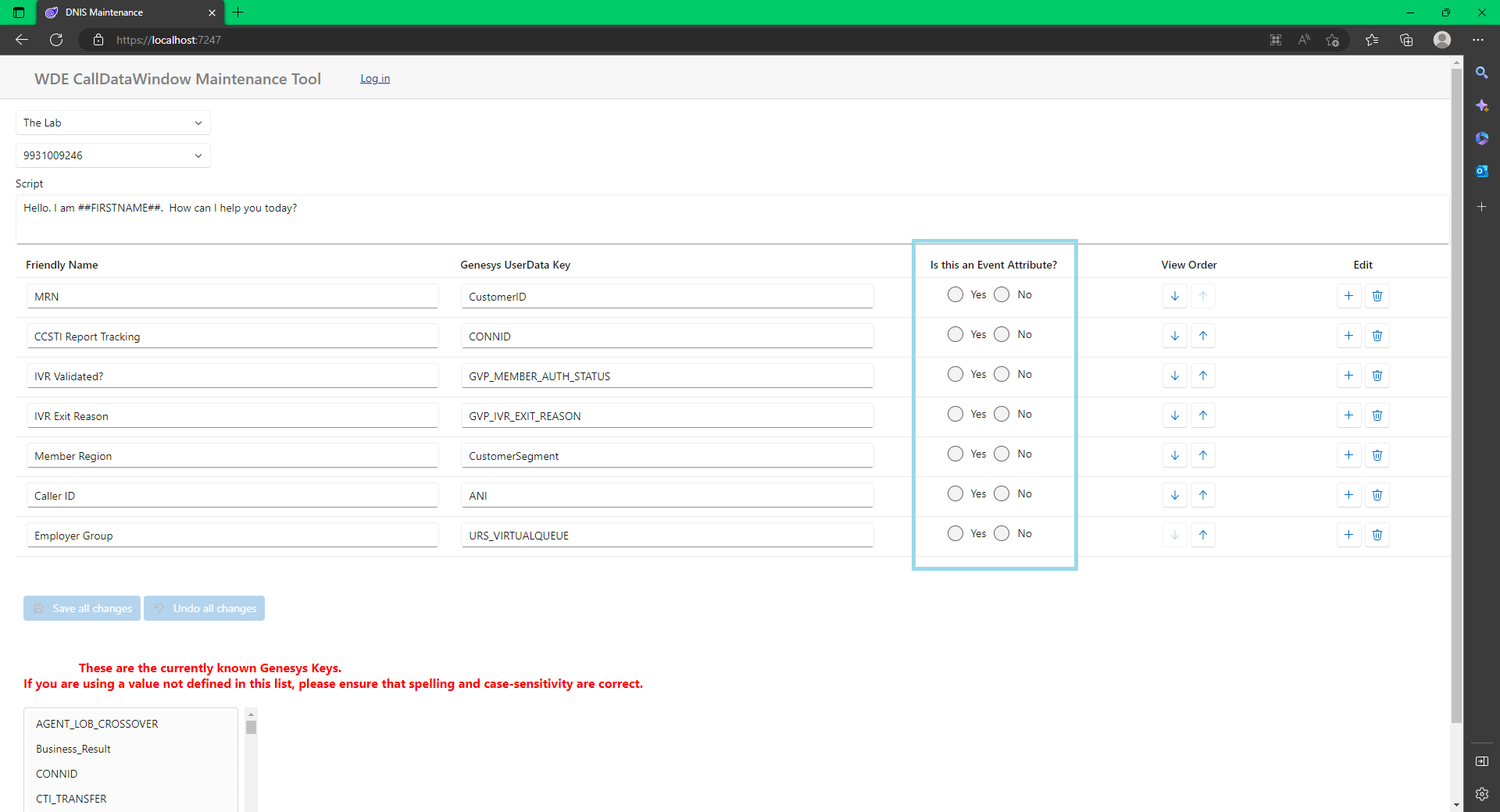
When the grid renders with the data, these radios are not "checked"
💻 Repro or Code Sample
Repo is here: https://github.com/BulldogCTISolutions/DnisMaintenance.git
🤔 Expected Behavior
When the grid renders, either the "Yes" radio is displaying checked or the "no" radio is displaying checked.
😯 Current Behavior
💁 Possible Solution
Been trying StateHasChanged(). But I cannot figure out the lifecycle of the DataGrid. Is there an AfterRenderred or DataLoaded event?
🔦 Context
My users need to see what values are set when the DataGrid loads.
🌍 Your Environment
- OS & Device: [Windows 10] on [PC]
- Browser [Microsoft Edge]
- .NET 7 and FAST Version [2.0.4]