Bug Report
- Package version(s): lateset
- Browser and OS versions: Chrome, Edge
Priorities and help requested (not applicable if asking question):
Requested priority: ( High )
Products/sites affected: (sp-client canvas toolbox)
Describe the issue:
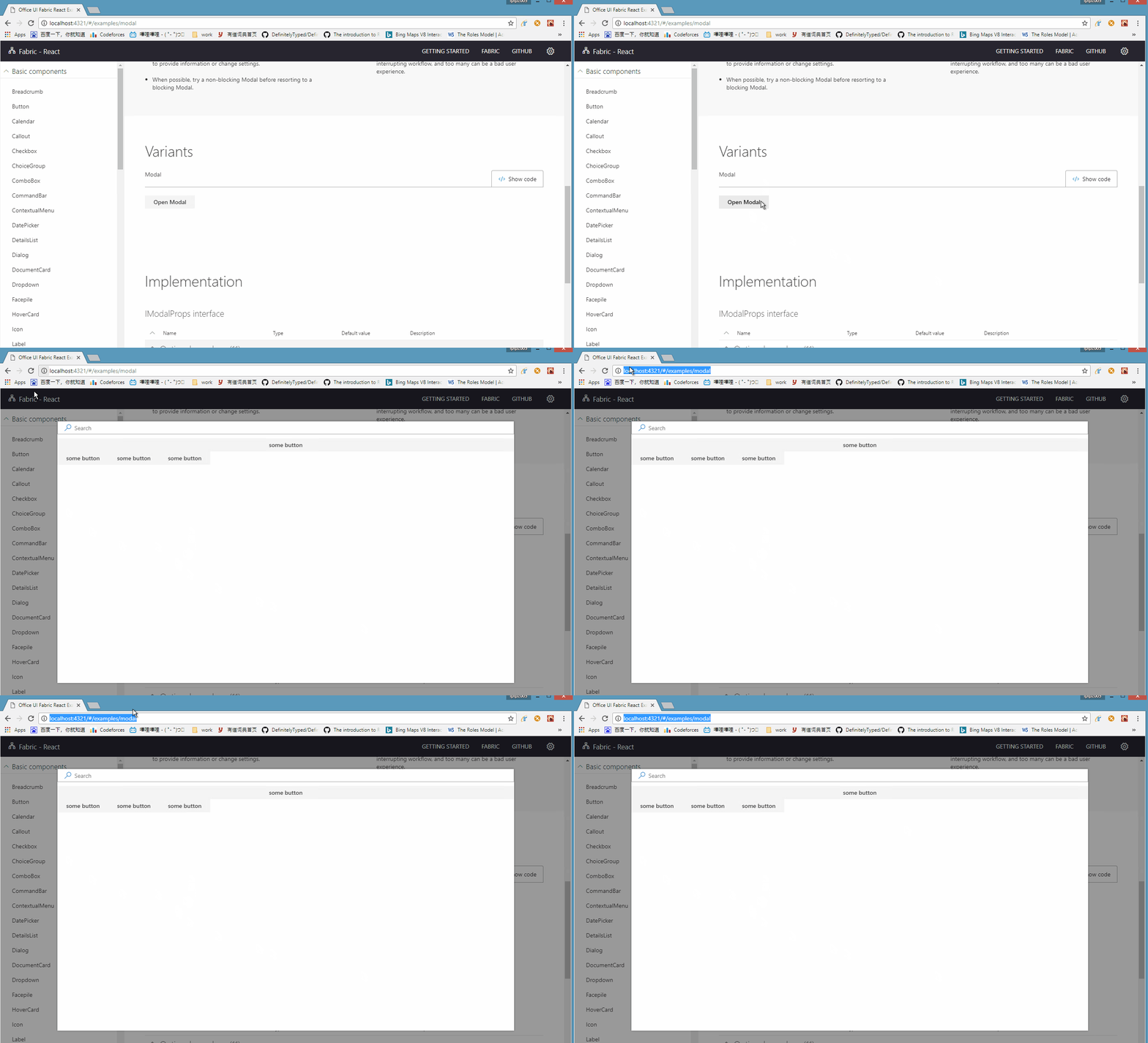
When there is a FocusZone inside Modal, the focus trapping no longer works. The focus will move to browser address bar
Actual behavior:
The focus should always be trapped inside Modal
Expected behavior:
The focus is moved to browser address bar after press TAB on the last item in the Modal.
If applicable, please provide a codepen repro:
Seems Modal is not publicly exported in office-ui-fabric-react package. Here are steps to reproduce it:
- Find
Modal.Basic.Example.tsx in office-ui-fabric-react package.
- Replace the code to:
import * as React from 'react';
import { autobind } from '../../../Utilities';
import { Modal } from 'office-ui-fabric-react/lib/Modal';
import { SearchBox } from 'office-ui-fabric-react/lib/SearchBox';
import { FocusZone } from 'office-ui-fabric-react/lib/FocusZone';
import { PrimaryButton, DefaultButton } from 'office-ui-fabric-react/lib/Button';
import { ChoiceGroup } from 'office-ui-fabric-react/lib/ChoiceGroup';
import './Modal.Basic.Example.scss';

export class ModalBasicExample extends React.Component<any, any> {

  constructor() {
    super();
    this.state = {
      showModal: false
    };
  }

  public render() {
    return (
      <div>
        <DefaultButton
          description='Opens the Sample Modal'
          onClick={ this._showModal }
          text='Open Modal'
        />
        <Modal
          isOpen={ this.state.showModal }
          onDismiss={ this._closeModal }
          isBlocking={ false }
          containerClassName='ms-modalExample-container'
        >
          <SearchBox />
          <DefaultButton text='some button' />
          <FocusZone>
            <DefaultButton text='some button' />
            <DefaultButton text='some button' />
            <DefaultButton text='some button' />
          </FocusZone>
        </Modal>
      </div>
    );
  }

  @autobind
  private _showModal() {
    this.setState({ showModal: true });
  }

  @autobind
  private _closeModal() {
    this.setState({ showModal: false });
  }
}
- Serve the demos, go to "Modal" demo page.
- Open the Modal dialog, pressing TAB from top to bottom.
GIF

Bug Report
Priorities and help requested (not applicable if asking question):
Requested priority: ( High )
Products/sites affected: (sp-client canvas toolbox)
Describe the issue:
When there is a
FocusZoneinsideModal, the focus trapping no longer works. The focus will move to browser address barActual behavior:
The focus should always be trapped inside Modal
Expected behavior:
The focus is moved to browser address bar after press TAB on the last item in the Modal.
If applicable, please provide a codepen repro:
Seems
Modalis not publicly exported in office-ui-fabric-react package. Here are steps to reproduce it:Modal.Basic.Example.tsxin office-ui-fabric-react package.GIF