When installing Visual Studio, it sets the IDE as the default application for opening .json files on Windows. As a result, when trying to open the settings from Windows Terminal, Visual Studio throws an error saying it can't be opened. Going into File Explorer and setting Notepad as the default app for opening .json files fixes the issue and the Terminal is able to open the settings.
Expected behavior here would be to have a fallback where the default app for opening .json files does not work, and open it on Notepad instead.
This is not really an issue with Windows Terminal itself, but it could affect the UX where the user may not understand why Windows Terminal is unable to open settings.
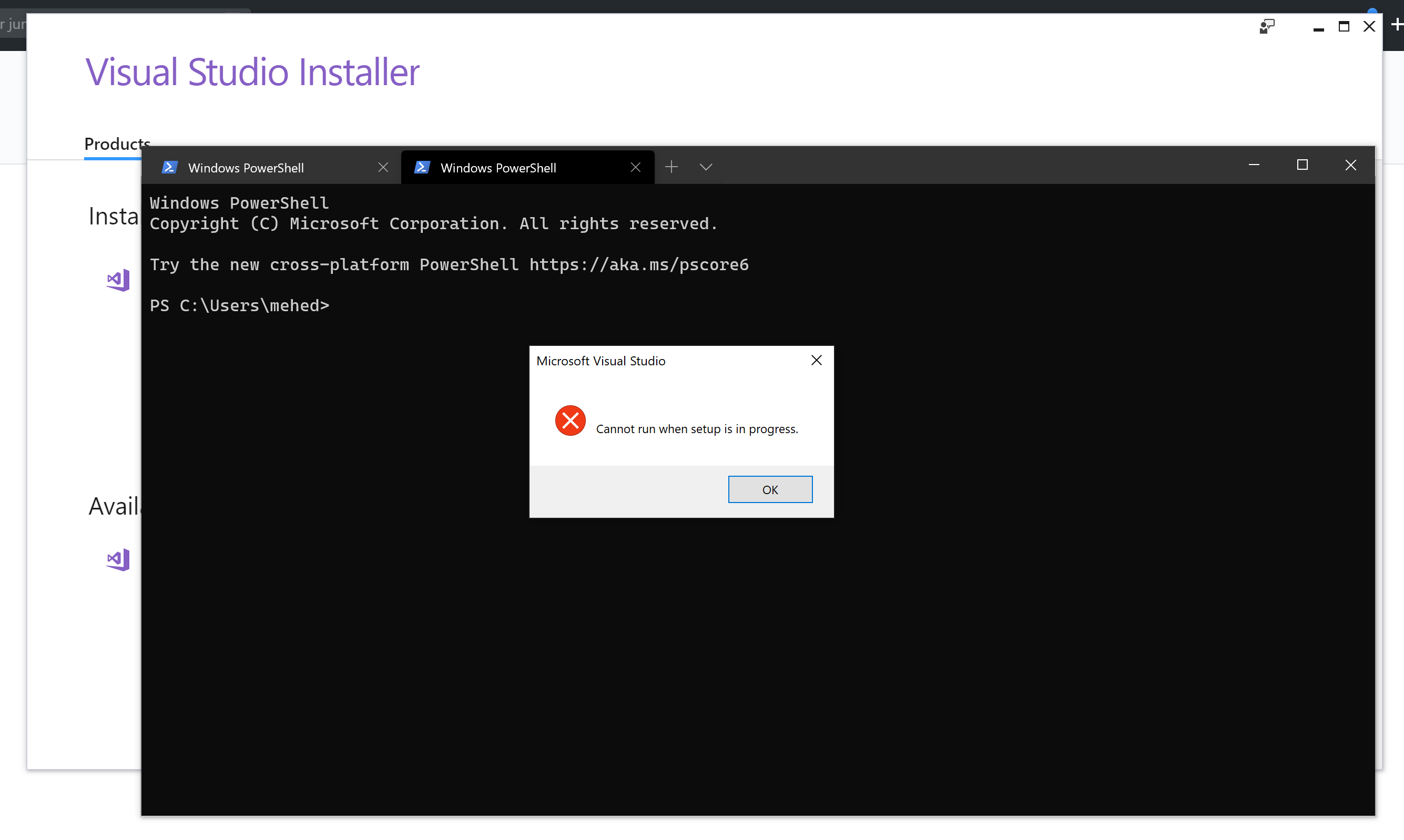

When installing Visual Studio, it sets the IDE as the default application for opening .json files on Windows. As a result, when trying to open the settings from Windows Terminal, Visual Studio throws an error saying it can't be opened. Going into File Explorer and setting Notepad as the default app for opening .json files fixes the issue and the Terminal is able to open the settings.
Expected behavior here would be to have a fallback where the default app for opening .json files does not work, and open it on Notepad instead.
This is not really an issue with Windows Terminal itself, but it could affect the UX where the user may not understand why Windows Terminal is unable to open settings.