Update README with msixbundle install instructions #6942
Conversation


Added instructions on how to install the .msixbundle file for users who install Terminal manually.

|
I'm concerned about the instructions. While they work, they're not the most expedient way to install Terminal . . . the msixbundle is double-clickable in the vast majority of cases, isn't it? |

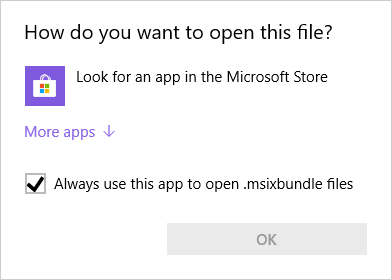

|
Hello,
When the Hidden-App The
Edit: I'm not really sure, but I think |

|
I prefer this PowerShell method for offline usage. Unfortunately we still have a "network" issue in trying to running the installed application, usually requiring changing to .zip and extracting until we can launch WindowsTerminal.exe directly. So we may need a powershell method written for that scenario as well. |

 zadjii-msft
left a comment
zadjii-msft
left a comment
zadjii-msft
left a comment
There was a problem hiding this comment.
I think I'd rather that this text suggested that the user first try just double clicking the .msixbundle, and fall back to the command only if double-clicking didn't work.
| Download the `Microsoft.WindowsTerminal_<versionNumber>.msixbundle` file from the **Assets** section. | ||
|
|
||
| Run the following command in order to install the `.msixbundle` file you've just downloaded: |
There was a problem hiding this comment.
| Download the `Microsoft.WindowsTerminal_<versionNumber>.msixbundle` file from the **Assets** section. | |
| Run the following command in order to install the `.msixbundle` file you've just downloaded: | |
| Download the `Microsoft.WindowsTerminal_<versionNumber>.msixbundle` file from the **Assets** section. To install the app, you can simply double-click on the `.msixbundle` file, and the app installer should automatically run. If that fails for any reason, you can try the following command instead: |
 ghost
added
the
Needs-Author-Feedback
ghost
added
the
No-Recent-Activity
ghost
added
the
Needs-Author-Feedback
ghost
added
the
No-Recent-Activity

|
This pull request has been automatically marked as stale because it has been marked as requiring author feedback but has not had any activity for 7 days. It will be closed if no further activity occurs within 7 days of this comment. |
ghost
closed this
5 participants


Summary of the Pull Request
Added instructions on how to install the .msixbundle file for users who install Terminal manually.
References
/
PR Checklist