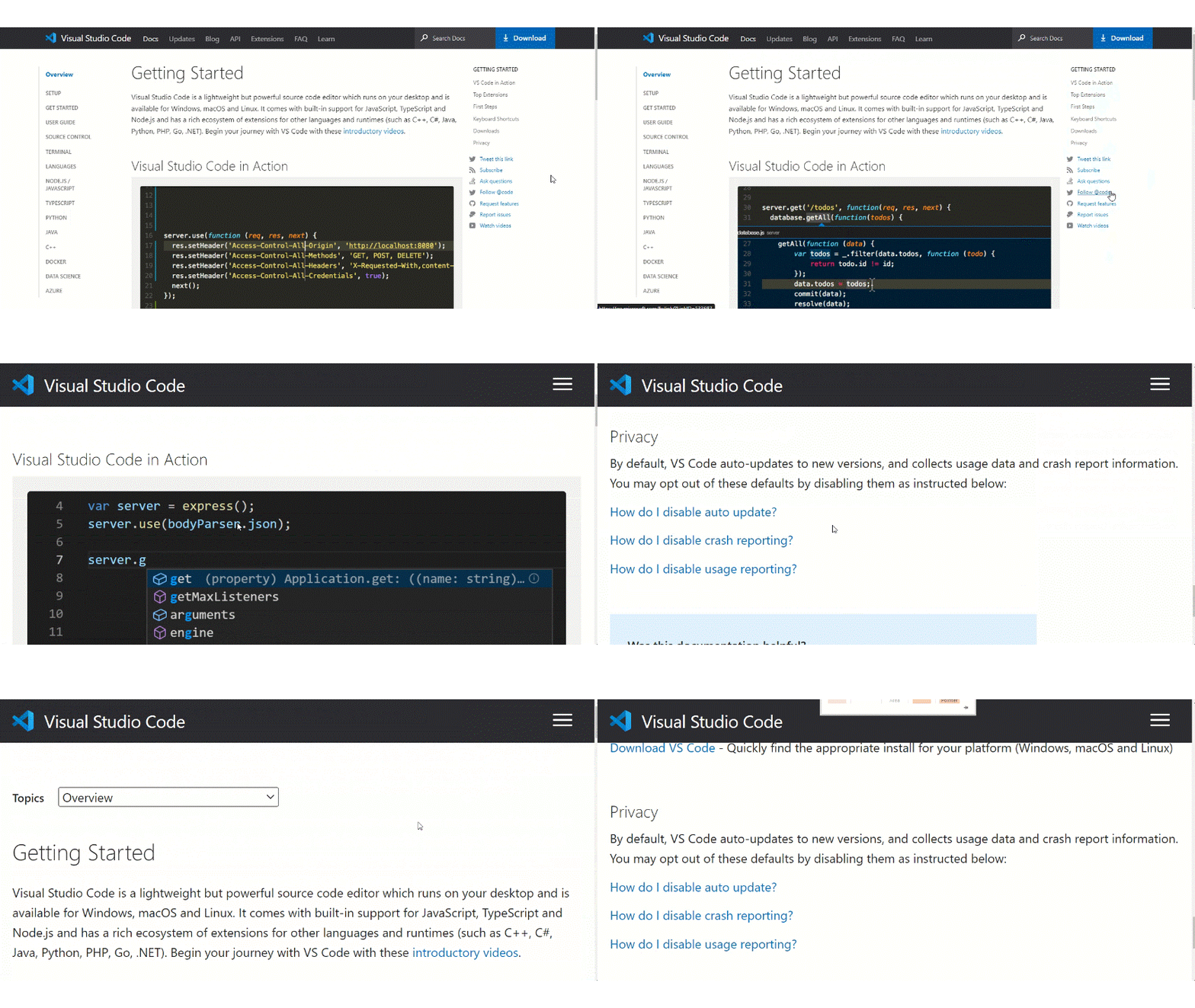
A11y_Visual Studio Code Services_Docs_Left Right Navigation_Resize: After zooming the page up to 200%, right navigation 'Getting started' links are not visible. #6205


Description

"Please do not close this bug. This bug should only be closed by TCS, C+AI Accessibility or the Divisional Driver."
GitHubTags:
#WCAG1.4.4; #A11ySev2; #A11yTCS; #A11yWCAG2.1; #Chrome; #DesktopWeb; #Win11; #Visual Studio Code Services; #BM_VisualStudioCodeServices_Web_Apr2023; #Resize Text;
Environment Details:
Application Name: Visual Studio Code Services
URL: https://code.visualstudio.com/
Microsoft Windows 11 Enterprise 10.0.22621 Build 22621
Chrome Version 111.0.5563.147 (Official Build) (64-bit)
Repro Steps:
- Hit the application URL: https://code.visualstudio.com/
- Navigate to "Docs" link.
- Left and right navigation will appear.
- Verify whether the after zooming the page up to 200%, right navigation 'Getting started' links are visible or not.
Actual Result:
After zooming the page up to 200%, right navigation 'Getting started' links are not visible.
Expected Result:
After zooming the page up to 200%, right navigation 'Getting started' links should be visible on page.
User Impact:
Low Vision users will not get this right navigation feature links if getting started links are not visible in 200% zoom.
Attachment: