Buttons and commands associated with a custom editor are gone under a certain scenario #107015


Description

- VSCode Version: 1.49.1
- OS Version: Ubuntu 20.04.1 LTS
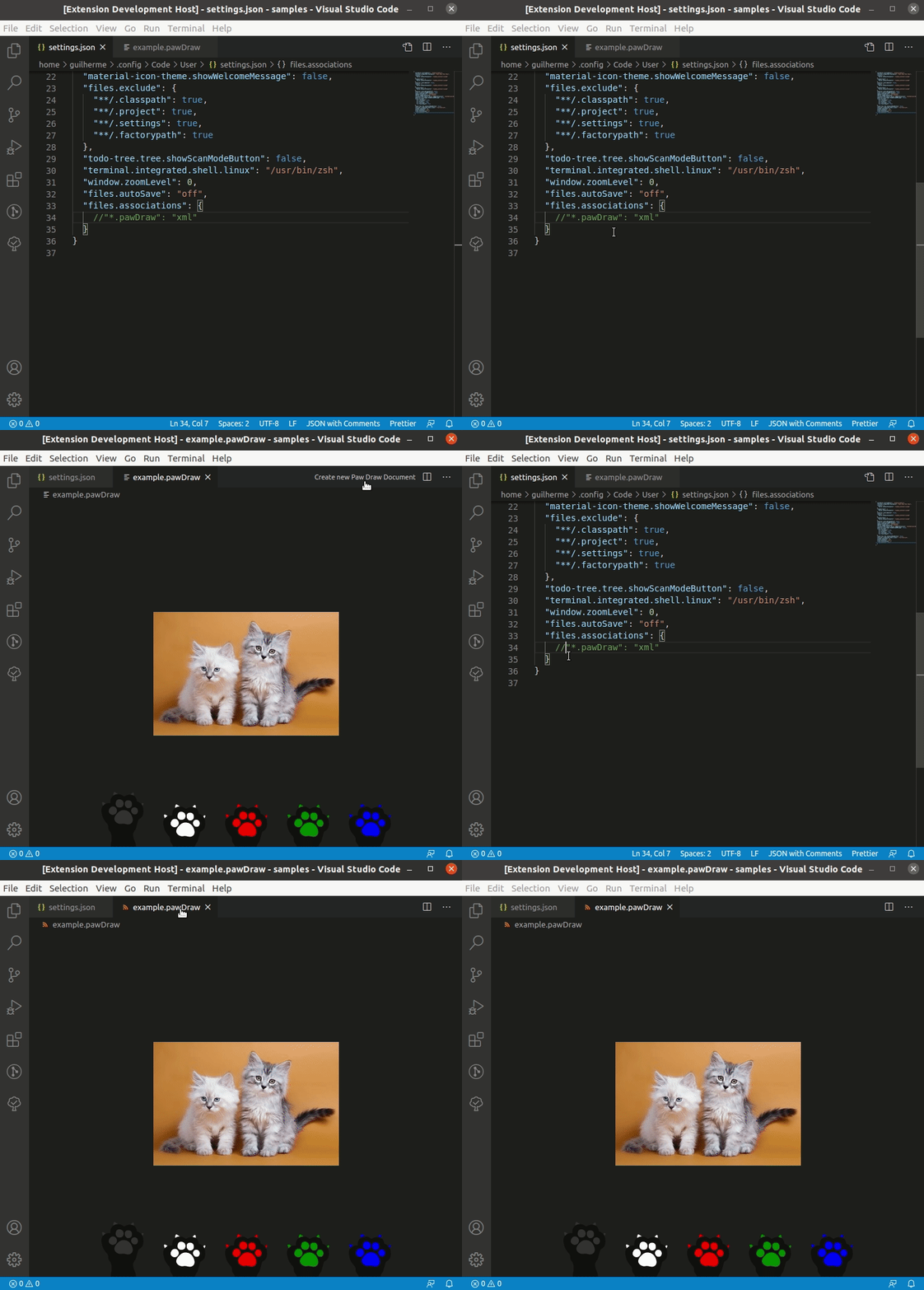
Buttons and commands associated with a custom editor are gone
if you define a language in the package.json and a different file association in the settings.json.
You can reproduce this issue by doing the following changes on the custom-editor-sample:
- Add these contribution points in the
package.json
"menus": {
  "commandPalette": [
    {
      "when": "resourceLangId == pawDraw",
      "command": "catCustoms.pawDraw.new"
    }
  ],
  "editor/title": [
    {
      "when": "resourceLangId == pawDraw",
      "command": "catCustoms.pawDraw.new",
      "group": "navigation"
    }
  ]
},
"languages": [
  {
    "id": "pawDraw",
    "extensions": [
      ".pawDraw"
    ],
    "aliases": [
      "pawDraw"
    ]
  }
]- Add this config in your
settings.json
"files.associations": {
    "*.pawDraw": "xml"
}
Since the custom editor works fine even with this file association,
I'd expect commands/buttons associated with this custom editor working fine as well.
Please let me know if this behavior is expected or if this is indeed a bug.
See:
/cc @mjbvz