Improve the way extensions are shown while using local/remote environments (WSL) #111106


Description

Right now, if you're using at least one WSL instance you have two panels in the extensions section that show both the local and remote extensions installed/ enabled. I haven't tested this scenario, but I imagine that if you have other remote environments you'd have a lot of panels showing similar things:
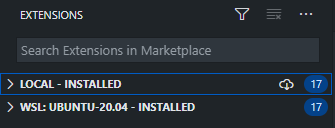
Wouldn't it be better if there was just one single panel showing the extensions you have installed/ disabled like before and then, for each extension page you have the possibility to select based on the environments available?
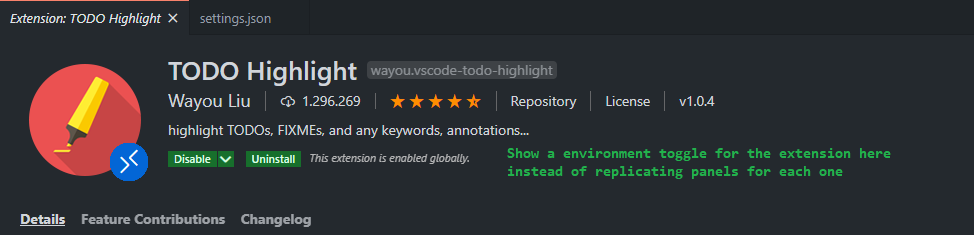
I think that for most cases you'll end up with more extensions than environments, so maybe makes sense to invert the way we toggle this feature!? I mean, I figured that this would avoid confusion because right now, if you have similar remote environments you'd have the same list repeated over and over, for each of those environments.
I guess that the main difference would be something like: instead of "grouping" the extensions by the environment they're been used, we could do something like tags/ labels to show all the extensions in one place. What do you think?