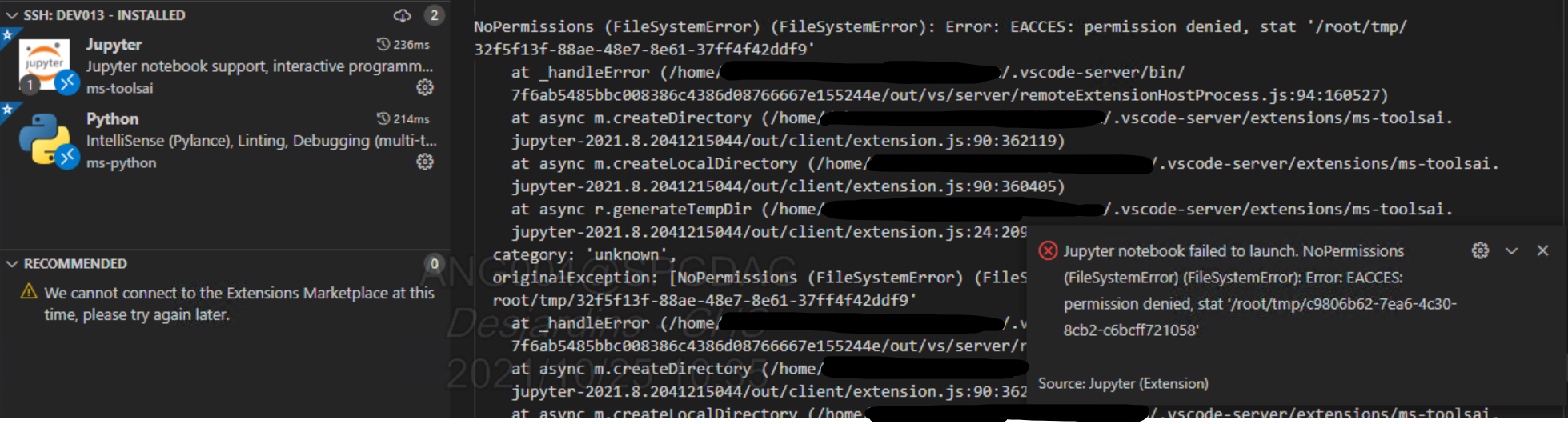
Jupyter notebook failed to launch on remote: NoPermissions #135808


Description

Environment data
- VS Code version: 1.60.2
- Jupyter Extension version (available under the Extensions sidebar): ms-toolsai.jupyter-2021.8.2041215044
- Python Extension version (available under the Extensions sidebar): 2021.9.1246542782
- OS (Windows | Mac | Linux distro) and version: CentOS (host) / Windows (client with remote extension)
- Python and/or Anaconda version: python 3.9
- Type of virtual environment used (N/A | venv | virtualenv | conda | ...): venv
- Jupyter server running: Remote
Actual behaviour
Jupyter server unable to start due to file permission
Steps to reproduce:
[NOTE: Self-contained, minimal reproducing code samples are extremely helpful and will expedite addressing your issue]
- Start VSCode on the Windows local machine
- Start remote session over SSH to a CentOS machine
- Install python and jupyter extensions(for vscode v1.60.2) on the remote CentOS machine
- Create a new blank notebook
- Select proper kernel (from the venv)
- Run a cell
Logs
Metadata
Metadata
Assignees
Labels
No labels