-
Notifications
You must be signed in to change notification settings - Fork 37.6k
Closed
Labels
info-neededIssue requires more information from posterIssue requires more information from posterlayoutGeneral VS Code workbench layout issuesGeneral VS Code workbench layout issueswindowsVS Code on Windows issuesVS Code on Windows issues
Description
After reconnected to my working desktop, the vs code window layout does not fit with my screen size and leaving a dark area. See the pic below.
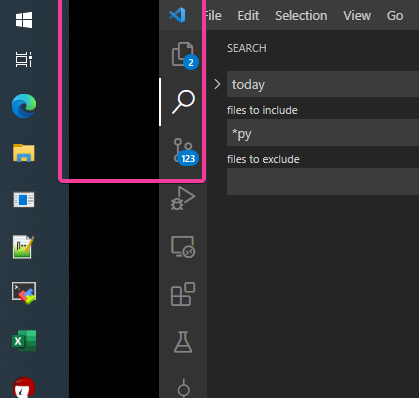
And cursor focus miss-match...for example, to open the "file" menu , I have to click the dark area.
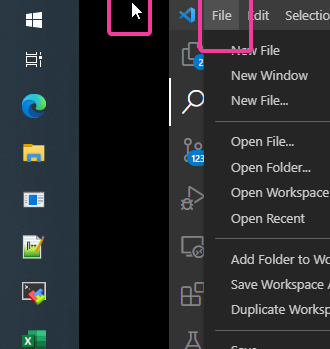
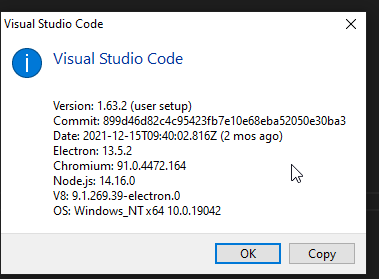
Reload window command does not solve this problem. but close the window by "X" button and open again works.
Metadata
Metadata
Assignees
Labels
info-neededIssue requires more information from posterIssue requires more information from posterlayoutGeneral VS Code workbench layout issuesGeneral VS Code workbench layout issueswindowsVS Code on Windows issuesVS Code on Windows issues
