extensions.experimental.affinity not working on remote installed extensions (wsl2 / containers) #148311

Description

- VSCode Version: 1.67.0-insider (user setup) Commit: a7a7f20
- Local OS Version: Win 11 21h1
- Remote OS Version: Ubuntu 20.04.1 LTS / Debian 11
- Remote Extension/Connection Type: Docker & WSL tested
I tested the new experimental feature for the multiple extension hosts. On local workspaces and if the extension does not need to be installed on the devcontainer it works fine but if you install the extension in the dev container it does not create a new extensionHost.
My settings.json:
"extensions.experimental.affinity": {
    "johtela.vscode-modaledit": 1,
    "codespaces-contrib.codeswing": 3,
},
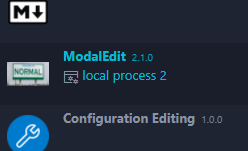
ModalEdit running in a local workspace:
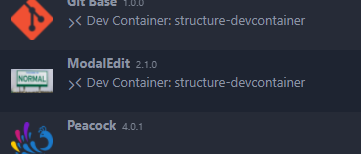
ModalEdit running in a dev container and installed in the dev container:
CodeSwing extension in a dev container (Does not need to be installed in the dev container):
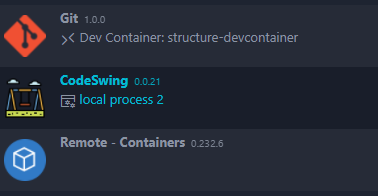
When inspecting it with the process explorer you can see the vscode frontend (Local process ) creates 2 extension hosts for CodeSwing and the other extensions and in the dev container is only 1 extension host running.

Steps to Reproduce:
- Set Affinity of any extension installed in dev container / wsl
- Check in "Show Running Extensions" if extensions is running in different extension host
Since the feature is experimental i suppose the remote server does not support the setting or is there some option i am missing? I am running the latest RemoteContainers Extension.
Does this issue occur when you try this locally?: No