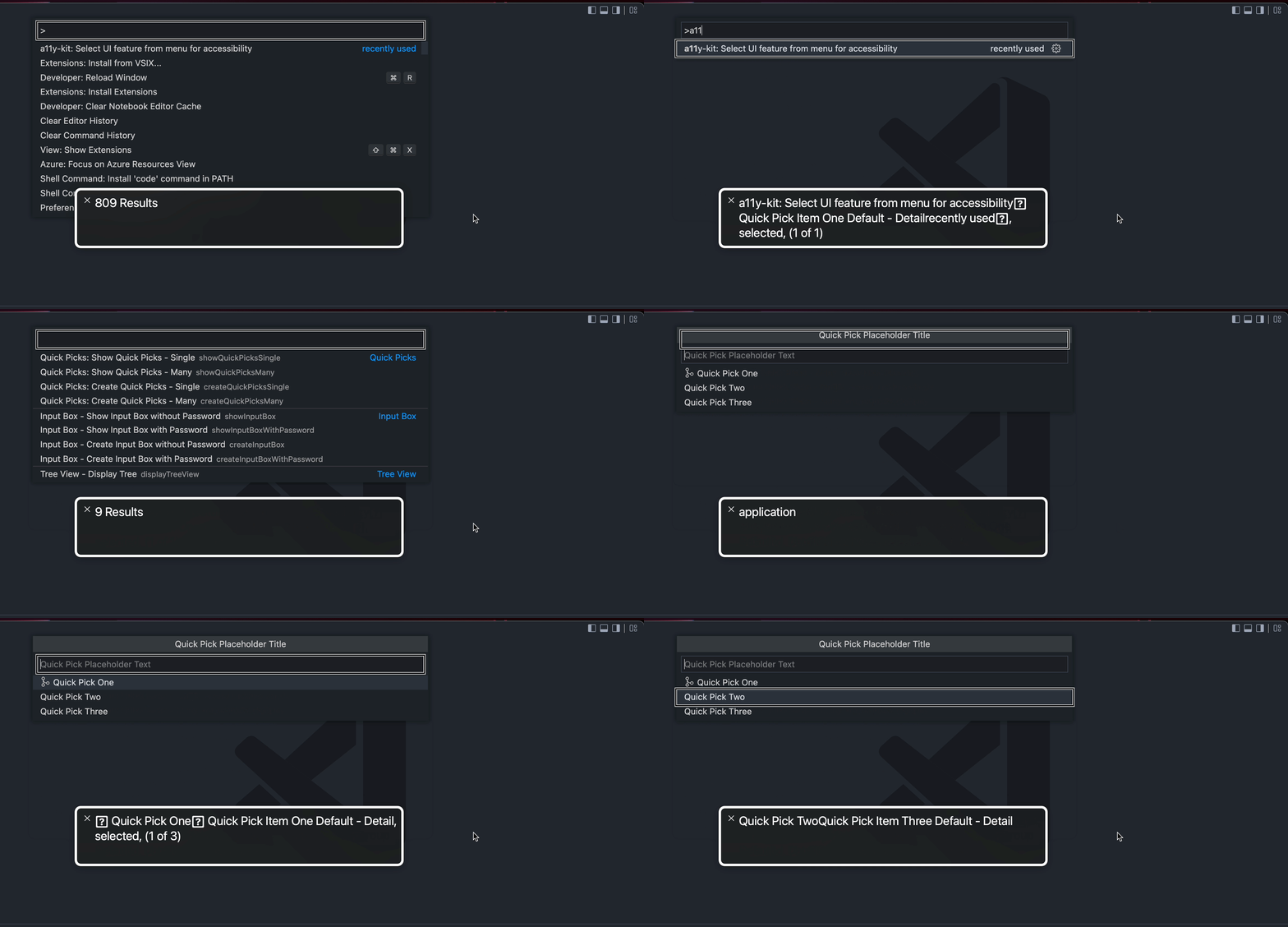
[Accessibility, a11y] Screen reader not reading out quick pick list item numbers correctly (macOS v12.3.1, VoiceOver) #149395


Description

VS Code Version: 1.67.1
Operating System: macOS Monterey v12.3.1
Screen Reader: Apple VoiceOver
Extensions Installed:
Put together an extension to quickly demo the bare VS Code UI features without our normal SDK and extension wrappers.
"a11y-kit" (https://marketplace.visualstudio.com/items?itemName=MicroFish.accessibility-testkit)
Repro Steps:
- Install a11y-kit from VS Code Marketplace
- Open command palette and run a11y-kit's menu command
- Next, select: "Quick Picks: Show Quick Picks - Single"
- Highlight over the quick pick item options now shown below.
Expected:
Each quick pick item's list number should be read by screen reader when selected (i.e. "1 of 3", "2 of 3", "3 of 3").
Currently this is the behavior seen on NVDA but doesn't seem consistent on VoiceOver.
Actual:
The first list item's number is called out correctly as "1 of 3", but upon selecting the next quick pick item, the list number is no longer properly captured by the screen reader (the screen reader seems to detect the "2 of 3" for a split second but then clears to just the item field descriptors without calling out the list numbers).
Attachments: