Terminal File Link cannot jump to line of relative path in remote session #150593


Description

Does this issue occur when all extensions are disabled?: Yes, with only remote-ssh left
- VS Code Version: 1.67.2 stable
- OS Version: Win10 20H2
- Remote OS Version: Ubuntu 20.04
This is similar to #148765, but only produces on remote sessions (tried remote-ssh, remote-wsl not tested).
Steps to Reproduce:
- open a remote ssh session

ctrl + click on memfs.cpp:12, it jumps to the first line of memfs.cpp:
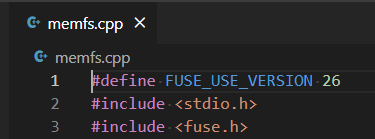
- ctrl + click on
/home/venn/code/task2-fileio-yitaooo-main/memfs.cpp:12, it jumps to line 12 correctly:
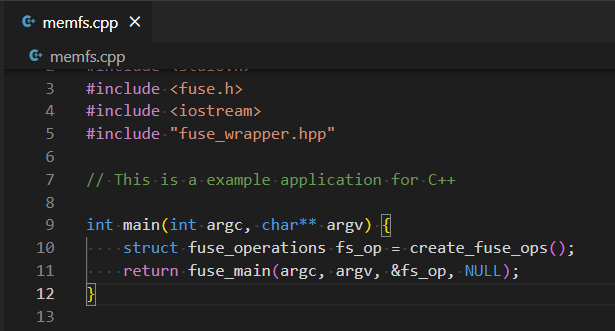
Set log level to "Debug", seems their command differs slightly:
[2022-05-28 15:08:16.841] [renderer1] [debug] Opening link {"text":"memfs.cpp:12","bufferRange":{"start":{"x":1,"y":2},"end":{"x":12,"y":2}},"type":3}
[2022-05-28 15:08:17.144] [renderer1] [debug] User data changed
[2022-05-28 15:08:26.919] [renderer1] [debug] Opening link {"text":"/home/venn/code/task2-fileio-yitaooo-main/memfs.cpp:12","uri":{"$mid":1,"path":"/home/venn/code/task2-fileio-yitaooo-main/memfs.cpp","scheme":"vscode-remote","authority":"ssh-remote+vm"},"bufferRange":{"start":{"x":1,"y":4},"end":{"x":54,"y":4}},"type":0}