Support navigation to the setting from Extension View > Feature Contributions to corresponding settings. #155396


Description

The extension view shows the Feature Contributions tab. For installed extension support a way to jump to the selected setting in the Settings view:
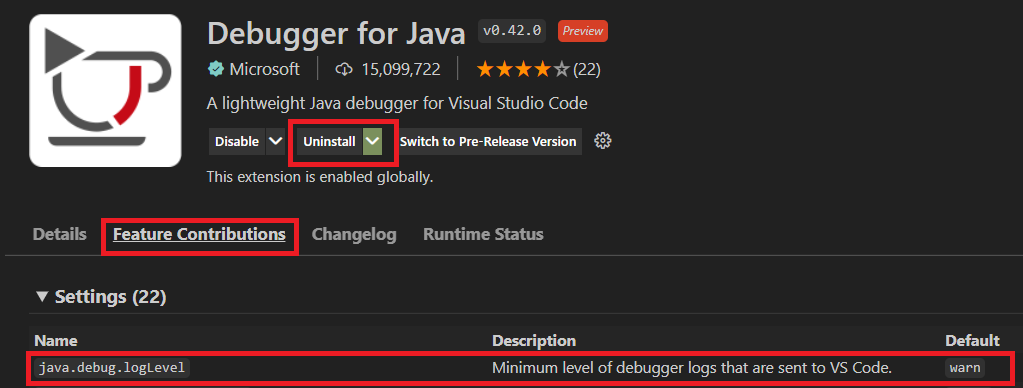
Clicking (or it could a pencil icon button) on java.debug.logLevel navigates to:
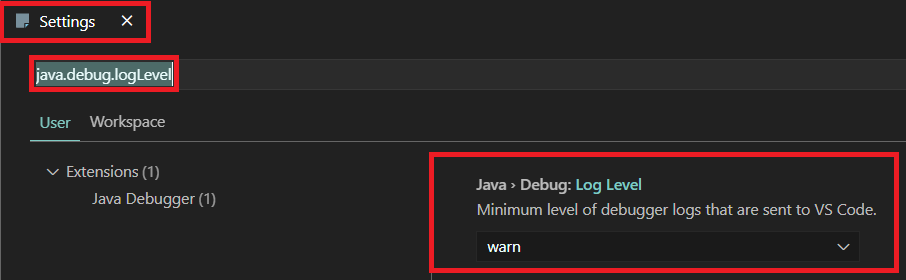
There could also be a global action button (say next to the > Settings section) on the Feature Contributions tab to go to all settings of the extension using the @ext:vscjava.vscode-java-debug filtering mechanism.
I guess a similar mechanism could be used for the Keybindings editor from the Keybinding section of the Feature Contributions tab. Similarly for the Commands section to quickly create/edit keybindings for it.