Documentation for manual pwsh terminal integration is incorrect in macOS #157131


Description

If you:
- Use the PowerShell VS Code extension and
- Want to use terminal integration in the terminal created by the PowerShell VS Code extension
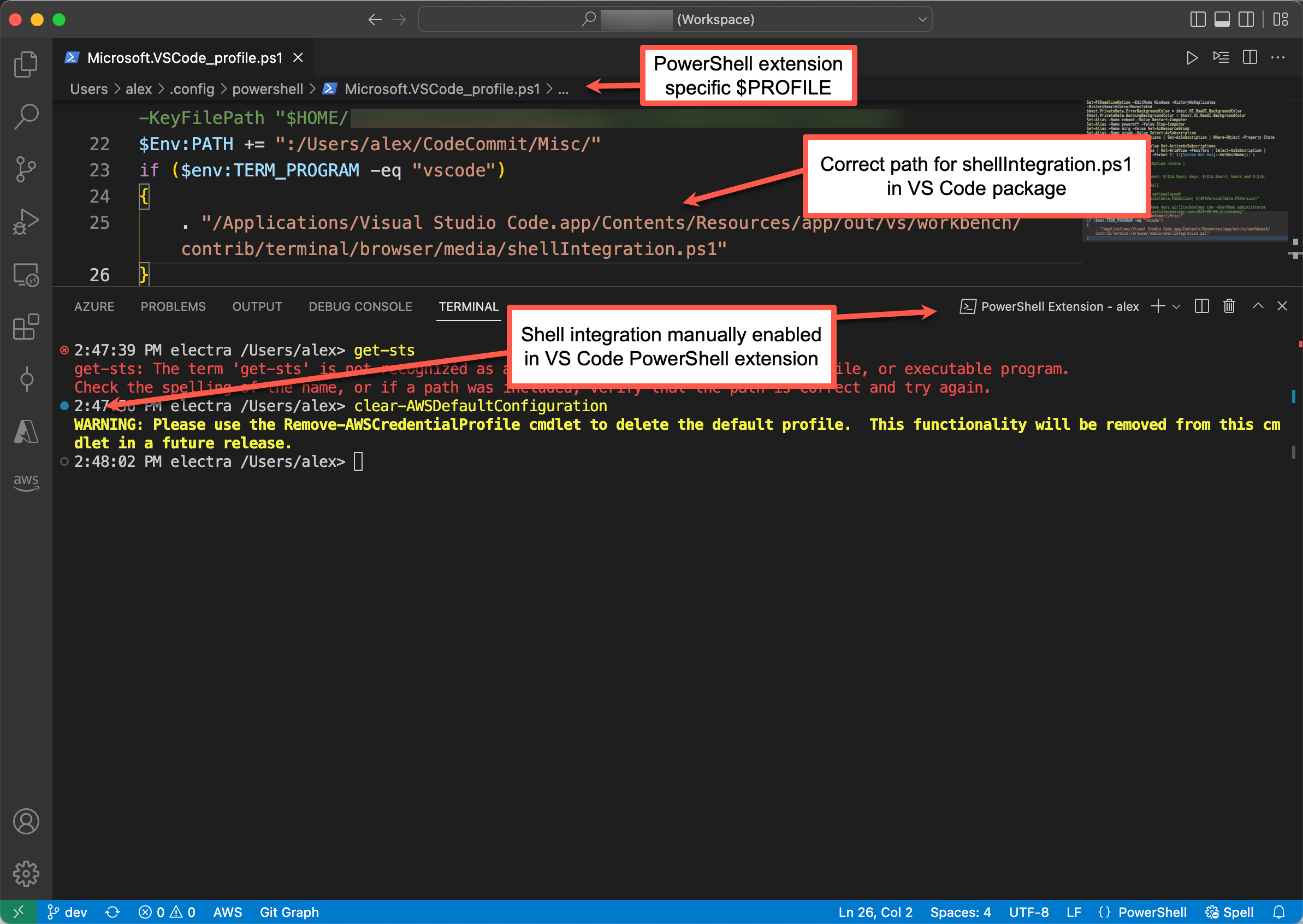
Then on macOS even if terminal.integrated.shellIntegration.enabled is set to true, it is still necessary to update the VS Code PowerShell extension's $PROFILE ($HOME/.config/powershell/Microsoft.VSCode_profile.ps1) to execute shellIntegration.ps1.
In any case, the documentation for macOS shows an invalid path for manual activation in any pwsh terminal.
Here's what worked for me on macOS 12.5:
if ($env:TERM_PROGRAM -eq "vscode") { . "/Applications/Visual Studio Code.app/Contents/Resources/app/out/vs/workbench/contrib/terminal/browser/media/shellIntegration.ps1" }
It should also be noted that the $PROFILE executed by the VS Code PowerShell extension is not the same as the $PROFILE executed in a macOS terminal session or a VS Code terminal which isn't running the VS Code PowerShell extension. However, a non-VS Code PowerShell extension console does not offer services that pwsh devs use, like IntelliSense and debugging.
I'm not sure where the distinctions between a "real" PowerShell console and the one created by the VS Code PowerShell extension are documented but when VS Code talks about a PowerShell terminal, it rarely (if ever) makes this distinction clear. Yet pwsh devs will almost always choose to work in the terminal session created by the VS Code PowerShell extension since it is the replacement for the PowerShell ISE.