-
Notifications
You must be signed in to change notification settings - Fork 37.7k
Closed
Labels
bugIssue identified by VS Code Team member as probable bugIssue identified by VS Code Team member as probable bugchromiumIssues and items related to ChromiumIssues and items related to Chromiumfont-renderingFont rendering issuesFont rendering issuesupstreamIssue identified as 'upstream' component related (exists outside of VS Code)Issue identified as 'upstream' component related (exists outside of VS Code)upstream-issue-linkedThis is an upstream issue that has been reported upstreamThis is an upstream issue that has been reported upstreamwindowsVS Code on Windows issuesVS Code on Windows issues
Description
Does this issue occur when all extensions are disabled?: No
- VS Code Version: 1.74.2(user setup)
- OS Version: Windows_NT x64 10.0.19044
Steps to Reproduce:
It seems wrong when I launch, looks not clear when I using it. Im not sure why, or it depends on the Windows Clear Type settings, just like the following pictures:
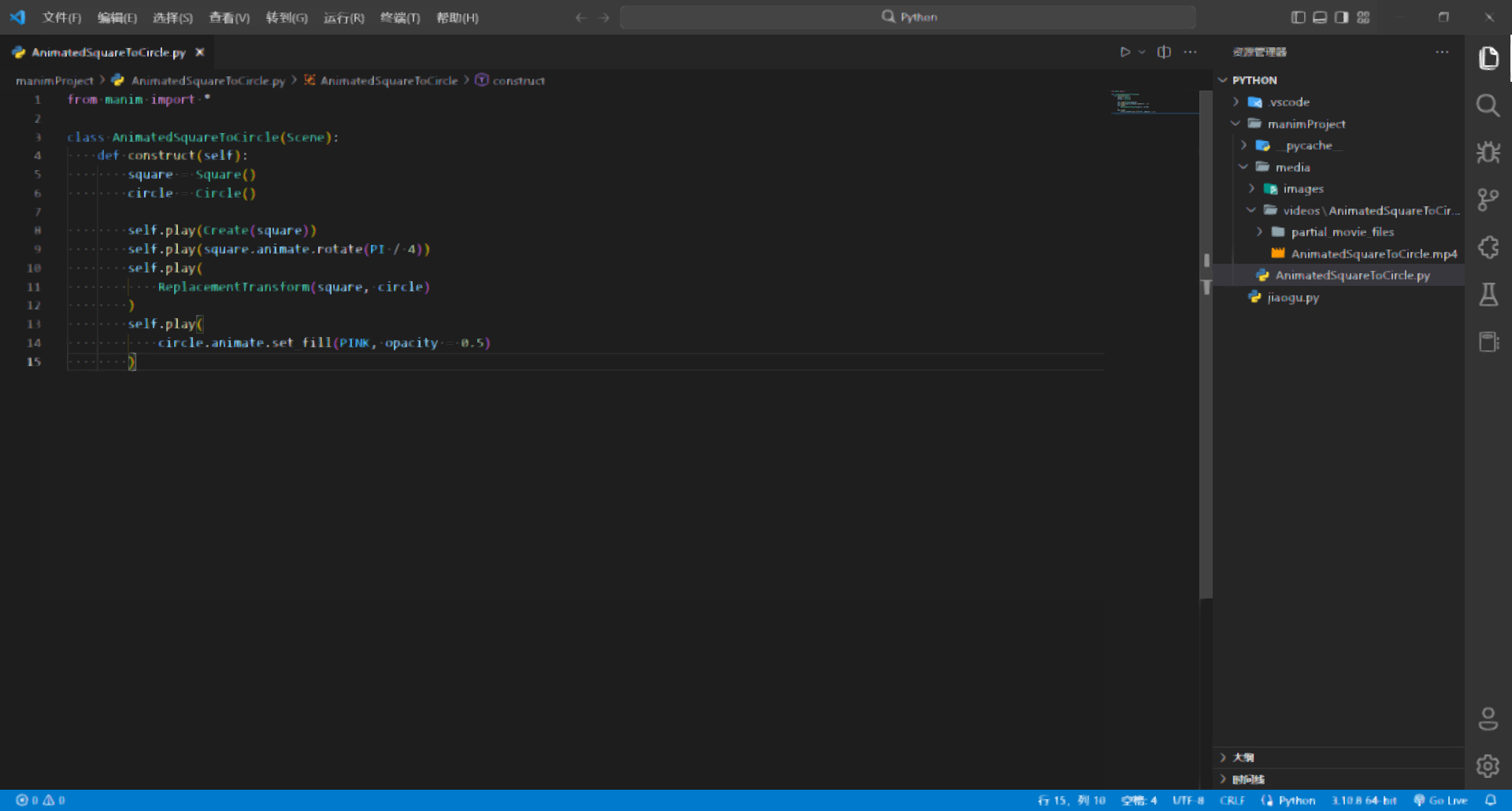
plz help me!!!
Metadata
Metadata
Assignees
Labels
bugIssue identified by VS Code Team member as probable bugIssue identified by VS Code Team member as probable bugchromiumIssues and items related to ChromiumIssues and items related to Chromiumfont-renderingFont rendering issuesFont rendering issuesupstreamIssue identified as 'upstream' component related (exists outside of VS Code)Issue identified as 'upstream' component related (exists outside of VS Code)upstream-issue-linkedThis is an upstream issue that has been reported upstreamThis is an upstream issue that has been reported upstreamwindowsVS Code on Windows issuesVS Code on Windows issues