Version 1.9.0-insider
Commit f2379e8
Date 2017-01-02T07:11:43.247Z
Shell 1.4.6
Renderer 53.0.2785.143
Node 6.5.0
Steps to Reproduce:
- Create a JS and/or TS (with source mapping)
- Set debug point on couple random lines using the F9 key.
- Enter debug mode.
- Normally, the breakpoints will randomly move around.
- Set more debug point on other lines.
- Normally, the setting a new breakpoint affects the other existing points.
Issues
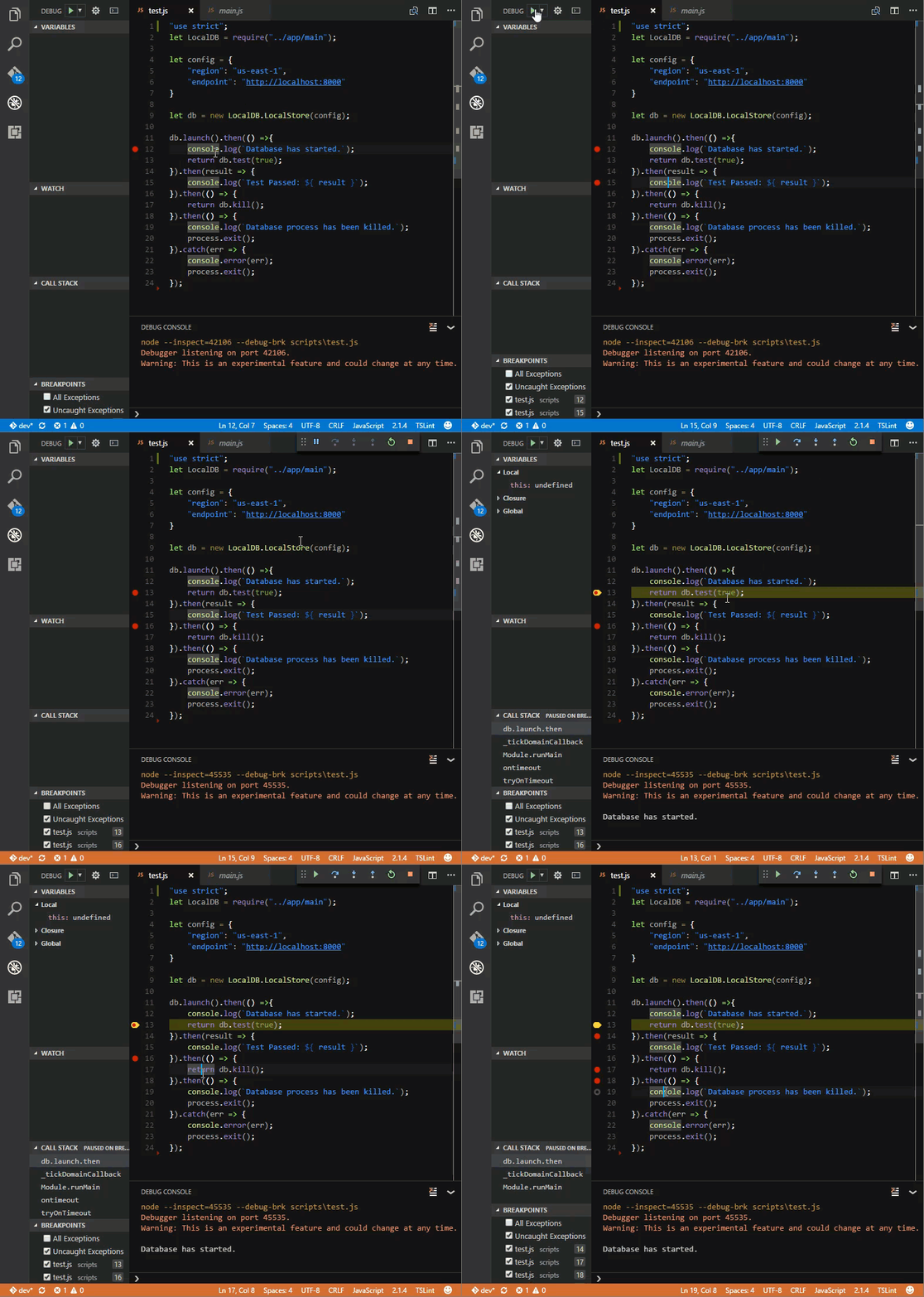
- Breakpoint set via F9 key randomly move once debug is executed.
- Normally, but not always, it will move down a line.
- Somes times, breakpoints are removed altogether.
- While debug mode is active, VS Code or Node-Debug doesn't respect the line number a new breakpoint (via F9) was set.
- While debug mode is active, existing breakpoints will randomly move around when another breakpoint (via F9) is added.
Breakpoints Set via F9 - Better quality
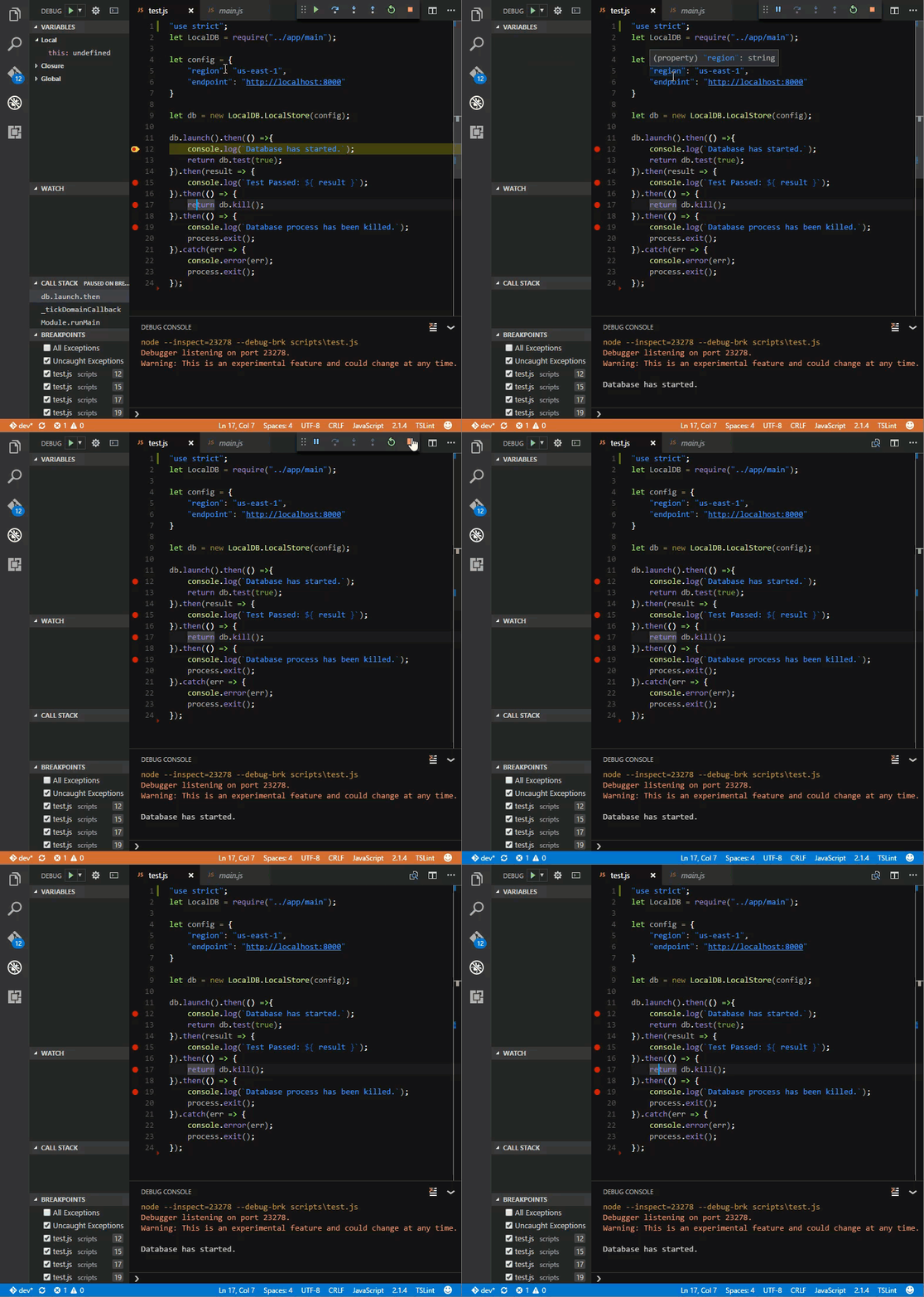
Breakpoints Set via Mouse Clicking on the Sidebar (set on the same lines above)
Troubleshooting
- Affects multiple systems and OS (Windows 10 Insiders and Ubuntu 16.10)
- Affects multiple Node versions: v6.9.2 and v7.3.0
- Seems to only affect breakpoints set via F9 key.
- Seems affect only VS Code Insiders
- Enabling or Disabling SmartStep doesn't change the outcome.
- Module in the GIFs are written in TS before compiled.
launch.json
{
    "version": "0.2.0",
    "configurations": [
        {
            "name": "Launch - Test Script",
            "type": "node2",
            "request": "launch",
            "program": "${workspaceRoot}/scripts/test.js",
            "cwd": "${workspaceRoot}",
            "outFiles": [],
            "stopOnEntry": false,
            "sourceMaps": true,
            "smartStep": true
        }
    ]
}
Also posted issue at microsoft/vscode-node-debug2#71.
Version 1.9.0-insider
Commit f2379e8
Date 2017-01-02T07:11:43.247Z
Shell 1.4.6
Renderer 53.0.2785.143
Node 6.5.0
Steps to Reproduce:
./scripts/test.jsIssues
Breakpoints Set via F9 - Better quality

Breakpoints Set via Mouse Clicking on the Sidebar (set on the same lines above)

Troubleshooting
launch.json
Also posted issue at microsoft/vscode-node-debug2#71.