- VSCode Version: 1.22.1
- OS Version: Windows 10
Steps to Reproduce:
- clone the following repo and navigate to the test>back-end>routes.test.js file:
git clone https://github.com/RonanQuigley/vscode-intellisense-bug .
- run
yarn to install the node_modules folder. You do not need to execute any script to see this problem.
- Adjust the import path as demonstrated in the gif below. Notice that aside from being slow (around 1s to update a path, intellisense eventually hangs on 'Loading...' and won't work without an update.
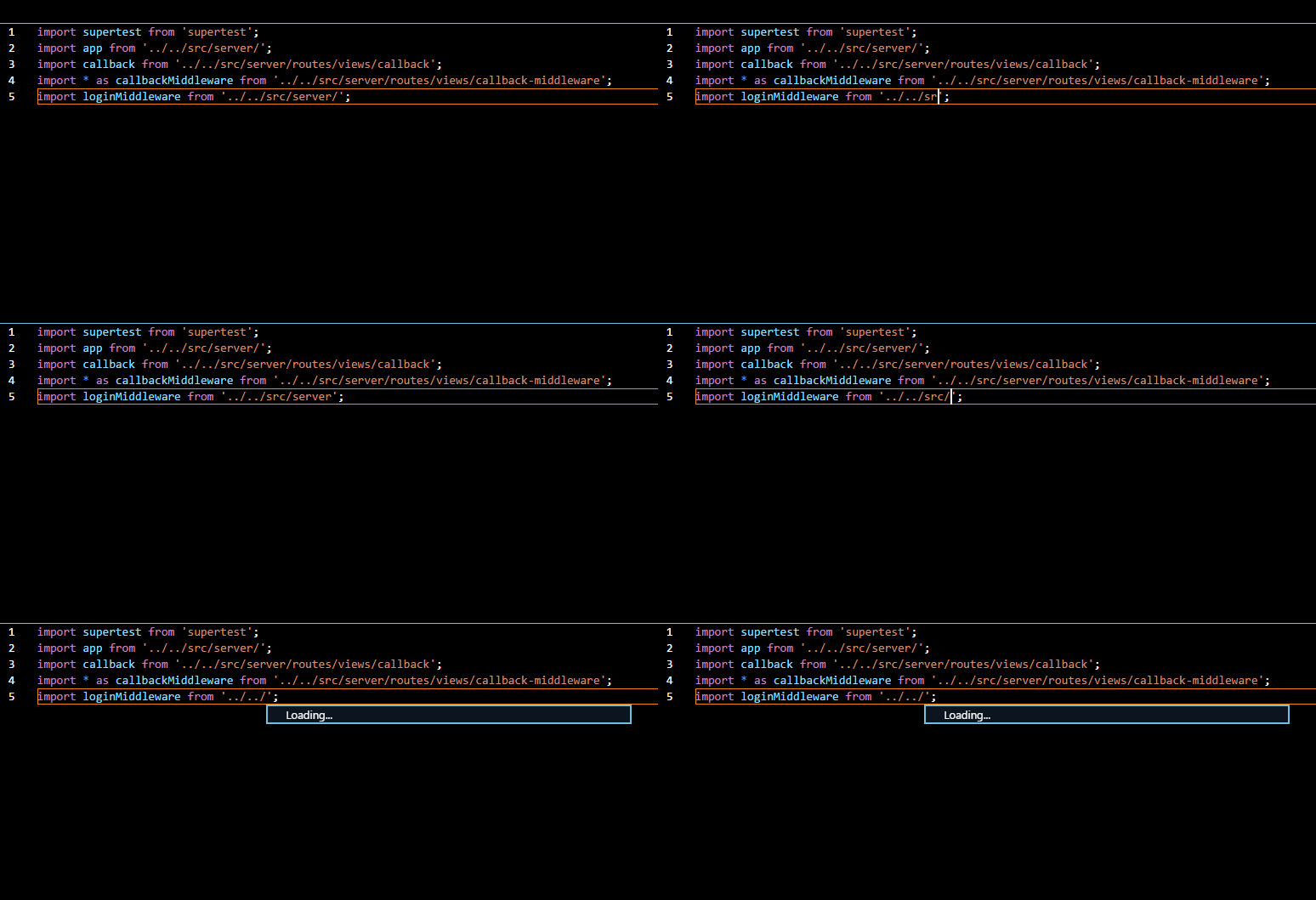
I've tried to replicate this with a barebones project i.e. just two files but it never happens. I've also managed to narrow it down to the node_modules folder. Intellisense, when scanning that folder, will crash if the project has a lot of modules. Just before the crash I've consistently have had this sort of cpu spike:

If you delete the node modules folder, the issue is gone. If you reduce the number of modules, whilst intellisense is a bit slower, the issue is also gone. If you use require instead of import, the issue is also there. I tried to see if it was a specific module causing it, but my tests have shown that it's not the case. It's just the sheer number of modules being used.
Is there intellisense logging that I can provide that would help? The only current workaround is to restart vscode, which if like me, you encounter this issue incessantly is a complete pain in the butt to deal with.
There's loads of other files in this project; I've just left them in in case there's something contributing to the issue that perhaps I'm missing. So whilst I have tried to minimise the project to the least amount of files, it only happens in larger setups unfortunately.
Does this issue occur when all extensions are disabled?: Yes


Steps to Reproduce:
git clone https://github.com/RonanQuigley/vscode-intellisense-bug .yarnto install the node_modules folder. You do not need to execute any script to see this problem.I've tried to replicate this with a barebones project i.e. just two files but it never happens. I've also managed to narrow it down to the node_modules folder. Intellisense, when scanning that folder, will crash if the project has a lot of modules. Just before the crash I've consistently have had this sort of cpu spike:
If you delete the node modules folder, the issue is gone. If you reduce the number of modules, whilst intellisense is a bit slower, the issue is also gone. If you use require instead of import, the issue is also there. I tried to see if it was a specific module causing it, but my tests have shown that it's not the case. It's just the sheer number of modules being used.
Is there intellisense logging that I can provide that would help? The only current workaround is to restart vscode, which if like me, you encounter this issue incessantly is a complete pain in the butt to deal with.
There's loads of other files in this project; I've just left them in in case there's something contributing to the issue that perhaps I'm missing. So whilst I have tried to minimise the project to the least amount of files, it only happens in larger setups unfortunately.
Does this issue occur when all extensions are disabled?: Yes