- VSCode Version: 1.23.0
- OS Version: macOS 10.13.3
Steps to Reproduce:
- Hit Cmd + F to show the "Find" panel.
- Hit Cmd + Option + R to toggle the regex mode.
- This almost always opens Finder for the current directory. Sometimes it works correctly, but I haven't been able to determine what steps modify the behaviour.
This is me doing the above steps:
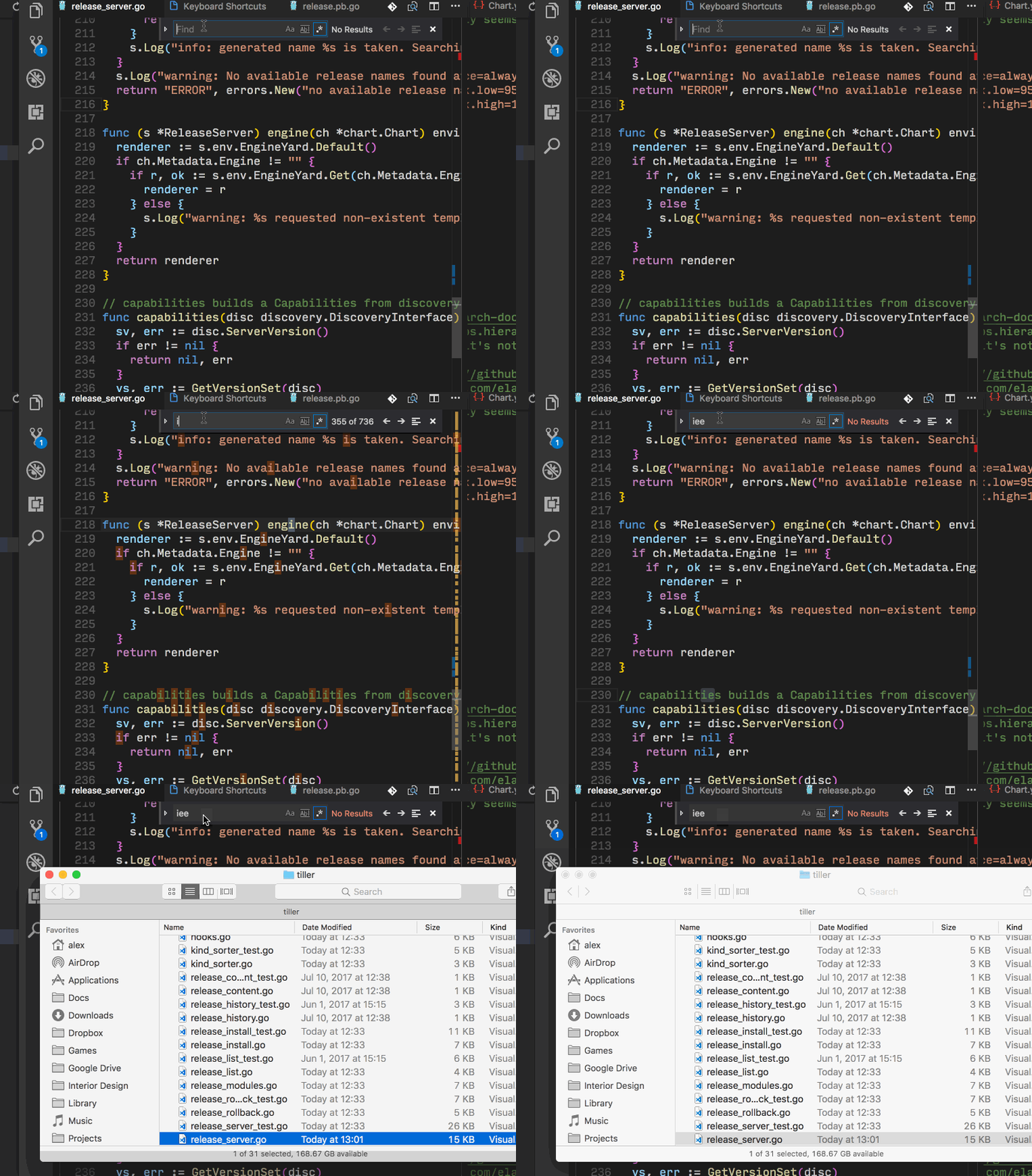
I also noticed that Cmd + Option + C, which should toggle case, does nothing. Cmd + Option + W, to toggle whole words, works.
My keybindings: https://gist.github.com/atombender/d61bb4d54d6abca9ebb2a1c9f25c58d0
Does this issue occur when all extensions are disabled?: Yes


Steps to Reproduce:
This is me doing the above steps:
I also noticed that Cmd + Option + C, which should toggle case, does nothing. Cmd + Option + W, to toggle whole words, works.
My keybindings: https://gist.github.com/atombender/d61bb4d54d6abca9ebb2a1c9f25c58d0
Does this issue occur when all extensions are disabled?: Yes