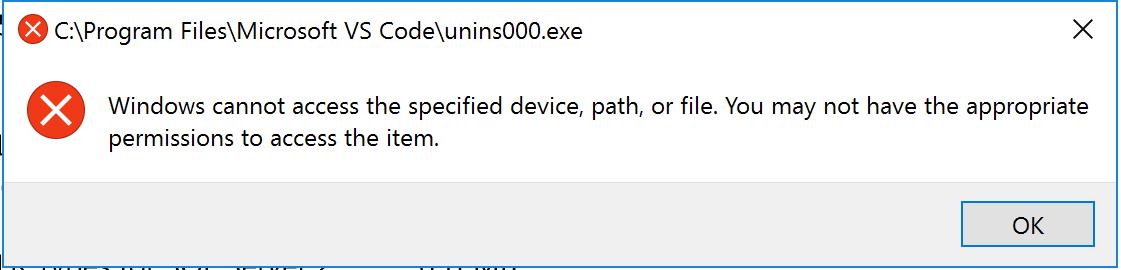
Interesting use case here while using Visual Studio Code on a test server running Windows Server 2016. An exception is thrown when you attempt to uninstall via the settings app. Uninstall does work when using the Control Panel or when running the installer directly.
- VSCode Version: 1.26.0
- OS Version: Windows Server 2016 Standard
Steps to Reproduce:
- Install VS Code on Windows Server 2016
- Go to Settings -> System -> Apps & Features
- Click Uninstall under VS Code
Does this issue occur when all extensions are disabled?: Yes


Interesting use case here while using Visual Studio Code on a test server running Windows Server 2016. An exception is thrown when you attempt to uninstall via the settings app. Uninstall does work when using the Control Panel or when running the installer directly.
Steps to Reproduce:
Does this issue occur when all extensions are disabled?: Yes