Issue Type: Bug
I have noticed this bug in the typescript language mode.
- Create two Functions. The upper Method should at least be to lines long. The second one should be at least three lines long which mustn't be empty. However the more non-empty lines there are the more pronounced the effect is.
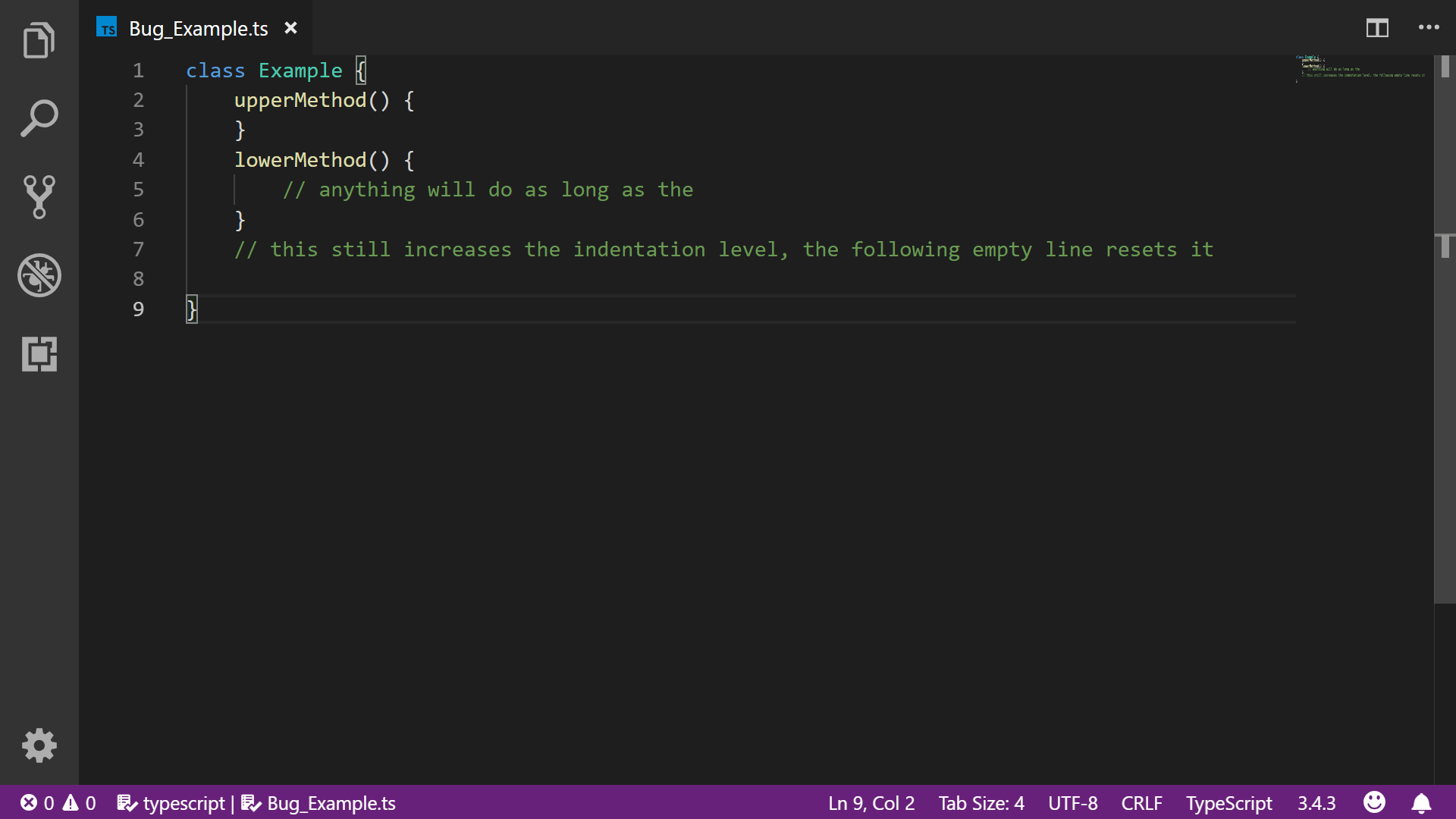
- Select the top one and move it down (editor.moveLinesDownAction).
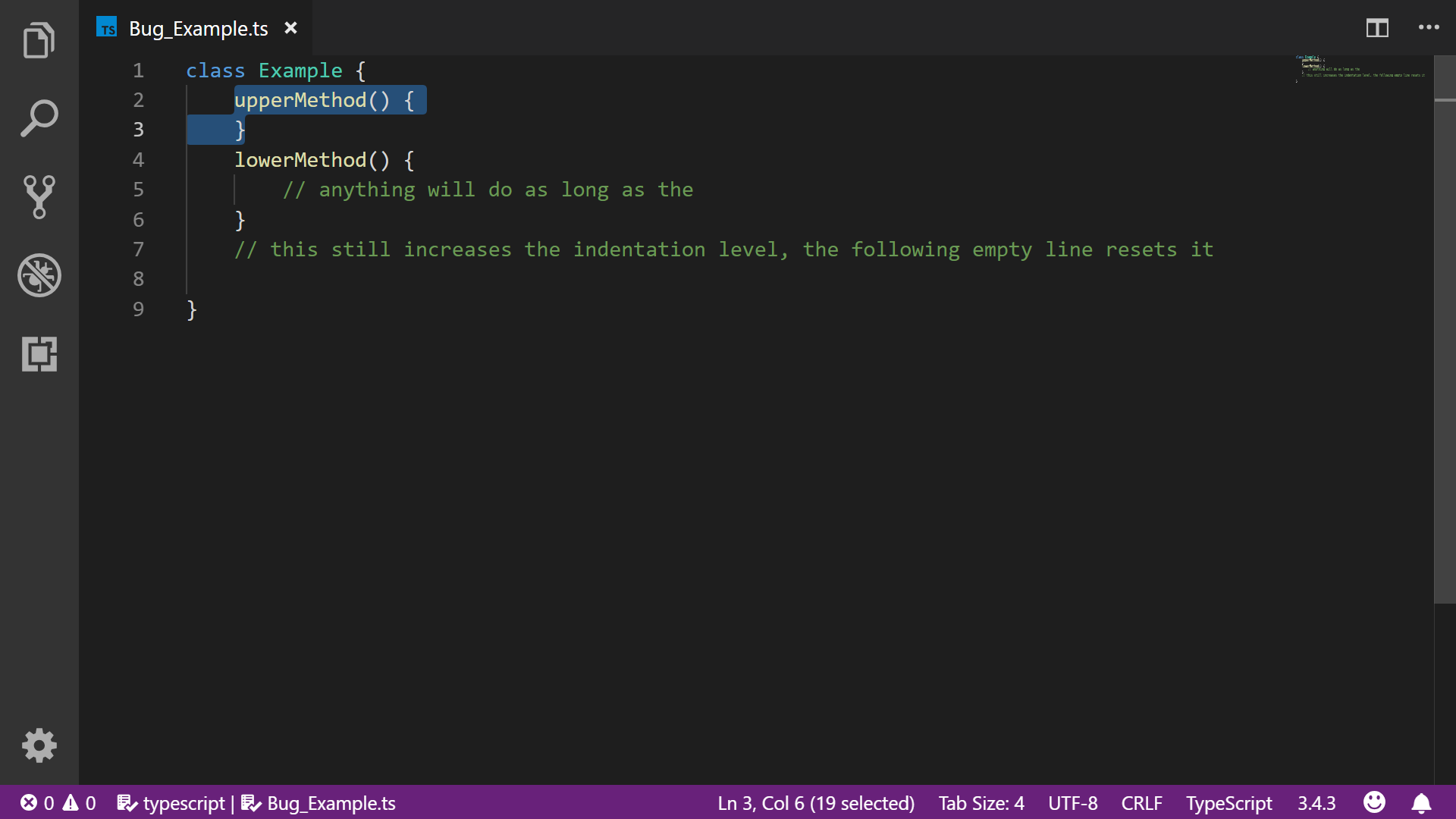
- The moved function is indentation level increases by one for each line it passes.
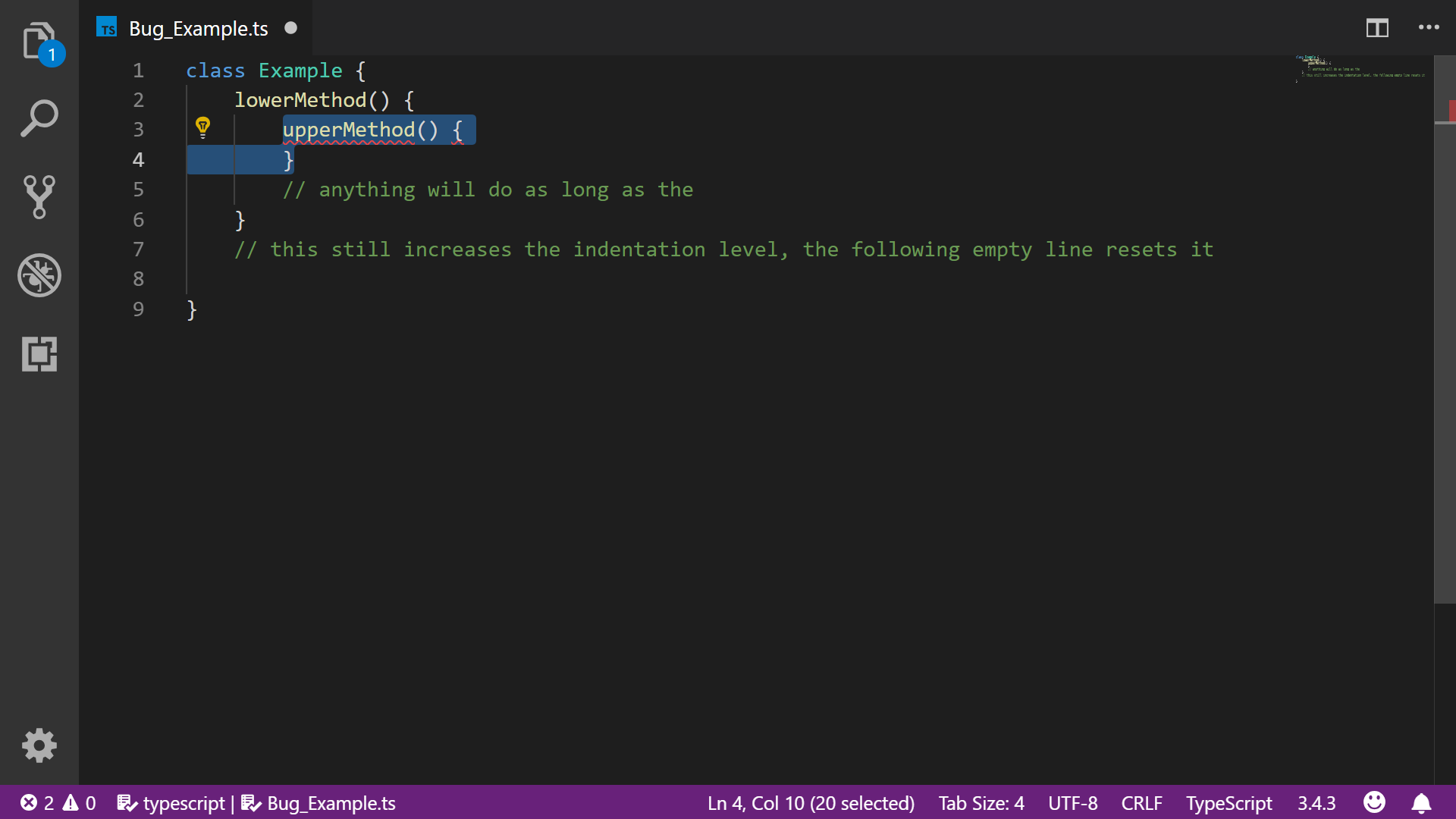
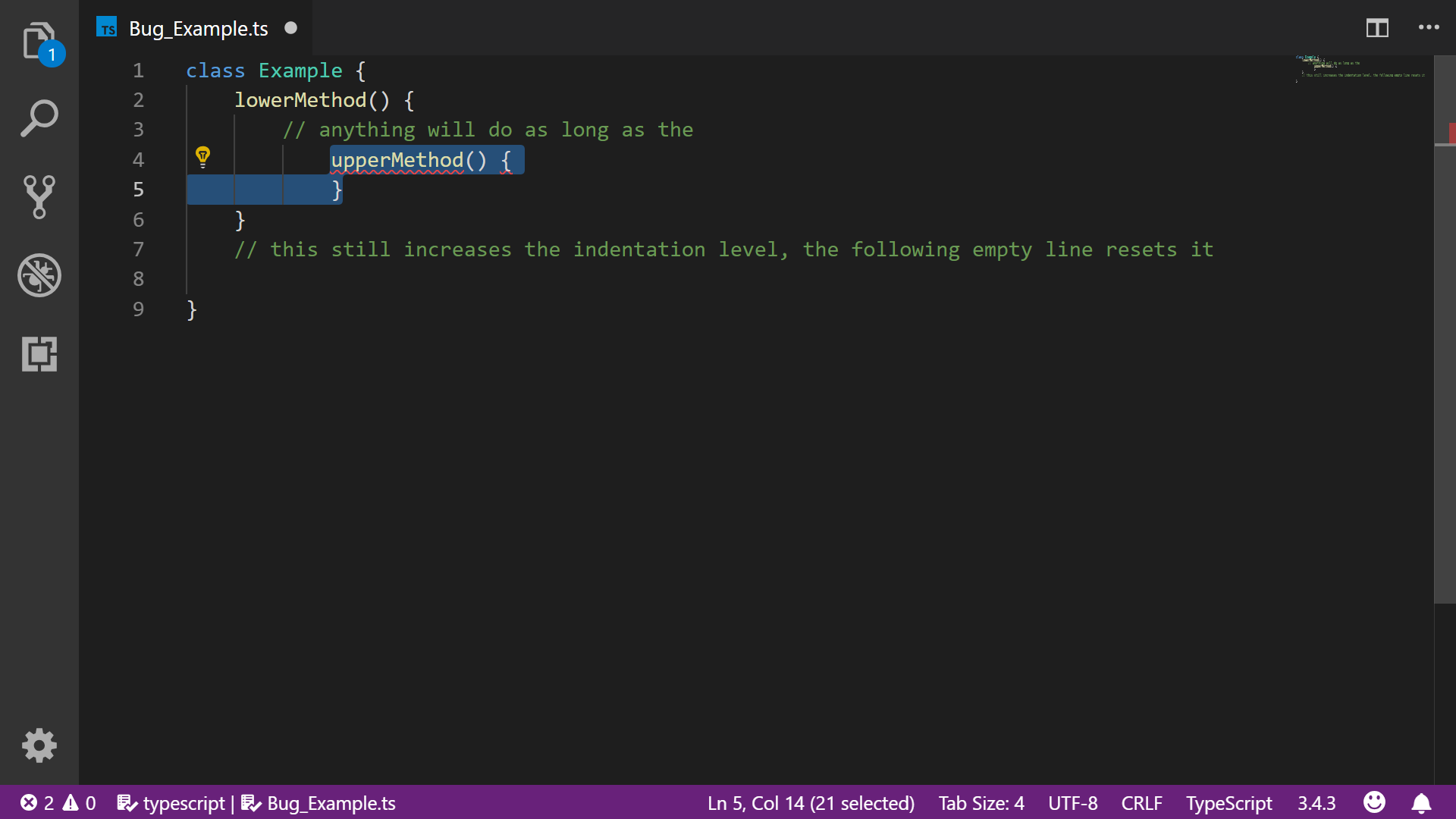
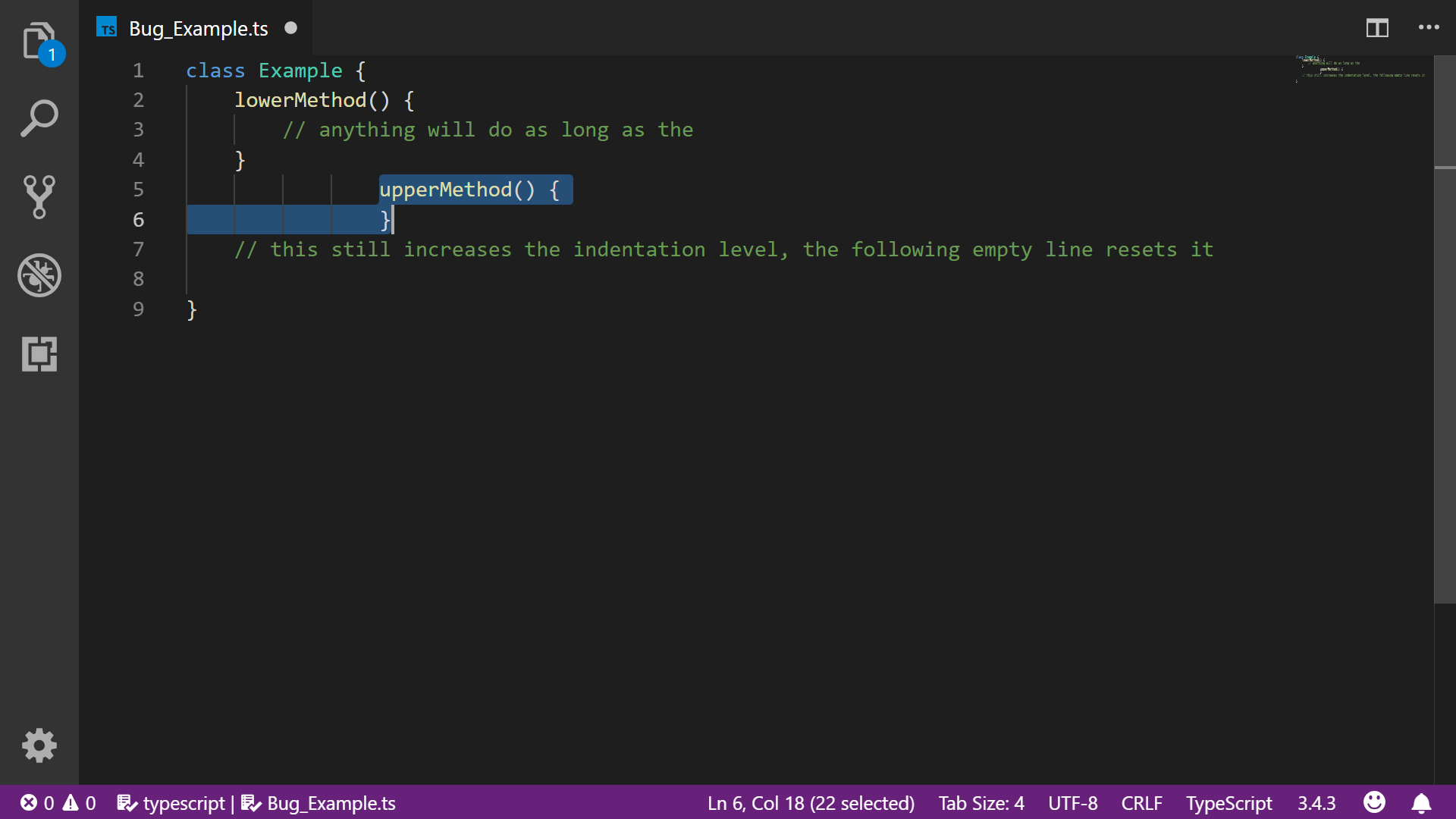
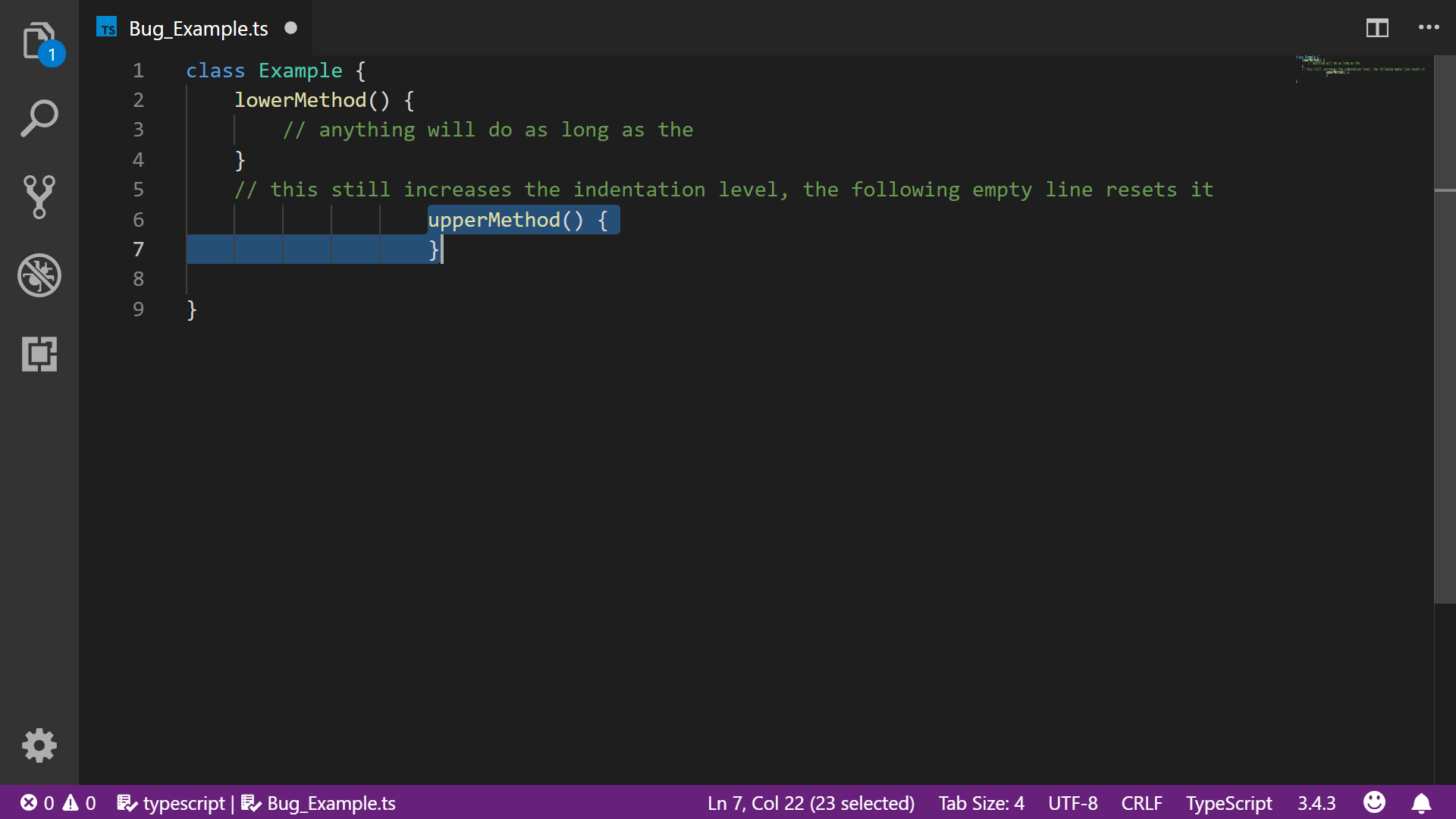
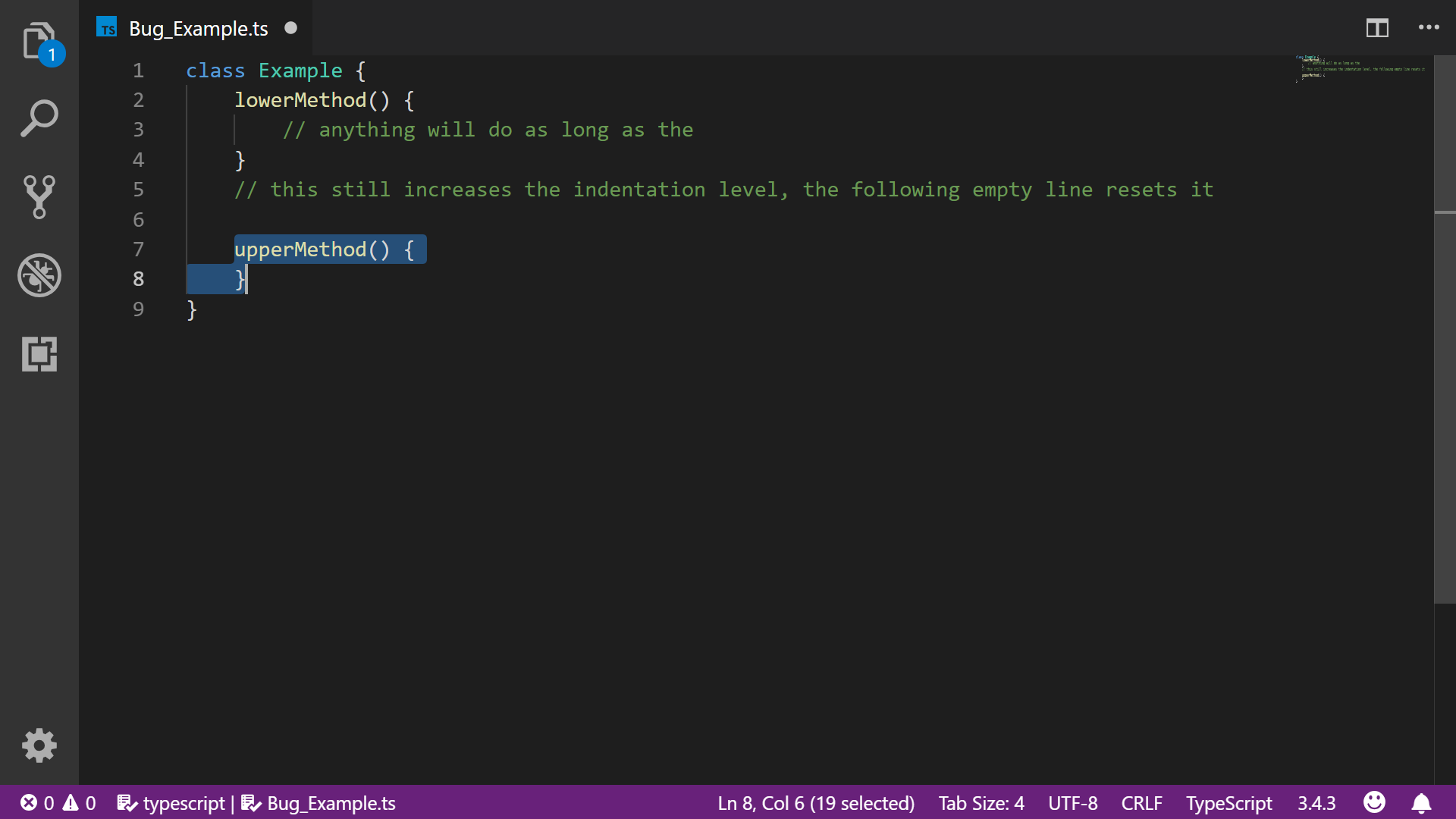
Actual Result: The indentation level of the method is way higher than it should be, it is farther right than the rest of the code.
Expected Result: It should be at the correct indentation level.
Additional Notes:
a) This also happens when you use obejcts which are longer than one line. The same is true for any combination of objects and functions as long as they are longer than one line.
b) This effect stops when you and the indentation resets when you move below an empty line. That being said, the effect continues as long as there isn't a new line, even when already have move below the initially entered object/function.
c) The effect is also cancelled and the indentation level is reset when you move the line up (editor.moveLinesUpAction). Moving lines up in general doesn't produce the bug at all.
VS Code version: Code 1.33.1 (51b0b28, 2019-04-11T08:27:09.080Z)
OS version: Windows_NT ia32 10.0.17134
Extensions (15)
| Extension |
Author (truncated) |
Version |
| ng-template |
Ang |
0.1.11 |
| path-intellisense |
chr |
1.4.2 |
| EditorConfig |
Edi |
0.13.0 |
| vscode-npm-script |
eg2 |
0.3.5 |
| shell-format |
fox |
4.0.5 |
| svg |
joc |
0.1.4 |
| angular-essentials |
joh |
0.6.0 |
| Angular2 |
joh |
7.1.1 |
| vscode-peacock |
joh |
2.1.1 |
| vscode-typescript-tslint-plugin |
ms- |
1.0.0 |
| debugger-for-chrome |
msj |
4.11.3 |
| angular2-inline |
nat |
0.0.17 |
| material-icon-theme |
PKi |
3.7.0 |
| code-spell-checker |
str |
1.7.4 |
| shellcheck |
tim |
0.6.0 |
(1 theme extensions excluded)


Issue Type: Bug
I have noticed this bug in the typescript language mode.
Actual Result: The indentation level of the method is way higher than it should be, it is farther right than the rest of the code.
Expected Result: It should be at the correct indentation level.
Additional Notes:
a) This also happens when you use obejcts which are longer than one line. The same is true for any combination of objects and functions as long as they are longer than one line.
b) This effect stops when you and the indentation resets when you move below an empty line. That being said, the effect continues as long as there isn't a new line, even when already have move below the initially entered object/function.
c) The effect is also cancelled and the indentation level is reset when you move the line up (editor.moveLinesUpAction). Moving lines up in general doesn't produce the bug at all.
VS Code version: Code 1.33.1 (51b0b28, 2019-04-11T08:27:09.080Z)
OS version: Windows_NT ia32 10.0.17134
Extensions (15)
(1 theme extensions excluded)