F2 stopped working properly after recent update #84356


Description

- VSCode Version: 1.40.0 (user setup)
- OS Version: Microsoft Windows 10 Enterprise
Steps to Reproduce:
- Putting the cursor on a variable inside a function
- pressing F2
- Renaming the variable in the input that apears.
- Pressing Enter.
Expected results:
- All appearances of the variable in the scoop will be renamed
- No error should appear.
- I could preform the same action again (on the same variable or on another one).
Actual Results:
- All appearances of the variable in the scoop were renamed.
- I got the following error message:
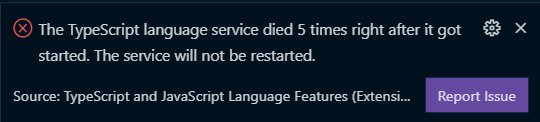
- When trying F2 for the second time i got the following message and the input in which i should enter the new name didn't appear:
(I was pressing F2 when the cursor was on "channel_index") :
 .
.
Does this issue occur when all extensions are disabled?:
No, when the extension is disabled, pressing F2 doesn't trigger any reaction.
The extension is called "TypeScript and JavaScript Language Features".
The error indicates a TypeScript issue.
I don't use typescript at all so i do not need it's features.
Restarting vscode and disabling & enabling the extension didn't help,
Thanks a lot!