College/School Time Table App for a specific private organization. Our RKU Time Table App is a prototype and upgraded version app for RKU Student
RKU time Table shows you time table of your respective class
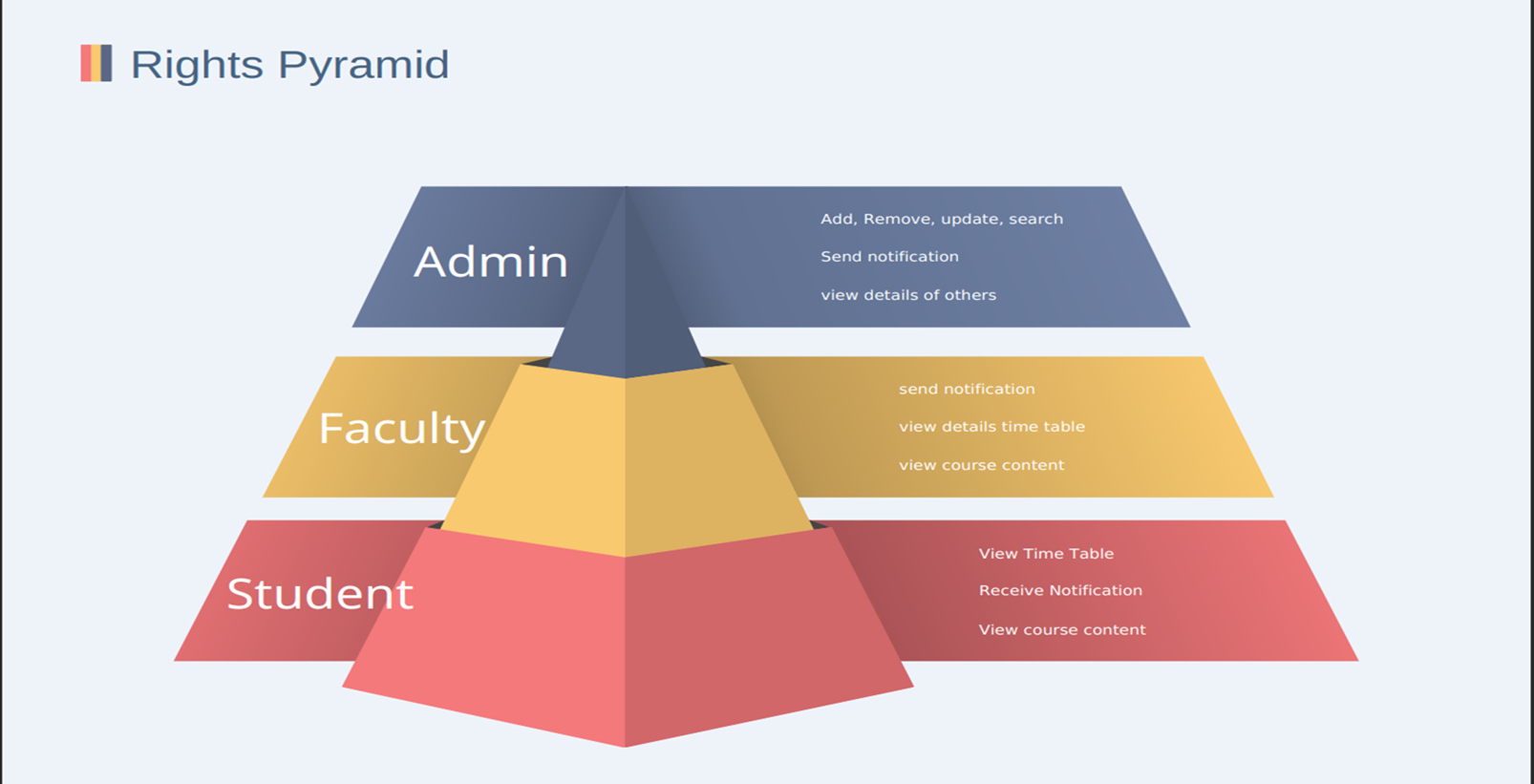
Rku time table has 3 categories of user:- 1)Admin 2)Faculty 3)Student
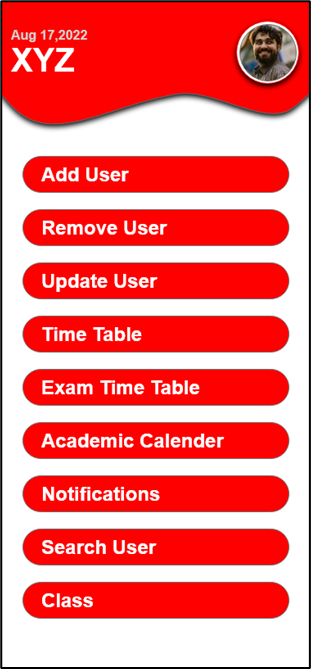
the above image is of admin and it shows what operations he can do
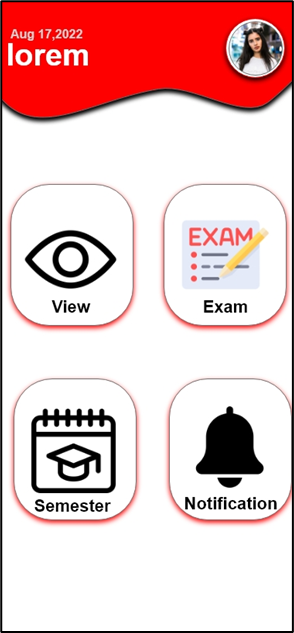
the above image is of student and faculty
the basic differences between user student and faculty is faculty can send the notification but student cannot
we have done authentication using google so if you are cloning the repo please enable your firebase authentication for google
Also enable Real Time Database
And add json file like this
"Admin" -"e2":"yourmail@gmail.com" -"e3":"yourmail@gmail.com" -"email":"yourmail@gmail.com"
these three are admin of the app
also add google-services.json file from firebase
Features which we have in the app:-
Admin side features :-
Add users
Remove users
Update users
Time Table
Add slots for a day
Add course content
Add duration
Assign faculty for the slot
Exam Time Table
Add exam time table for a class
Remove exam time table for a class
Update exam time table for a class
Academic Calendar
Add acad. for a class
Remove acad. for a class
Update acad. for a class
Notifications
Send and receive notifications
Search User
Class
Add class
Remove class
Update class

1)Add users The admin can add users, the admin will have interface for adding users and he has to fill out a form in which he has to add the users detail. On Submitting the form the user will be added to firebase auth. with a unique id token and the information will be stored in firebase database. The admin has to add the student into a particular class that he has created
2)Remove users The Admin will be able to search users and remove them . for this feature he will be given an interface at which he has to pass the erp id to search for particular user and press on remove button to remove them
3)Update users The Admin can update the users information . The admin will be given an interface where he could search user by id and he will be able to select a user and update his information.
- Time Table The Time table will be of Monday to Friday containing 10 slots and the admin can fill this slots or clear the slots. The Time table will contain the course content link , faculty information , subject name and duration. The Time Table will be added for a particular class or for a particular faculty
5)Exam TimeTable The Admin will be given the rights to edit the exam time table , in which he will be able to edit the link at which the student could easily download the time table for exam. The exam time table will be created/deleted/updated for a particular class
6)Academic Calendar The academic calendar can be edited by the admin and it will be for a particular class The academic calendar link has to be added while adding or updating . The student/Faculty will be able to download it from the link.
- Notifications The admin will be given an interface where he could send the notifications to all and receive the notifications from faculty.
8)Search User The admin will be given an interface to search for a particular user based on their ids
- Class The admin will be given an interface where he could add/remove/update class The class will consist of students Each class will have its own timetable.
1)Firebase Authentication (Login) The app will have the authentication of google one tap sign in , in which the user will have to choose the their account to login. The authentication will verify from the database whether he is admin/faculty/student. The Admin will register user using the feature/Functionality of add user and then the student/faculty will have the rights to access the app’s features. When the authentication is done in order to have one tap sign in for the rest of the session we will store the id token generated by login in shared preferences and see if it is available , if it is available we will redirect the user to main/dashboard activity.
2)Firebase Database The Admin will handle the database operation by using the provided features. The database will be storing the users information , time table information, the exam time table information and the classes. The admin will work as the root node and will have the rights to add more data. The next slide will provide you the information about how the database will look
3)3) Firebase Communication The admin and faculty will have the rights for the sending and receiving notifications but the students will not the rights for sending the notifications
The notifications will only be one way for students and two way communication for admin and faculty.