| title | description | author | created | modified |
|---|---|---|---|---|
Chime |
Real Time Channel Based Messaging for Smart TVs |
Marc Leef |
2015 November 15 |
2016 January 10 |
Chime: Real Time Channel Based Messaging for Smart TVs
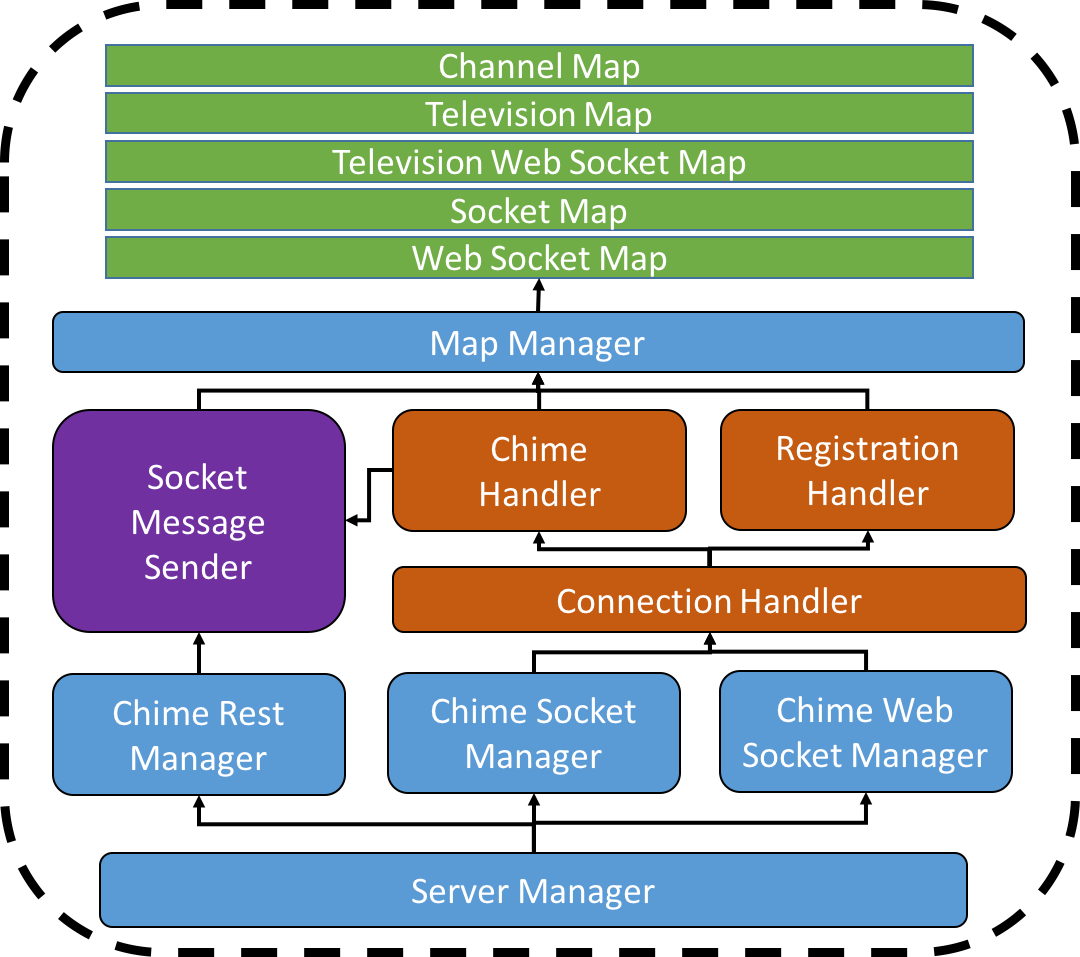
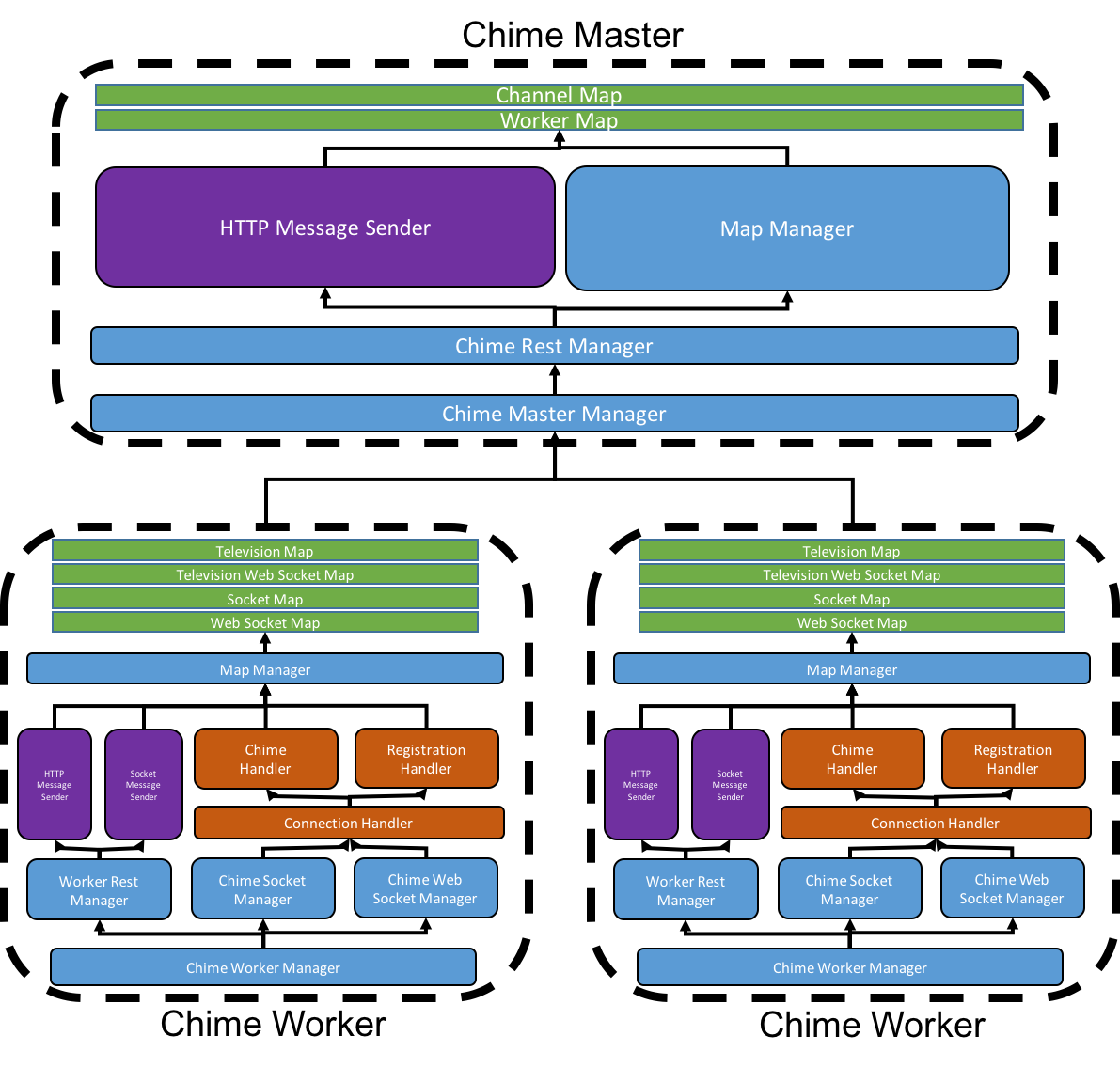
Chime is a high-performance chat server designed specifically to be used in conjunction with Smart TV applications. Chime can be deployed as either a monolithic instance or as a group of worker instances reporting to a master as pictured below.
The Chime backend is written in Java and can be found in backend/src. The Chime frontend is written in Javascript/HTML/CSS and can be found in frontend. The doc folder contains a detailed Javadoc of the project. The packaged, runnable jar files can be found in backend/jars.
- Socket Connections (Monolith/Worker): 4444
- Web Socket Connections (Monolith/Worker): 4445
- HTTP Requests (Monolith/Worker): 4567
- HTTP Requests (Master) 4500
Constrained by the maximum number of TCP connections the host is capable of maintaining, but still fully functional.
To instantiate a monolithic Chime instance do:
java -jar chime-monolith.jarUses HTTP messages to coordinate a set of load balanced workers that can be scaled with the number of users.
To instantiate a Chime Master instance do:
java -jar chime-master.jar [Optional port #]To instantiate a Chime Worker instance do:
java -jar chime-worker.jar [Chime Master URL]Chime instances can be communicated with using JSON messages written to socket/web socket streams or sent via HTTP requests. Clients open and maintain a singular socket connection which is then used to update the backend of channel changes and chime sending events.
To connect to a monolithic Chime instance from a browser do:
socket = new WebSocket("ws://[Chime instance URL]")Then send a registration message like so:
// Channel change event
var registration = {
    registrationMessage : {
        previousChannel : null,
        newChannel : {id : "1"},
        television : {id : "marcs-tv"}
        timeSent : "1000"
    }
};
// Send to server
socket.send(JSON.stringify(registration));
Chimes can be sent similarly:
// New Chime message from client
var chime = {
    chimeMessage : {
        channel : {id : "1"},
        television : {id : "marcs-tv"},
        message : "This is amazing!.",
        timeSent : "1000"
    }
};
// Send to server
socket.send(JSON.stringify(chime));
To listen for Chimes sent from other clients:
// Message event listener
socket.onmessage = function (message) {
    messageObj = JSON.parse(message.data);
    // Do other stuff with message
}To connect to a Chime Worker instance first send a HTTP POST request to the master to be assigned a worker:
[Chime Master URL]/worker/assignment
The response should be a success object that contains a worker URL to connect to (open socket with as above):
{
    success : "[Worker URL]"
}
The worker URL can then be communicated with in the same manner as the monolithic setup through a web socket connection.