A data pipeline system for managing short-term rental property data with optimized batch loading capabilities.
- Docker and Docker Compose
- Supabase project with database credentials
- Python 3.12+ (if running locally)
- In project root, create a folder naming it “data” where you will put all your CSVs, proper naming format should be placeName_stateName.csv (e.g: Blue_Ridge_GA.csv or Indianapolis_IN.csv)
Copy sample.env to .env and configure your credentials:
cp sample.env .envEdit .env with your Supabase credentials:
SUPABASE_URL=https://your-project.supabase.co
SUPABASE_SECRET_KEY=your-secret-key (sb_secret_...)
SUPABASE_DB_CONNECTION_STRING=postgresql://postgres.[Project-Id]:[YOUR-PASSWORD]@aws-1-ap-south-1.pooler.supabase.com:5432/postgres./scripts/migrate.sh run./scripts/build.sh all| Variable | Required | Description |
|---|---|---|
SUPABASE_URL |
Yes | Your Supabase project URL |
SUPABASE_SECRET_KEY |
Yes | Service role key for admin operations |
SUPABASE_DB_CONNECTION_STRING |
Optional* | PostgreSQL connection string for fastest loading |
*Optional but highly recommended for maximum performance
The easiest way to use this system is through the interactive CLI tool:
./scripts/cli.shThis will launch an interactive menu where you can:
- 🗄️ Run database migrations (run, status, dry-run, test connection)
- 📊 Run the data pipeline (full, clean only, load only, batch mode)
- 🌐 Manage API service (start, stop, restart, logs, health check, open docs)
- 🏗️ Build Docker images
- 📈 Check system status
- 🐳 Manage Docker containers
Start all services (pipeline + api + frontend):
docker-compose up -dStart specific services:
docker-compose up -d api
docker-compose up -d frontendStart API service:
./scripts/run.sh api detachedStart all services:
./scripts/run.sh all detached# Run full pipeline (clean + load)
./scripts/pipeline.sh run
# Run only data loading
./scripts/pipeline.sh load# Run full pipeline with batch loading
./scripts/pipeline.sh batch
# Run only data loading with batch mode
./scripts/pipeline.sh batch-load
# Test with limited records
./scripts/pipeline.sh batch-load --limit 50# Run scoring only (requires data to be loaded)
./scripts/pipeline.sh score
# Score with limit for testing
./scripts/pipeline.sh score --limit 10
# Run full pipeline with scoring (clean + load + score)
./scripts/pipeline.sh run --scoreOnce services are running:
- API Base URL: http://localhost:8000
- API Documentation: http://localhost:8000/docs (Swagger UI)
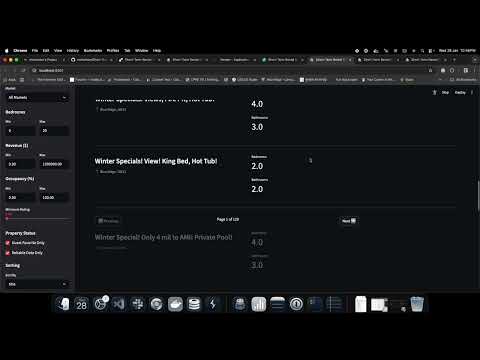
- Dashboard URL: http://localhost:8501
API Health Check:
curl http://localhost:8000/api/v1/healthFrontend Health Check:
curl http://localhost:8501/_stcore/health- Interactive CLI Guide - Complete guide for using the interactive CLI tool
- Quick Start Guide - Quick reference for batch loading