Optifine Install & Config (1.X)
To use Zoom and More Perfomance, you must install OptiFine manually. This pack does not bundle it to ensure legal compliance and smaller file size.
Required Version: OptiFine 1.16.5 HD U G8 (in 1.X releases)
Method A (Easiest):
If your launcher supports it, simply select the ForgeOptiFine version profile instead of standard Forge.
Method B (Manual):
- Download the installer from the official link below.
- Move the file (e.g.,
OptiFine_1.16.5_HD_U_G8.jar) into yourmodsfolder.
🔗 Official Download Link: Download OptiFine 1.16.5 HD U G8
The OptiFine download page contains FAKE ADS that look like download buttons but install viruses.
- ❌ DO NOT click big green "Download Now" buttons or pop-ups.
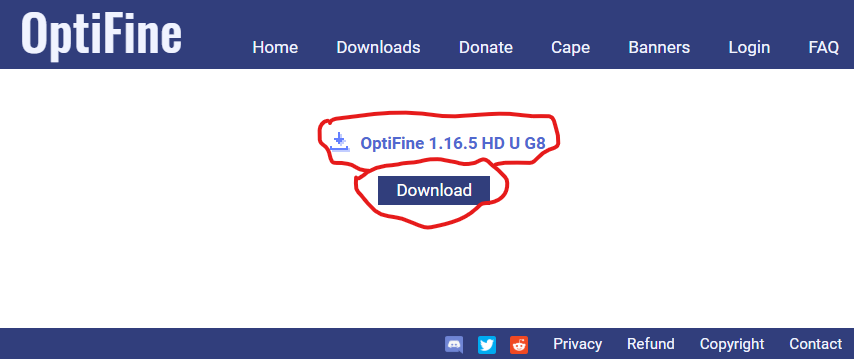
- ✅ REAL DOWNLOAD: After skipping the timer, look for the small blue text link in the center of the page that says
OptiFine_1.16.5_HD_U_G8.jar.
👇 See the screenshot below to identify the REAL button:
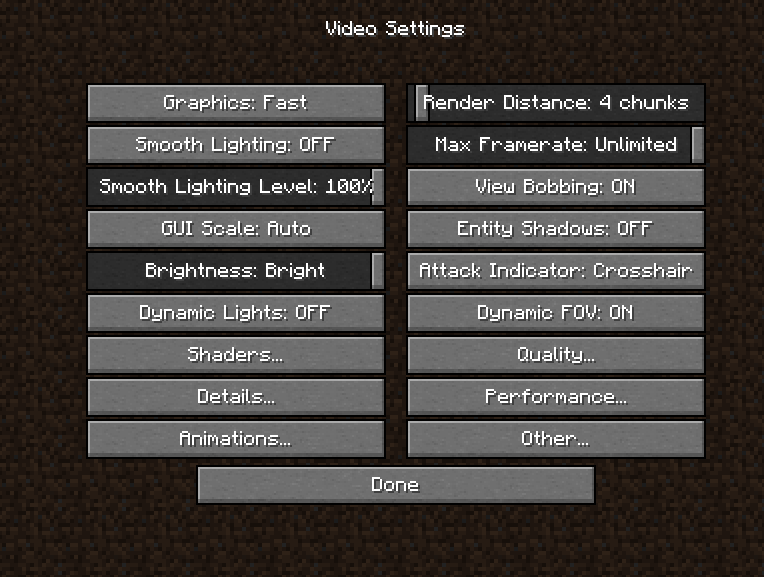
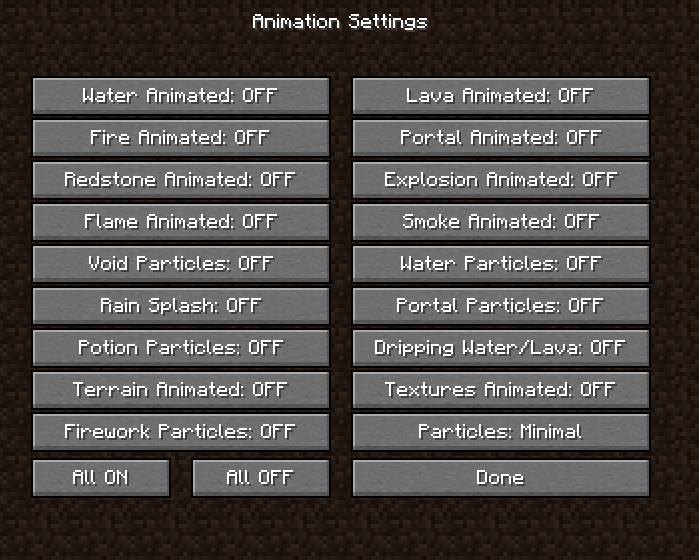
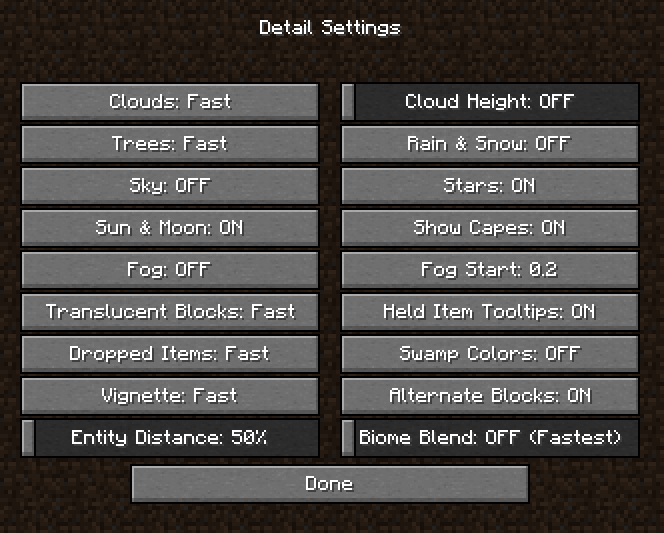
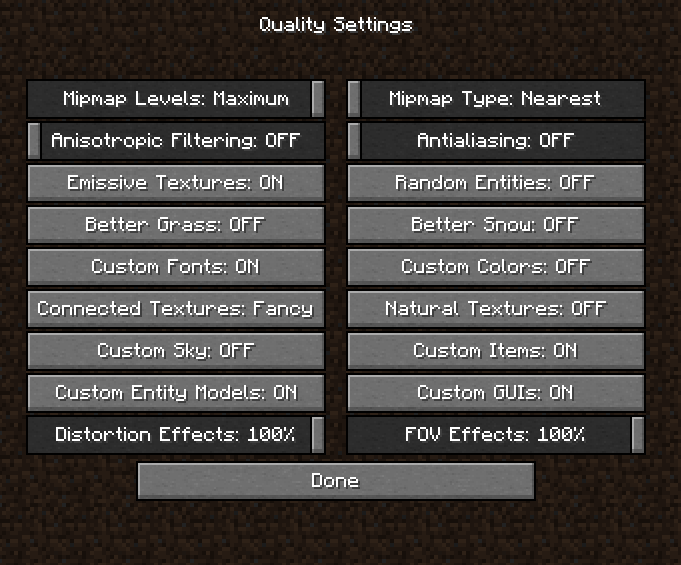
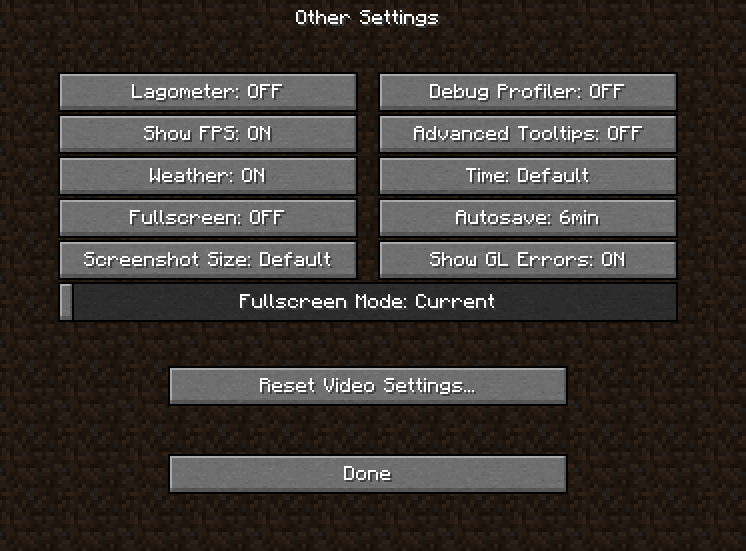
You should config Optifine in a good way to make the FPS better!
🛡️ Note: This may make the graphic not good.. but will make your FPS MUCH better! So.. if your PC is better, you can change some of them!
👇 See Below: