A premium, lightweight userscript specifically built for anyone sharing their screen or live streaming. Instantly masks your sensitive personal data on the fly to prevent accidental leaks to your audience.
💡 Designed for Content Creators & Professionals: Whether you are live streaming on Twitch/YouTube, recording tutorials, or presenting on Zoom/Teams, this shield ensures your private data stays private.
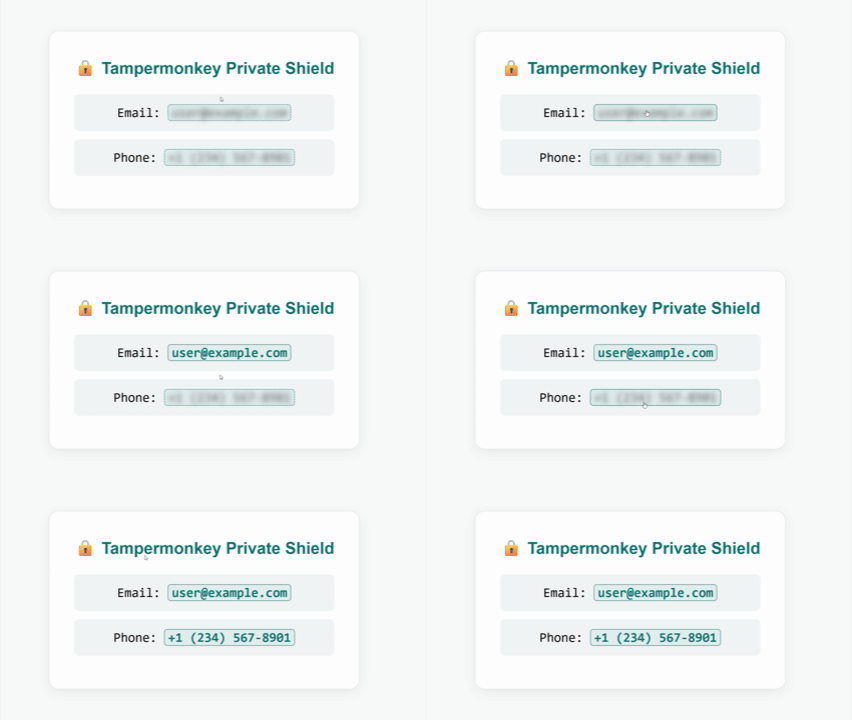
| Feature | Description |
|---|---|
| 🔒 Email Masking | Instantly hides emails (e.g., user@example.com) |
| 📱 Global Phone Patterns | Comprehensive regex covering global & local formats (e.g., +1..., (212)...) |
| ⚡ Instant Execution | Runs at document-start before private data can even render |
| 🔄 SPA Ready | Fully compatible with dynamic frameworks (Next.js, React, Vue, etc.) |
| 👆 Precision Control | Click any specific hidden element to toggle exposure cleanly |
| 🏷️ Smart Counter Badge | Discreet floating badge in the bottom-right displaying blocked counts |
To allow the script to execute seamlessly, you must toggle Allow User Scripts inside your browser's extension settings.
- Navigate to
chrome://extensions(oropera://extensions/brave://extensions) in your address bar. - Locate the Tampermonkey card and click Details.
- Toggle ON the Allow access to file URLs option (or Allow User Scripts).
- Click the Tampermonkey icon in your extension toolbar.
- Open the Dashboard and navigate to Settings.
- Under the Security tab, check the box for Allow User Scripts.
Choose the official extension store for your browser:


Click the professional shield button below to launch the automatic Tampermonkey installation portal:


Click Install on the Tampermonkey prompt window. You are completely protected! ✅
| Action | Result |
|---|---|
| Load Webpage | Automatic scanning and masking occurs instantly. |
| Click Hidden Box | Temporarily reveals the specific targeted element. |
| Click Revealed Text | Re-hides the item back into its protected shield state. |
| Click 🔒 Badge | Global Master Toggle (Reveal All Data / Mask All Data). |
| Hover Over Badge | Elegantly slides out the counter to show exact totals. |