This repository was archived by the owner on Nov 1, 2022. It is now read-only.
This repository was archived by the owner on Nov 1, 2022. It is now read-only.
Custom app share icon is huge in Feedly custom tab #4457


Description

Steps to reproduce
Have Fenix as default browser. Open links in Feedly using in-app Fenix tab. When you opened the link. In Feedly settings make sure "Preferred Browser" is set to "Built-in" which causes it to use custom tabs. Then simply tap on an article, then tap on the article title which will open it in the custom tab.
Expected behavior
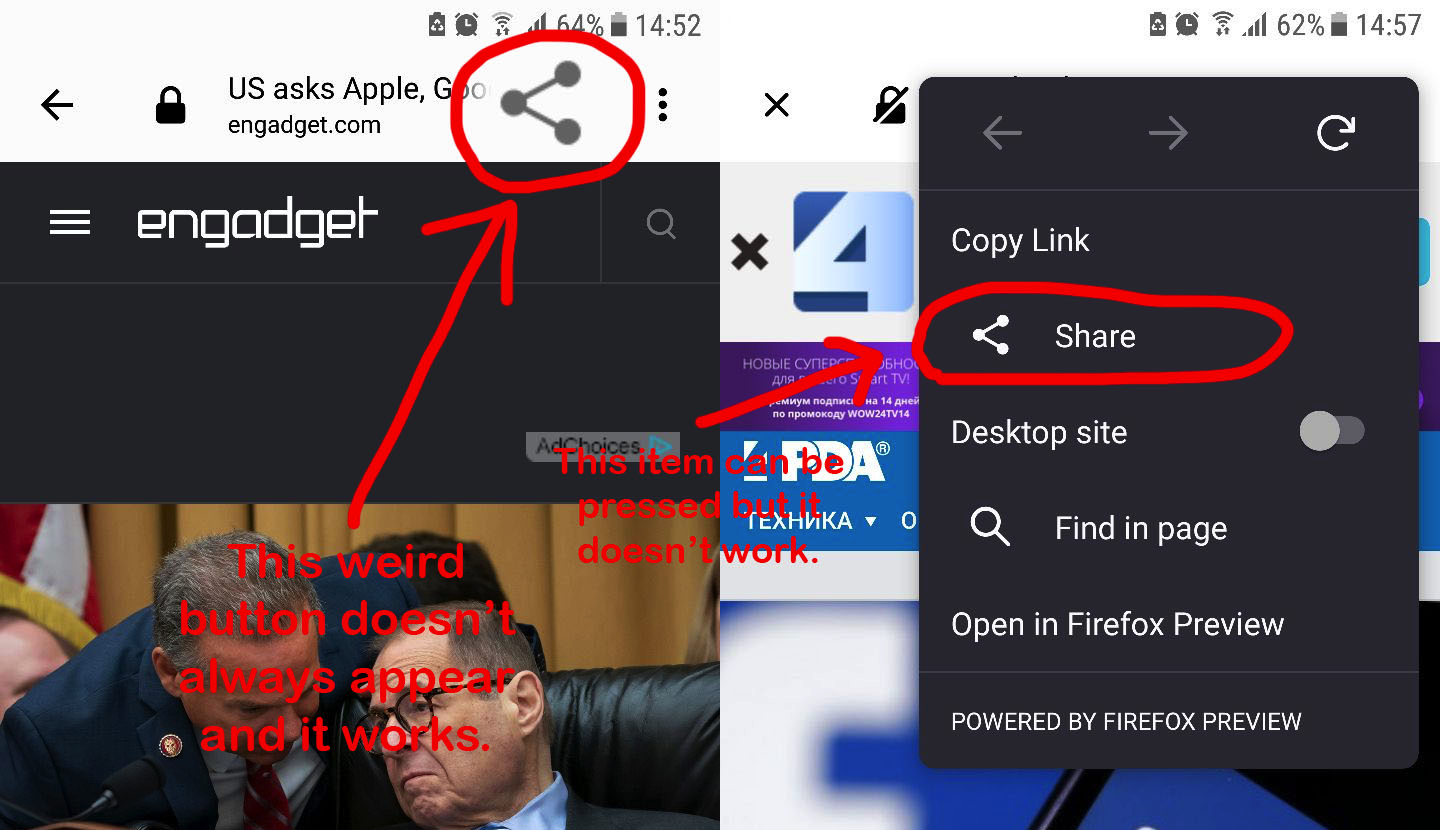
It should have a normal-looking Share button outside the 3-dot menu
Actual behavior
When using Feedly there is a super-weird share button left to 3-dot menu button and it works. (Ignore image on right)
Device information
- Android device: Samsung, Android 7.0
- Fenix version: 1.4.1
Modified from: mozilla-mobile/fenix#5330
┆Issue is synchronized with this Jira Task