







Open security scanner and self-hosted control plane for AI, MCP, and cloud infrastructure.
Discover assets, scan and enrich findings, map blast radius and compliance, and enforce runtime policy—from a local CLI or your self-hosted control plane.
Live demo (read-only sandbox) · Docs · First Run · Self-host · GitHub Action · Docker · Changelog
pip install agent-bom
agent-bom scan .
. means the current project. The local CLI reads it directly and prints
inventory, findings, reachable context, and fix-first actions; no control plane
is required. Export evidence when another tool needs it:
agent-bom scan . -f sarif -o findings.sarif. For scripts,
--project . (short form: -p .) is equivalent.
| Product lane | First command | Evidence you get | Natural next step |
|---|---|---|---|
| Scan and understand risk — repos, images, SBOMs, agent/MCP config, IaC | agent-bom scan . |
inventory, findings, fix priority, graph and standard report formats | gate CI or open the local report |
| Centralize and visualize evidence — fleet, cloud, identity, findings, compliance | pip install 'agent-bom[ui]' && agent-bom serve |
tenant-scoped inventory, attack paths, compliance, jobs and audit | self-host with Docker or Helm + Postgres |
| Enforce runtime behavior — MCP and tool calls | agent-bom gateway serve --upstreams upstreams.yaml --bind 127.0.0.1:8090 |
allow/warn/block decisions and audit events | bind policies to agents and upstream MCPs |
Discovery and static/cloud scanning are read-only. The self-hosted control plane stores evidence, and runtime modes make explicit policy decisions; those are separate operational boundaries, not all one read-only pipeline.

Blast radius links package risk to the MCP servers that load it, exposed tools, credential references, and agents that can reach it. Coverage and boundaries: AI infrastructure scanning · product boundaries · first-run guide.

Local CLI and CI call the scanner directly and do not require a server. The self-hosted control plane adds an authenticated API and UI, tenant-scoped persistence, fleet jobs, attack paths, compliance, and audit. Gateway and proxy modes enforce live tool traffic at a separate runtime boundary.
Execution paths and persistence
| Boundary | Entry point | Service path | Persistence or artifact |
|---|---|---|---|
| Local scan | CLI, CI, Docker | Python scanner and correlation engine | console/files; optional SQLite history |
| Control plane | Next.js UI, REST SDK | TLS/HTTPS ingress → authentication/tenant/rate-limit/audit middleware → FastAPI services | Postgres + RLS for shared deployments; SQLite for a local pilot |
| Agent interface | MCP clients | MCP server → shared scanning, finding and graph services | the same normalized evidence contracts |
| Runtime enforcement | MCP/tool traffic | gateway or proxy → policy, detectors and audit | SQLite or Postgres audit records |
Neptune is an optional graph backend and ClickHouse is optional analytics. Snowflake supports selected warehouse/store paths with documented parity limits. MCP server mode exposes 76 MCP tools, 6 resources, and 8 workflow prompts over strict arguments. Agent distribution includes a committed Smithery manifest; external catalog liveness is verified separately. The implementation-level diagram and component boundaries live in docs/ARCHITECTURE.md.
Evidence and accuracy boundaries
agent-bom normalizes advisory and distro evidence into canonical CVE findings with match-confidence tiers:
distro_confirmed > osv_range > osv_ecosystem > unfixed_distro > nvd_cpe_candidate
Distro-confirmed findings are treated as confirmed. Optional NVD CPE candidate matching widens long-tail OS/vendor software coverage, but remains review-grade and off by default.
NVD key model. End users do not need an NVD API key. CVE/CPE enrichment
ships through the distributed vulnerability database. NVD_API_KEY is only an
optional self-hosted freshness knob for operators rebuilding or refreshing the
database.
Matching mechanics and release evidence: vulnerability matching · scanner accuracy baseline · graph contract · architecture deep dive
Try the live demo (read-only sandbox). These captures come from the shipped Next.js routes using explicitly labeled, synthetic demo evidence.
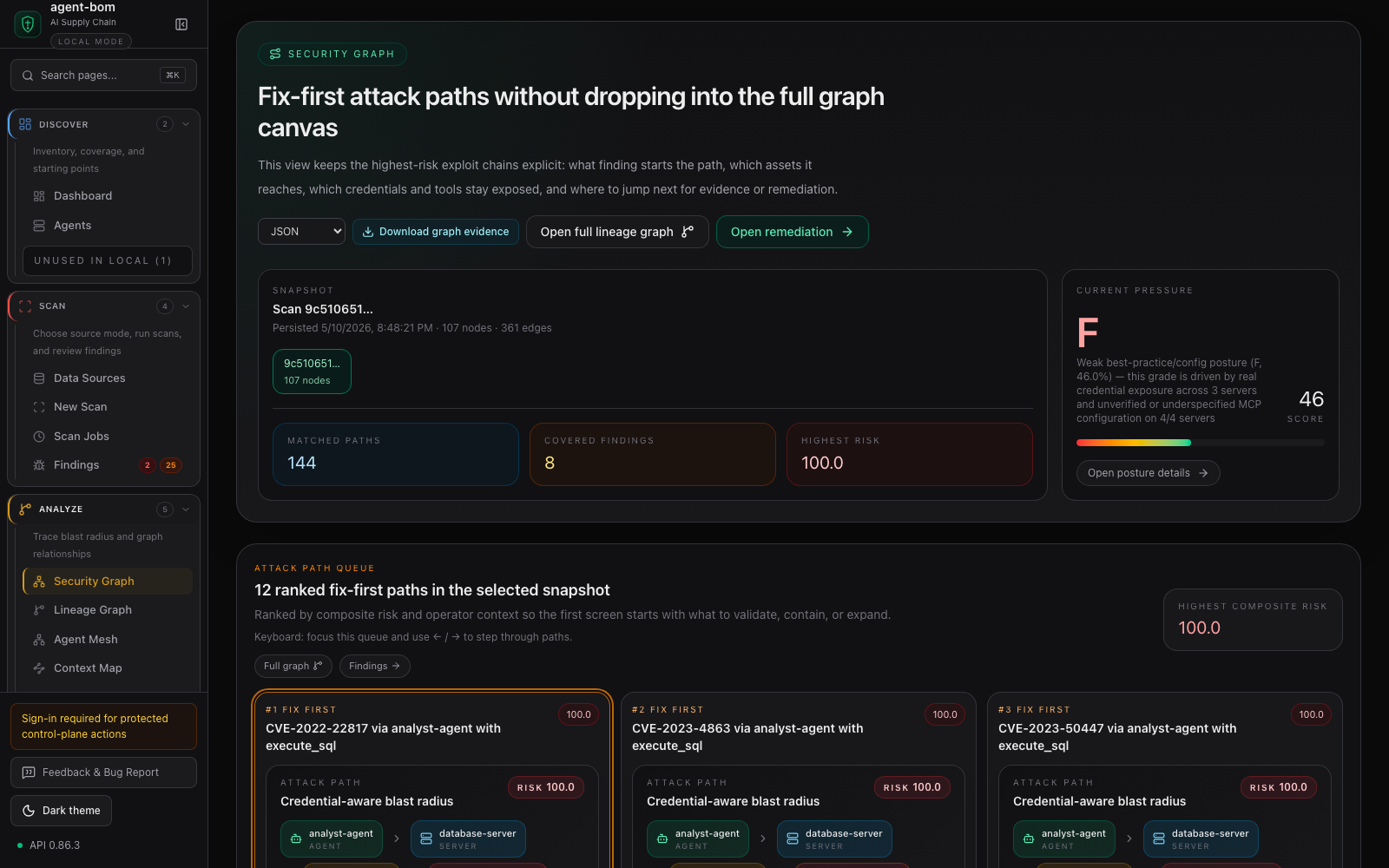
The investigation lens connects identity and agent reachability to the MCP server, package, and finding that create the exposure. Operators can export the graph evidence or hand the path directly to remediation.
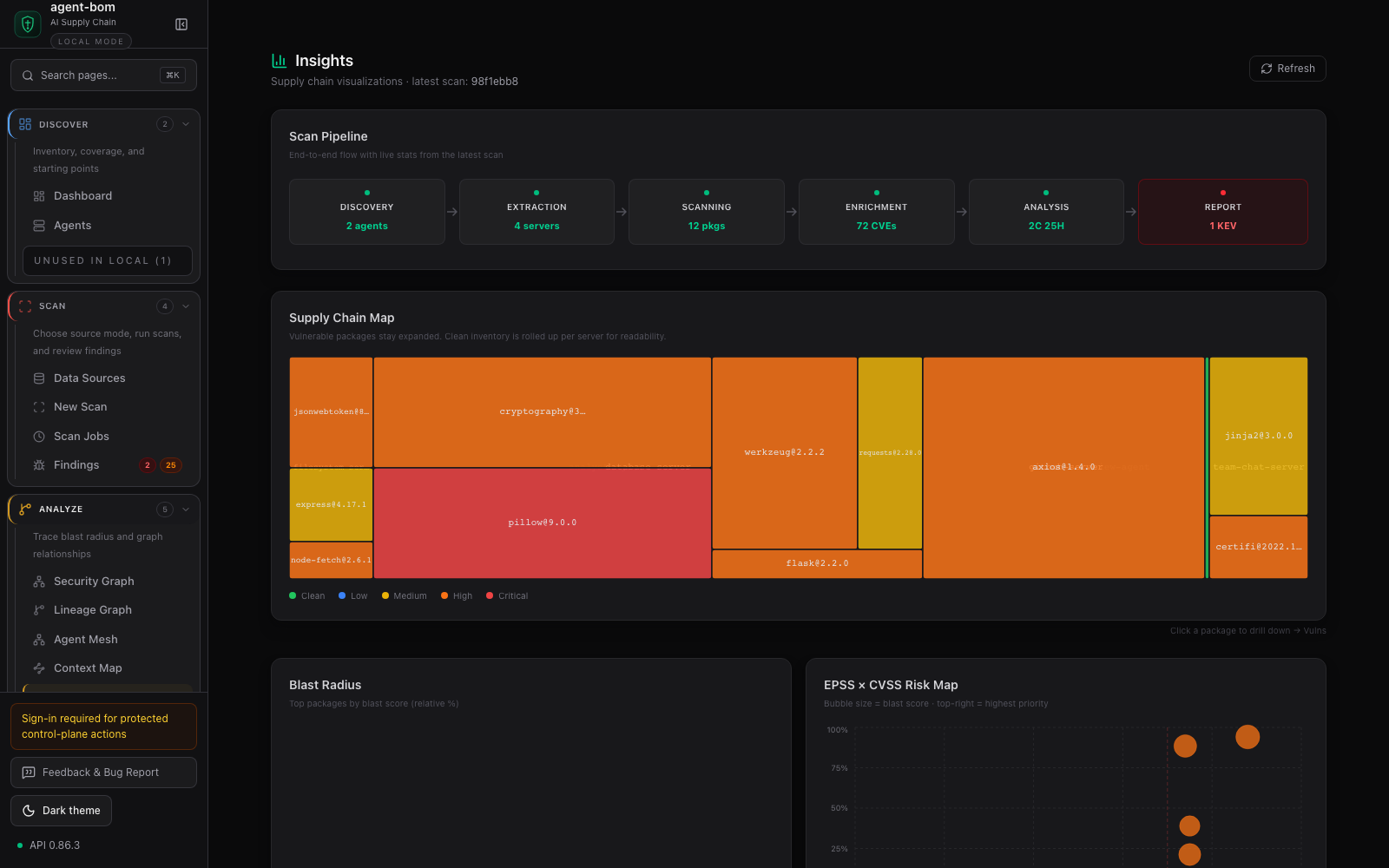
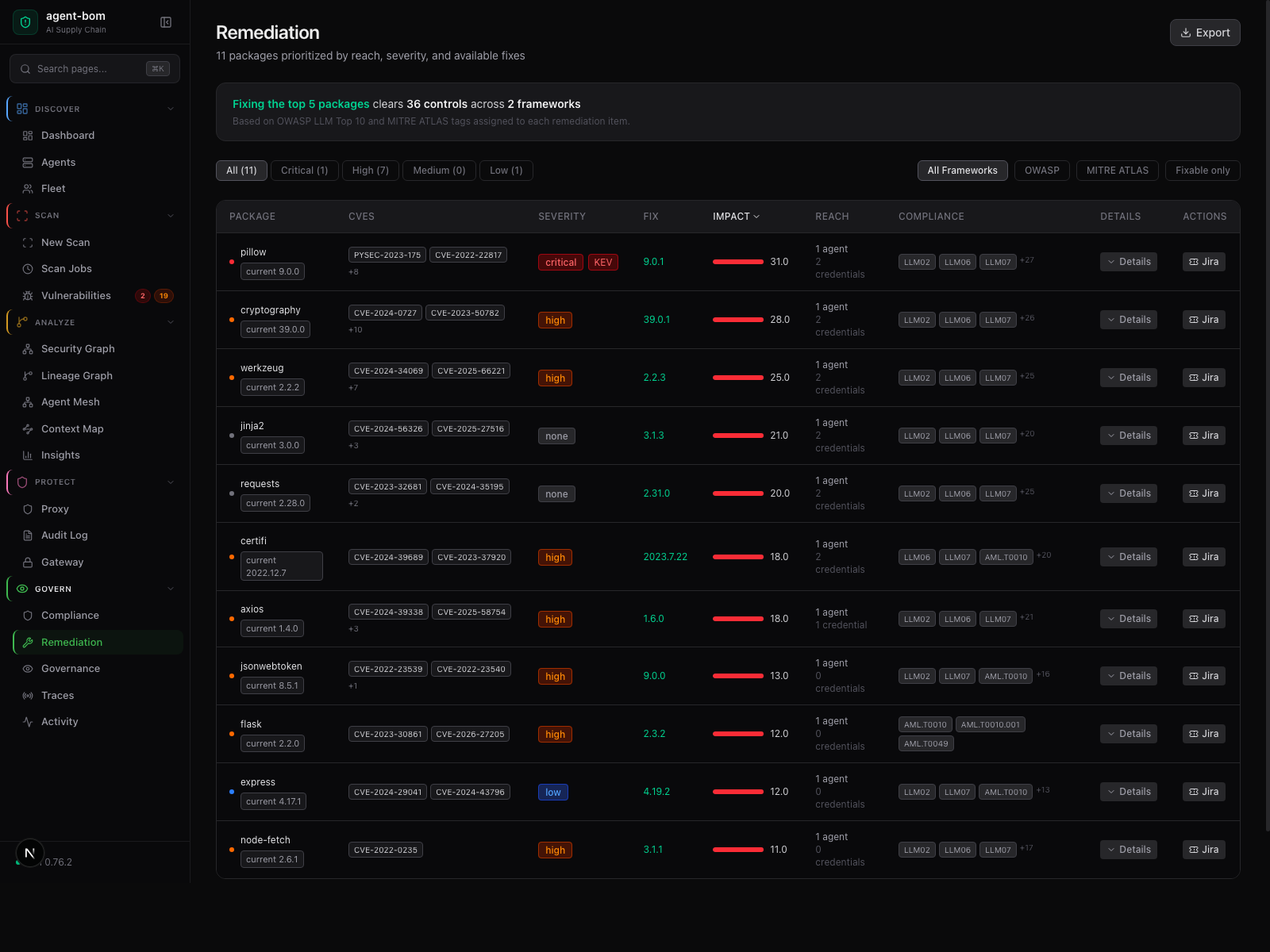
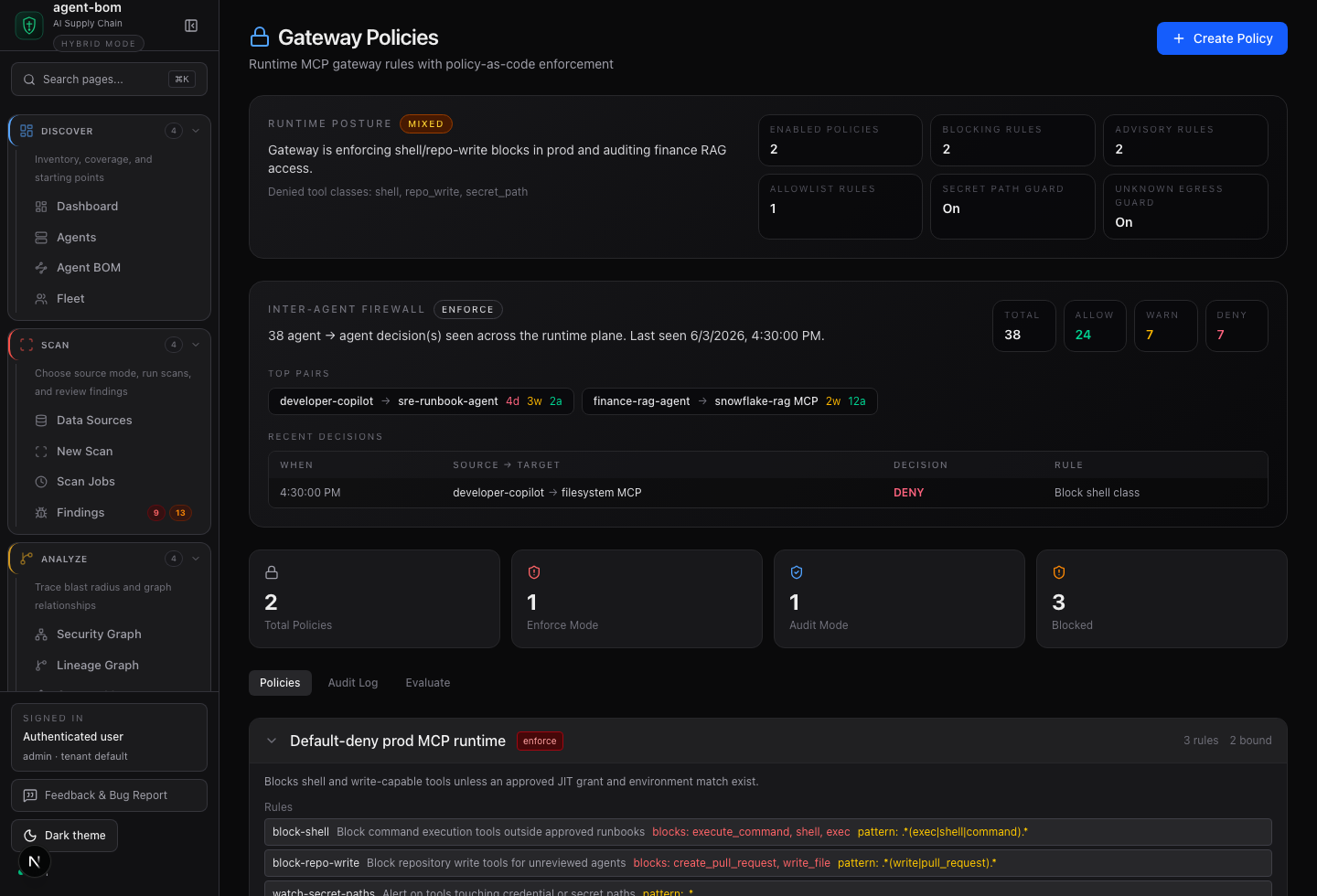
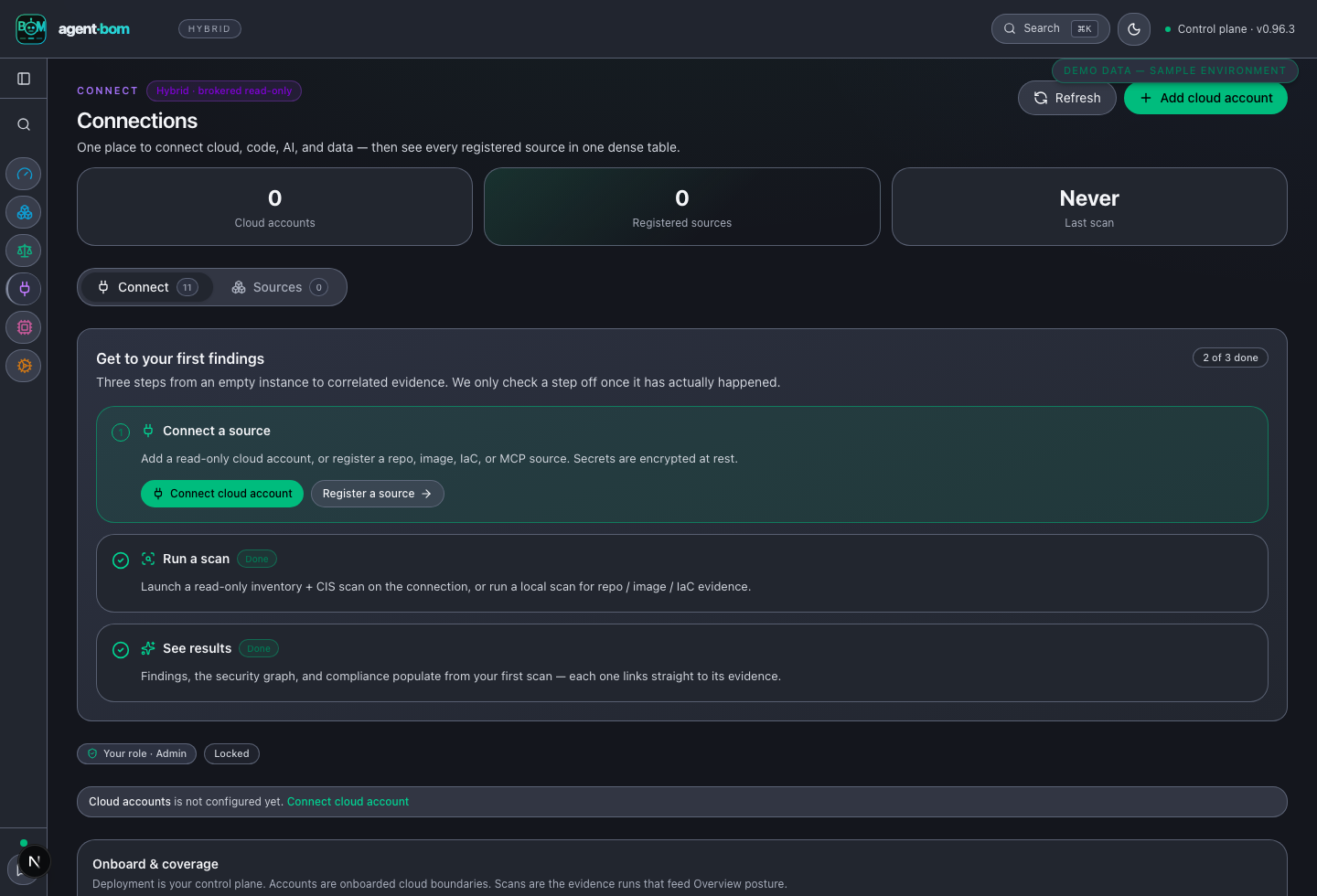
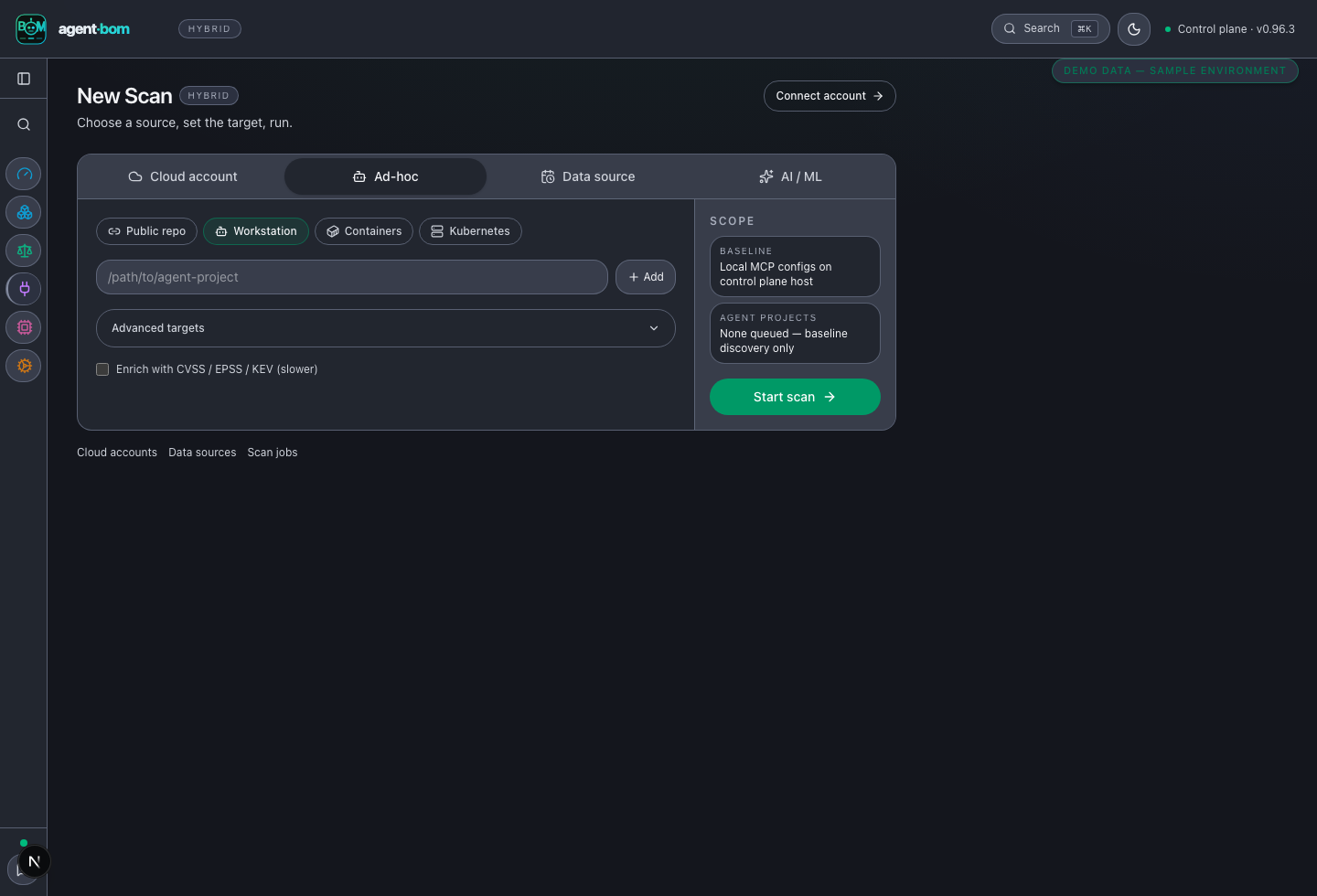
More control-plane views — posture, runtime, and evidence intake
| Risk overview | Review runtime decisions |
|---|---|
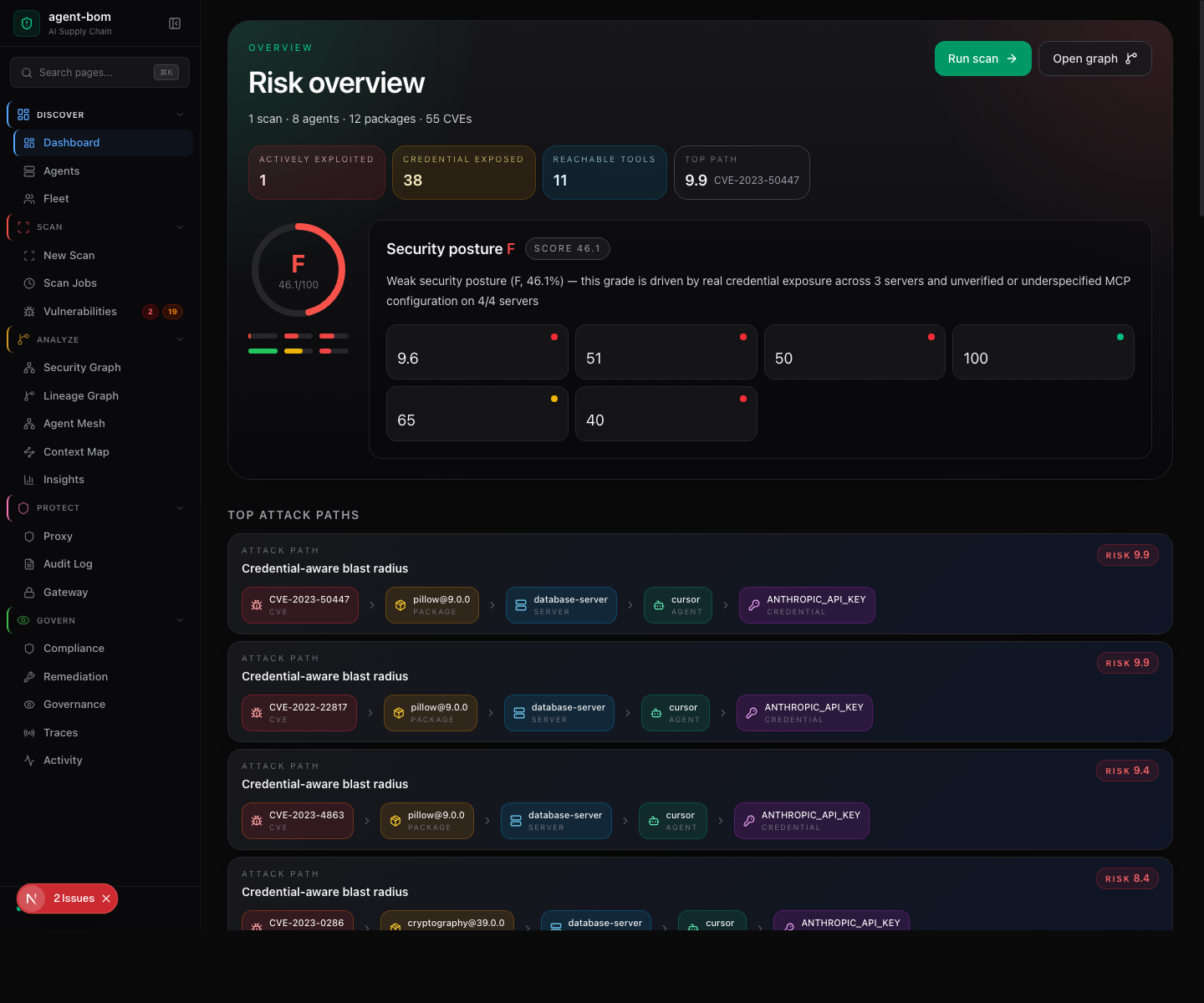 |
 |
| Connect evidence sources | Start a scan |
 |
 |
Full CLI walkthrough — current 0.96.4 console demo

The demo is intentionally comprehensive, so it is kept collapsed at README
display width. Its seeded reqeusts typosquat produces an expected non-zero
security-gate exit; that is a demonstrated finding, not a failed recording.
Full capture list and reproducible commands: docs/CAPTURE.md.
The surfaces share normalized finding and graph contracts while keeping their execution and authentication boundaries explicit. Pick the entry point that matches your role:
| Need | Surface | First action | Main artifact |
|---|---|---|---|
| Scan a repo, image, or local agent config | CLI / CI | agent-bom scan . (or the GitHub Action) |
JSON, SARIF, SBOM, HTML |
| Connect cloud and data-estate evidence | Cloud connectors | agent-bom connect aws then agent-bom cloud scan |
assets, CIS findings, graph edges |
| Review posture as a team | API + dashboard | pip install 'agent-bom[ui]' && agent-bom serve |
findings, graph, audit, compliance |
| Give agents security tools | MCP server | agent-bom mcp server |
strict MCP tool responses |
| Govern runtime tool calls | Proxy / gateway | agent-bom gateway serve --upstreams upstreams.yaml --bind 127.0.0.1:8090 |
allow/warn/block audit trail |
| Package evidence for audit | Reports / exports | agent-bom scan . -f sarif -o findings.sarif |
SARIF, CycloneDX, SPDX, HTML/PDF, compliance bundle |
Beyond the basics — agent-bom graph (multi-hop exposure paths),
agent-bom remediate -p . (advisory fix plan),
agent-bom identity credential-expiry, agent-bom cost forecast, and the CI
gate uses: msaad00/agent-bom@v0.96.4. Full command map:
docs/CLI_MAP.md · role routing:
docs/START_HERE.md · all entry points and auth
boundaries: docs/PRODUCT_MAP.md
Deploy targets — you run the control plane in your own boundary (no managed public SaaS in this repo yet), fastest → most-managed:
- Docker Compose — fastest; one file, loopback by default → pilot compose
- Helm / Kubernetes — cluster-native chart → chart
- EKS — opinionated Terraform module → module
- CloudFormation — one-click AWS stack → templates
- Snowflake (SPCS native app) — host entirely inside your own Snowflake account → install guide
Local bring-up — Docker Compose in two commands
curl -fsSL https://raw.githubusercontent.com/msaad00/agent-bom/main/deploy/docker-compose.pilot.yml -o docker-compose.pilot.yml
docker compose -f docker-compose.pilot.yml up -d
# Dashboard -> http://localhost:3000
Pilot compose binds to 127.0.0.1 with loopback CORS only. Use
docker-compose.platform.yml or docs/HOSTED_POC.md before
sharing a link. Full guides: Deploy anywhere.
For brokered control-plane sources, connect once, then scheduled and operator actions use the stored connection reference—not a fresh credential prompt. Standalone CLI scans remain independent: they read local files or explicitly configured provider credentials and do not require a control-plane connection.
- Humans sign in via OAuth / OIDC / SAML SSO (standard providers plus a
Snowflake OAuth authorization-code + PKCE flow), with SCIM for user and
group provisioning (
src/agent_bom/api/{oidc,saml,scim}.py,snowflake_oauth.py). - Agents / CI authenticate with scoped API keys / tokens.
- Sources are onboarded once through read-only, agentless, brokered
connectors — a single least-privilege managed role per source with
short-lived, brokered credentials (e.g. AWS
sts:AssumeRole); connection secrets are write-only (encrypted at rest, never read back).
Application-layer authentication, tenant isolation, rate limits, and audit are enforced in middleware for UI and API/SDK requests. Non-loopback deployments terminate HTTPS/TLS at Caddy, an ingress, an ALB, or an equivalent trusted edge; the API and UI remain on loopback or a private network. MCP server and gateway/proxy modes enforce their own documented transport authentication and policy boundaries; none receives a privileged UI-only path.
Cloud connectors are opt-in, default-off, and read no secret values.
agent-bom connect <provider> prints the grant template and enable flag
without network I/O until you opt in:
| Cloud | Enable | Scan |
|---|---|---|
| AWS | AGENT_BOM_AWS_INVENTORY=1 |
agent-bom cloud aws |
| Azure | AGENT_BOM_AZURE_INVENTORY=1 |
agent-bom cloud azure |
| GCP | AGENT_BOM_GCP_INVENTORY=1 |
agent-bom cloud gcp |
| Snowflake | SSO or key-pair auth | pip install 'agent-bom[snowflake]' then agent-bom scan --snowflake |
Snowflake auth defaults to browser SSO (externalbrowser); use
SNOWFLAKE_AUTHENTICATOR=snowflake_jwt with SNOWFLAKE_PRIVATE_KEY_PATH for
CI. Setup and the exact grant per provider:
docs/CLOUD_CONNECT.md · intake map:
docs/DATA_SOURCES.md · enterprise auth surface:
docs/ENTERPRISE.md
- Read-only discovery by default; no mandatory telemetry.
- Credential values redacted; env names preserved for explainable exposure paths.
- Exports: JSON, SARIF, CycloneDX, SPDX, Parquet, CSV, Markdown, HTML, PDF, compliance bundles.
- Tenant scope, auth boundaries, and audit evidence on API/runtime paths.
Threat model · Pentest readiness · Python client · Go client · Release verification · MCP security model
Contributions are welcome. Start with CONTRIBUTING.md, .agents/AGENTS.md, and the open issues.
License: Apache-2.0.