





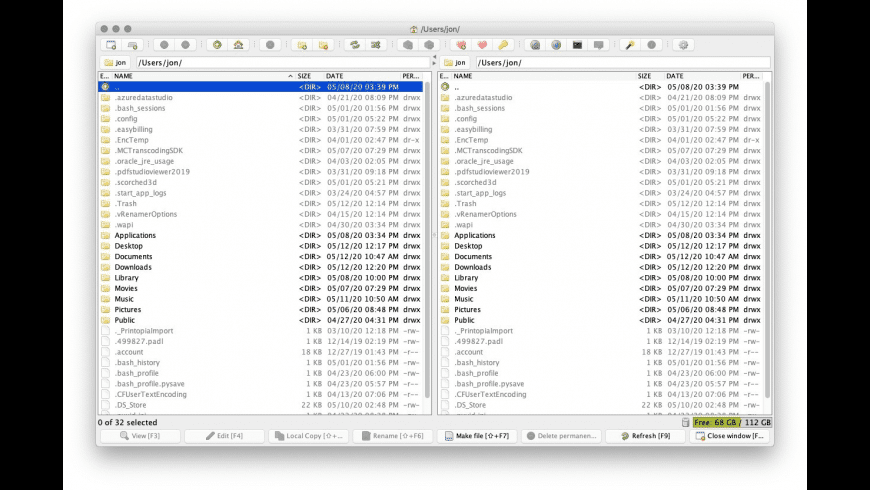
muCommander is a free, open-source dual-pane file manager for Mac — presenting two directory panels side by side for efficient file operations between locations, keyboard-driven navigation, and support for local and remote file systems including FTP, SFTP, and SMB servers.
The dual-pane interface displays two directory panels simultaneously — the source panel showing the origin location and the destination panel showing the target location for file operations. Copying files from Downloads to a project folder, moving files from one server to another, comparing directory contents between local and remote locations — all of these operations become single-step actions rather than the drag-between-windows workflow that Finder requires. The keyboard-centric design maps every common file operation to a keyboard shortcut: F5 to copy, F6 to move, F7 to create a folder, F8 to delete — the Norton Commander paradigm that power file managers have used for decades and that remains the fastest approach to file management for keyboard-oriented users. The remote file system support browses FTP, SFTP, and SMB servers in the dual-pane interface — files on remote servers managed in the same interface as local files, with copy and move operations working between local and remote panels in both directions.
The archive file handling opens ZIP, TAR, GZ, BZ2, RAR, 7z, and other archive formats as browsable directories — navigating into an archive and copying files out of it without extracting the entire archive first. This archive-as-directory approach makes working with compressed files significantly more efficient than extract-then-manage workflows. The batch file operations applies rename patterns, attribute changes, and other operations to multiple selected files simultaneously — handling large-scale file organization tasks that would require repetitive individual operations in Finder.
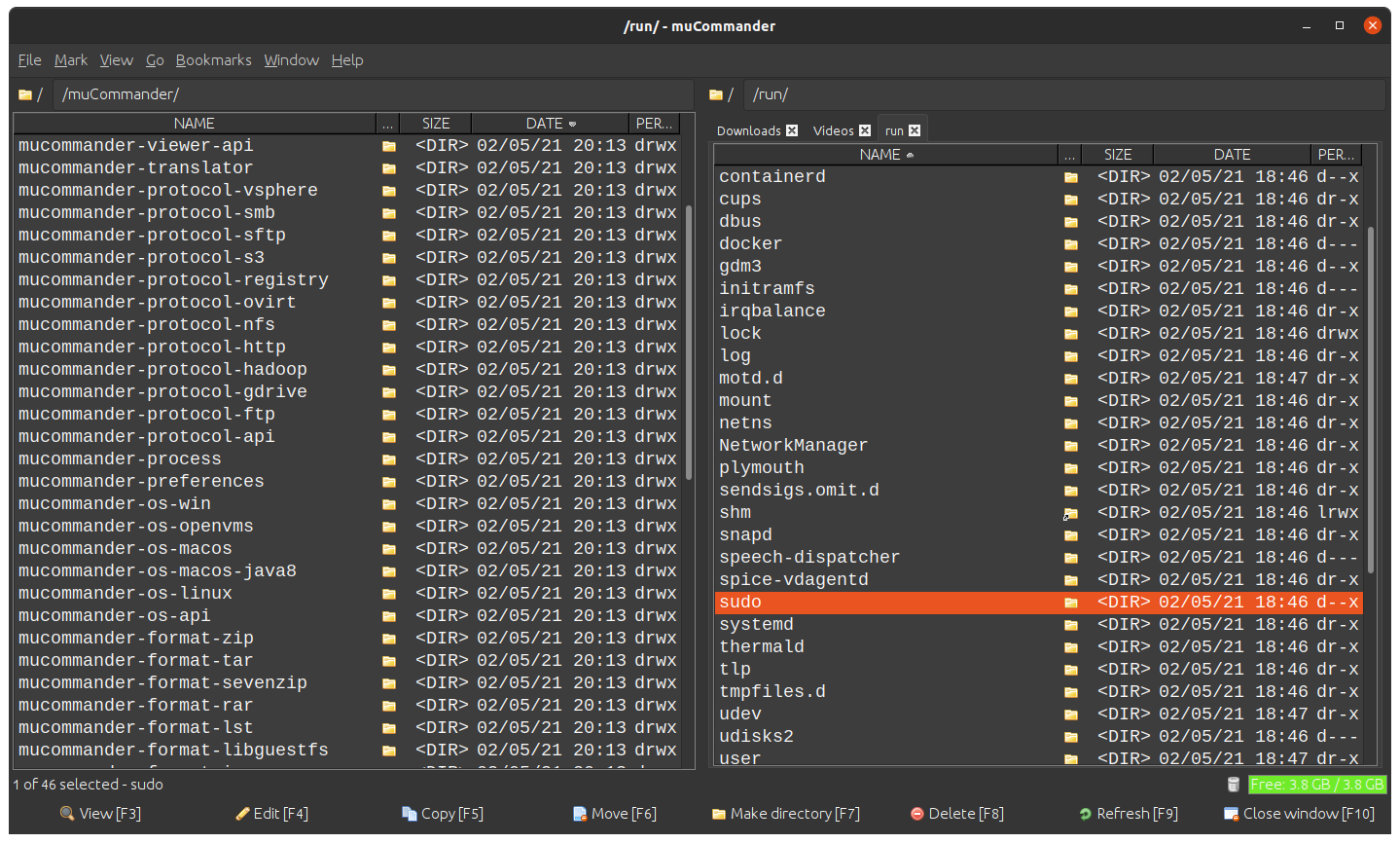
Bookmarks for frequently accessed locations saves shortcuts to commonly used local directories and remote server locations — accessing frequently used paths from a bookmark menu rather than navigating there each time. File comparison view highlights differences between two directories — identifying files present in one panel but not the other, files with different modification dates, and other directory comparison results.
Cross-platform availability on Mac, Windows, and Linux means the same file management tool and learned keyboard shortcuts apply across all platforms — a consistent file management experience for users who work across different operating systems. Free and open-source — muCommander is completely free with no trial limitations or paid upgrade requirements, and the source code is available on GitHub for the open-source community.
- Dual-Pane Interface — Two directory panels side by side — copy, move, compare between locations as single-step operations.
- Keyboard-Driven Operations — F5 copy, F6 move, F7 new folder, F8 delete — Norton Commander paradigm for fastest file management.
- Remote File Systems — FTP, SFTP, SMB servers in dual-pane interface — local and remote files managed in same workflow.
- Archive as Directory — ZIP, TAR, RAR, 7z browsable without extracting — copy files from archives without full extraction.
- Batch File Operations — Rename patterns and operations applied to multiple files — large-scale organization without repetitive individual operations.
- Bookmarks — Frequently accessed local and remote locations saved — access common paths without navigating each time.
- Directory Comparison — Differences between two panels highlighted — files present in one but not the other, date differences visible.
- Free and Open-Source — No cost, no trial limitations — complete file management capability at zero price.
- Power file managers — dual-pane keyboard-driven file management for efficient bulk operations
- Developers — local and remote file system management in unified dual-pane interface
- System administrators — SFTP and FTP server file management through visual dual-pane interface
- Norton and Total Commander users on Mac — familiar dual-pane paradigm available on macOS
Dual-pane file manager · File management · FTP client · SFTP client · Batch operations · Archive management · Developer tools · Cross-platform · Open-source · Mac file manager
The dual-pane file manager paradigm's efficiency advantage over single-pane Finder is most apparent in file copy and move operations. In Finder, moving files from one location to another requires either two Finder windows side by side (itself a window management task) or navigating away from the source location to reach the destination, losing visual reference to the source files. In muCommander, both locations are always simultaneously visible in the two panels, and F5 or F6 copies or moves the selected files from the source panel to the destination panel in a single key press.
"Norton Commander user since DOS, Total Commander user on Windows. On Mac I've never found a satisfying dual-pane manager until muCommander. The keyboard shortcuts match the paradigm I've used for thirty years. F5 copies, F6 moves. Tab switches panels. It works the way I think about file management." — Marcus T., Power File Manager
"SFTP server management in muCommander. Left panel: local project files. Right panel: staging server via SFTP. Compare directory contents between local and remote, copy changed files to staging, verify the copy. The dual-pane paradigm makes server deployment a clean visual workflow." — Elena K., Web Developer
- Go to the installation site using the button above.
- Follow the on-screen instructions to install muCommander on your Device.

What is a dual-pane file manager?
A dual-pane file manager displays two directory panels simultaneously — a source panel and a destination panel — enabling file copy, move, and compare operations between both locations without switching windows.
Does muCommander support FTP and SFTP?
Yes. FTP, SFTP, and SMB remote file systems are accessible in the dual-pane interface alongside local directories.
Does muCommander handle archive files?
Yes. ZIP, TAR, GZ, BZ2, RAR, 7z, and other archive formats are browsable as directories — copy files from archives without full extraction.
Is muCommander free?
Yes. muCommander is completely free and open-source with no trial limitations or paid upgrades.
What are the keyboard shortcuts for file operations?
F5 to copy, F6 to move, F7 to create a new folder, F8 to delete — the Norton Commander standard keyboard mapping.
Does muCommander compare directories?
Yes. Directory comparison highlights differences between the two panels.
Does muCommander run on Apple Silicon?
Yes. Current versions support Apple Silicon Macs through the Java runtime.
Can I bookmark frequently used locations?
Yes. Bookmarks save shortcuts to local directories and remote server locations.
Is muCommander open-source?
Yes. The source code is available on GitHub with community and core team contributions.