This is the description of the code test for Backend position at FP Alpha 2022
- Backend: use ExpressJS with the structure you think fit better with the requirements. Set and use environment variables if necessary.
- Frontend: use any framework or library. The same applies for the project's frontend structure.
- Storage: use MongoDB for data storage. To connect the database instance with the backend, use mongoose library available on NPM.
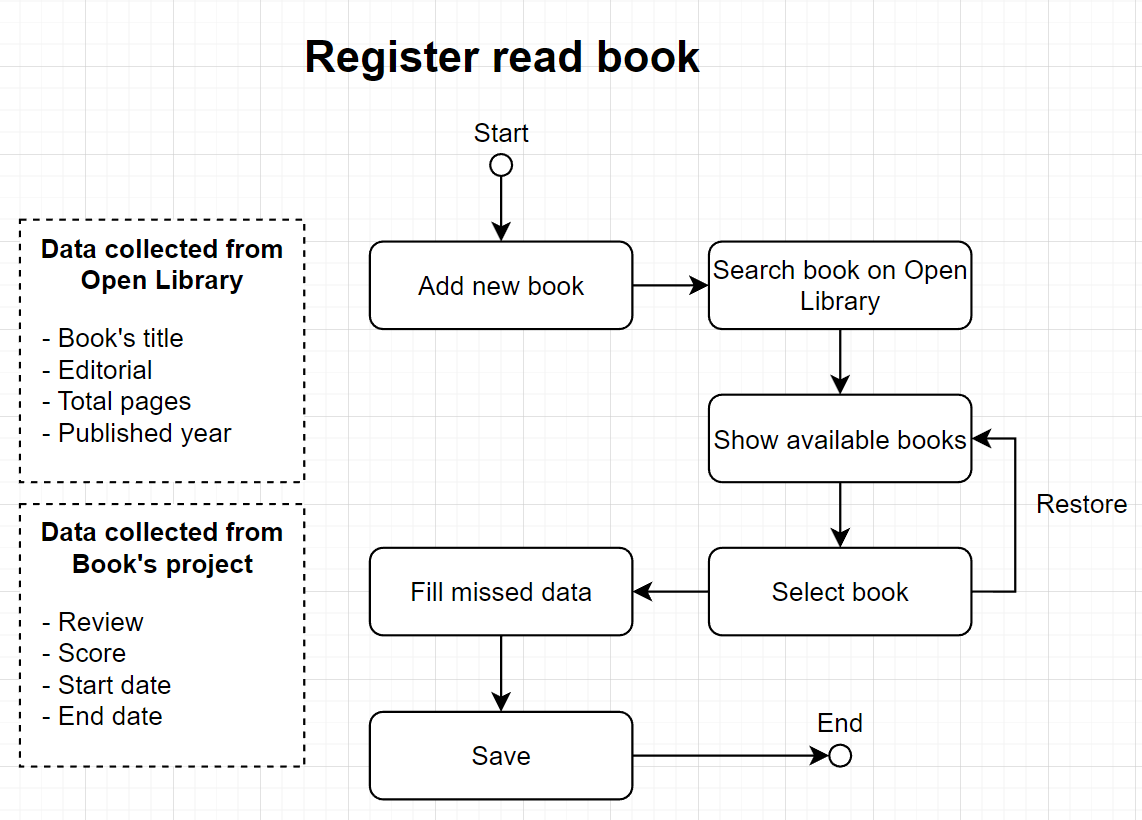
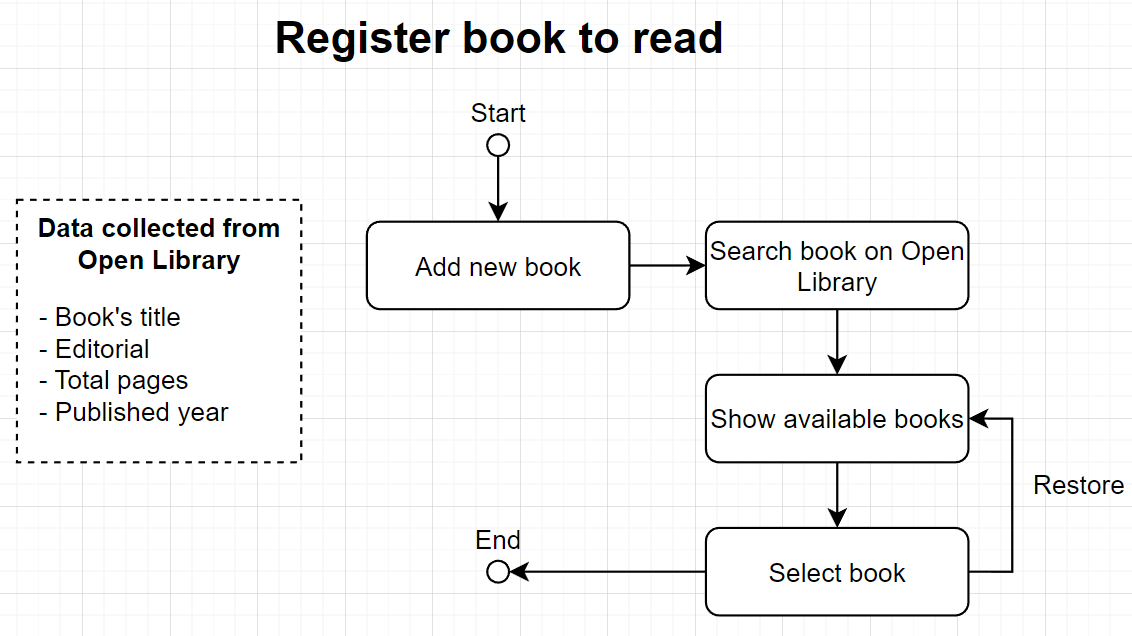
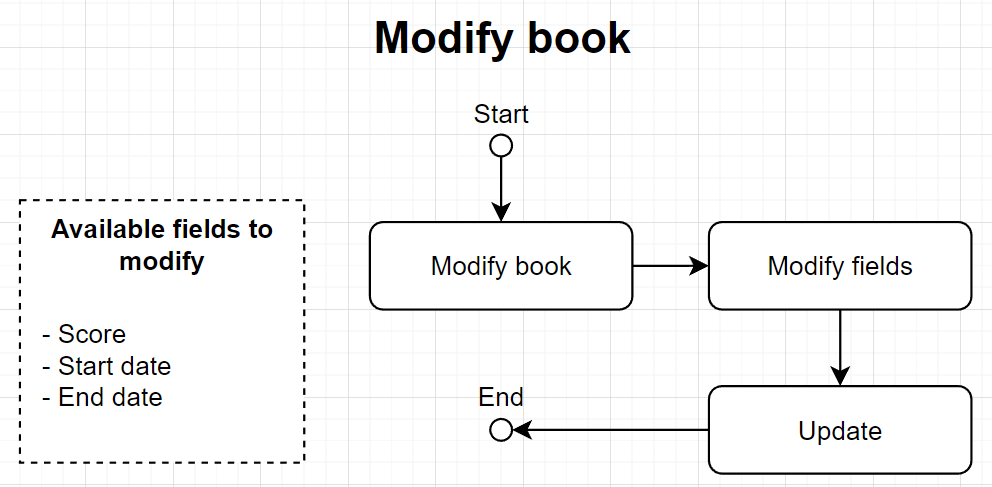
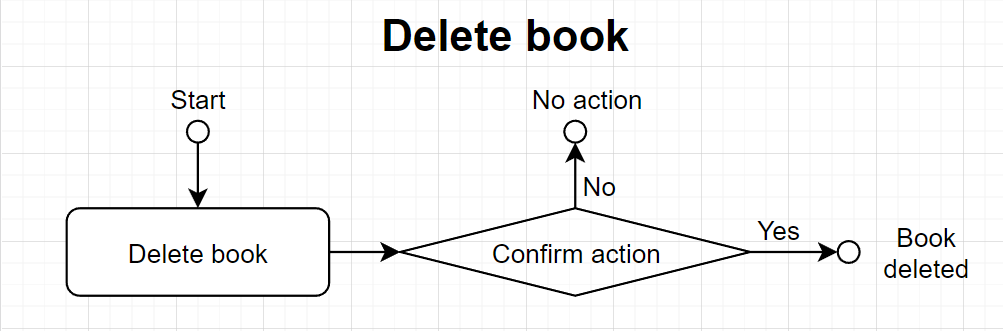
- Extra: Document the application using flow diagrams according to UML 2.0 standard
Develop a web application to record readings in a digital way. Document the API using Swagger and deploy the system on internet using any hosting or web server.
You must work in a branch called developed and once the project is done, merge the changes into main branch. The system will have three main sections:
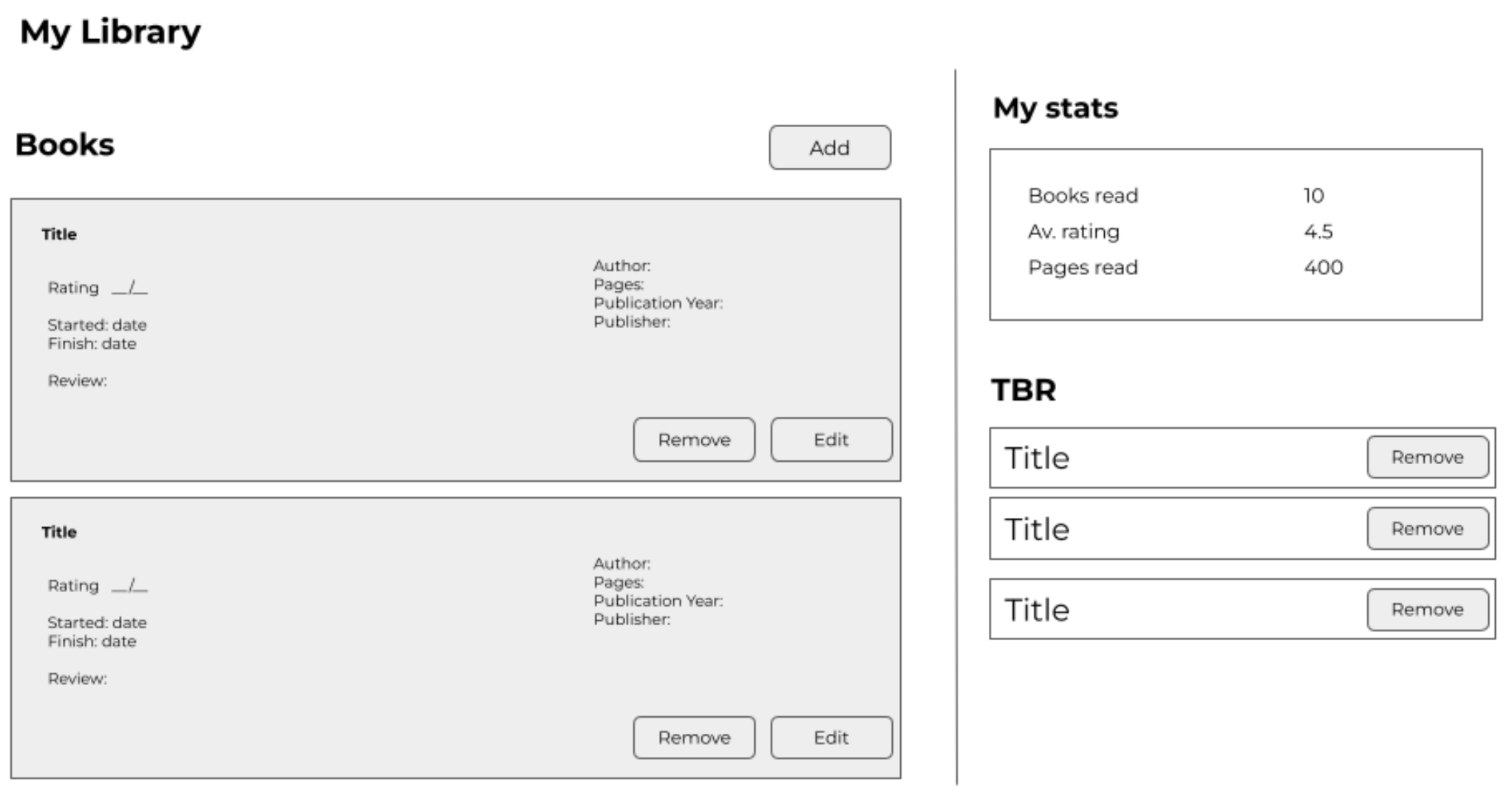
- Books read - Create a component that render a list or table with of read books sorted by start date of reading. This section allows adding, delete and edit read books.
- Add new book, It must render a form with: book's title, start date, end date, score and short review. When the user writes the book's title, the system must do a request to Open library API and get the first 10 matches of it. Once you select one of them. This will prefill the author, pages, published year and editorial of the current record.
- Edit book, The user can modify only scores and dates of each book.
- Delete book, when the user tries to delete a book, It should pop up a confirmation window.
- Books to read - Create a list of books to read.
- Add new book, It will request to Open library and get the first 10 matches, after this it will store the book's title.
- This section allows you to add and delete books.
- Stats - This sections allows the user to see: total of read books, average of pages of read books, average score of read books.
- Public repository on GitHub
- Documentation
- Swagger API documentation
- List of technologies used
- Dev notes (optional)
- Additional info
The style, colors and format is left to developer preference, here is a proposed mockup, but you can use other.
The system has two deploy starategies:
- Just frontend: Enable the system to execute the system on Vercel for free use and store the data on client's browser, it is the default configuration.
- Full system: It needs to have a backend available, it needs to use this deploy strategy, modify the variables available on environment.json to the one required there, and envMode to production.
- Backend: Node.js, Express.js, Mongoose, PM2
- Frontend: Vue3, Vuetify3 (beta)
- External: Droplet (Digital Ocean), Cert bot, NGINX, Docker, MongoDB, Auth0, GoDaddy (domain)
The system is not optimized for mobile view (CSS), I highly recommend interacting with the system on browser mode. If you use Auth0, you must configure SMTP service to enable this feature, If not the user will be registered, but no email will be sent. The system don't have validations, If you fill the forms with unexpected values, it could crash or stop working.