A lightweight, self-hosted private package repository server for distributing private Composer (PHP), NPM (Node.js), and Docker (OCI) packages.


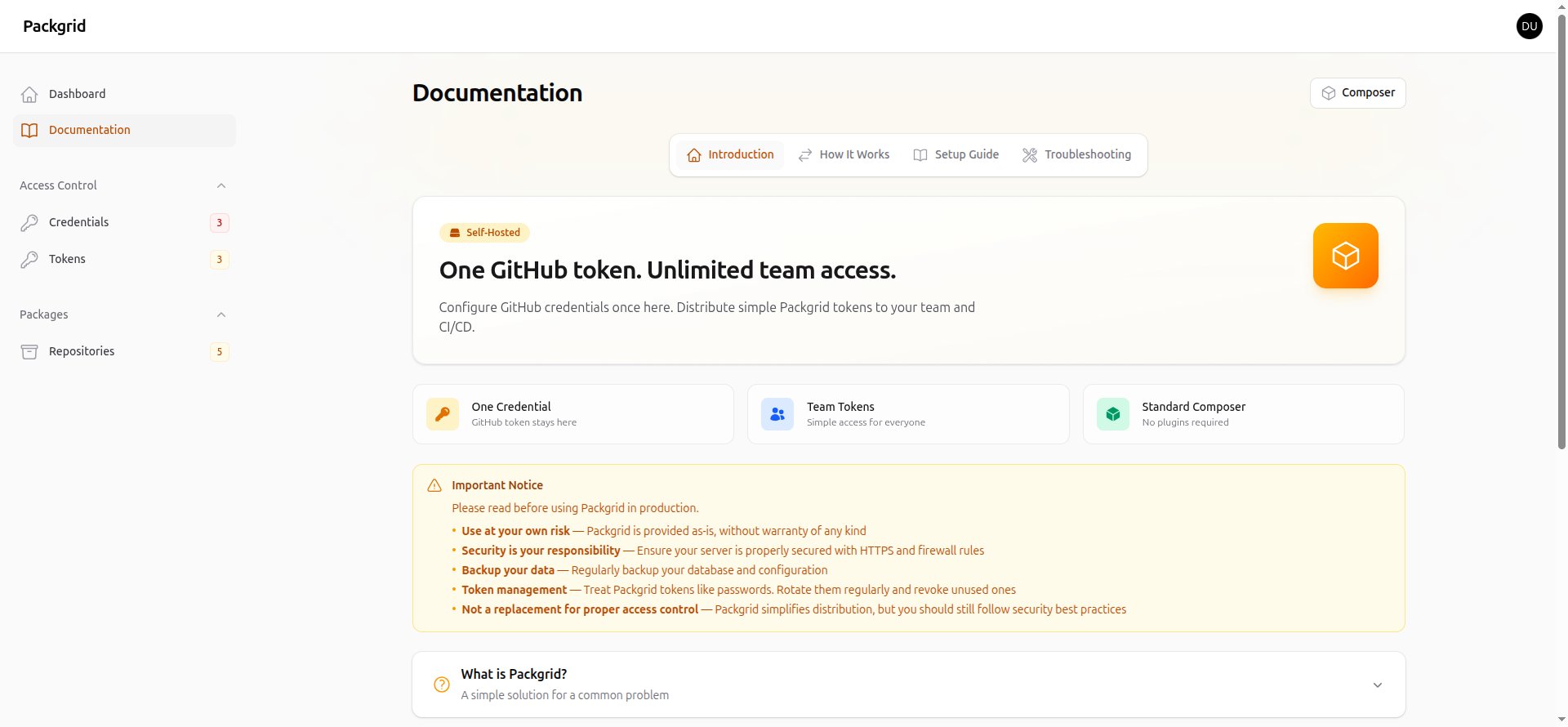
Packgrid is a self-hosted solution for teams who need to manage and distribute private packages without relying on third-party services. It supports Composer (PHP), NPM (Node.js), and Docker (OCI) packages. Configure your GitHub credentials once, then distribute simple Packgrid tokens to your team and CI/CD pipelines.
One GitHub token. Unlimited team access. Three package managers.
- Multi-Format Support — Serve Composer (PHP), NPM (Node.js), and Docker (OCI) packages from a single server
- Docker Registry — Full OCI Distribution Spec v2 compliant private Docker registry with local blob storage
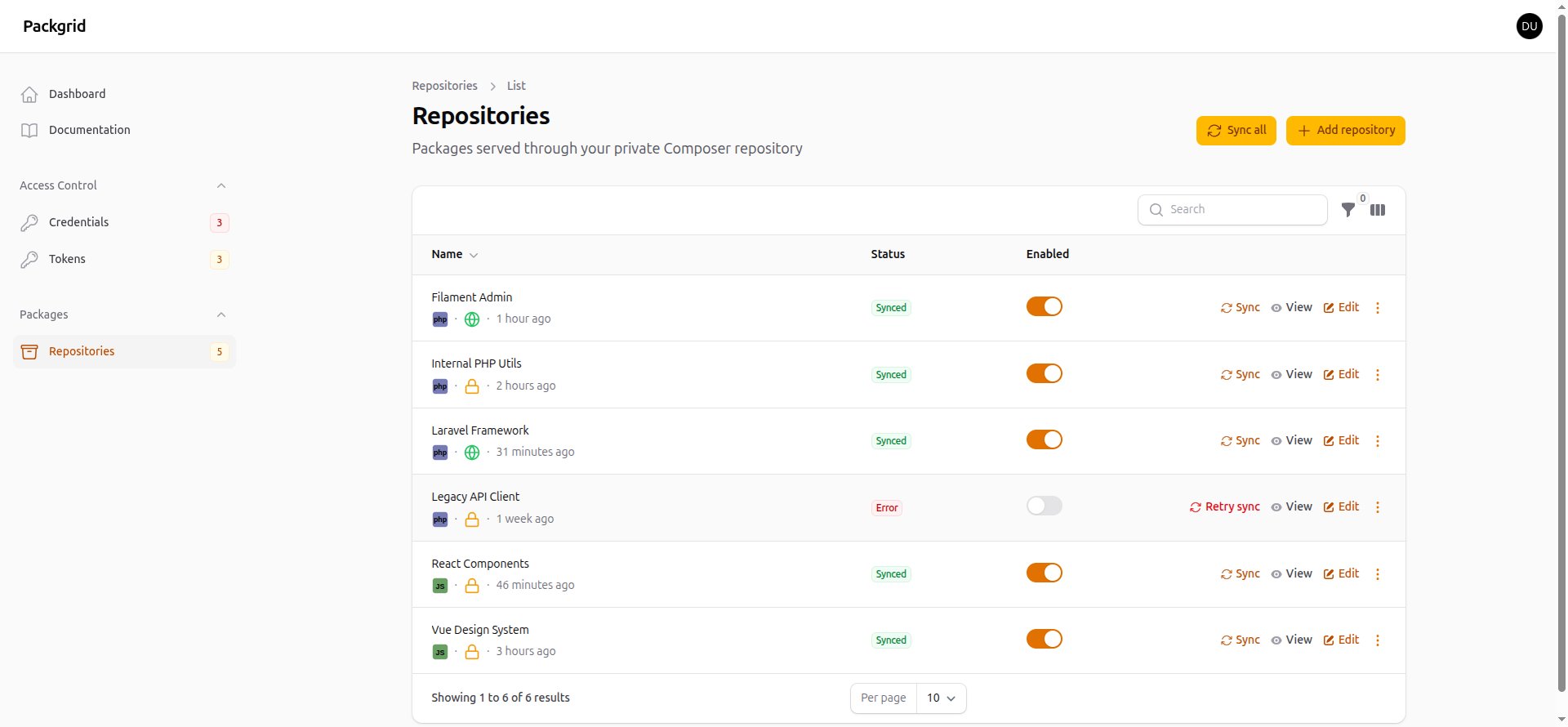
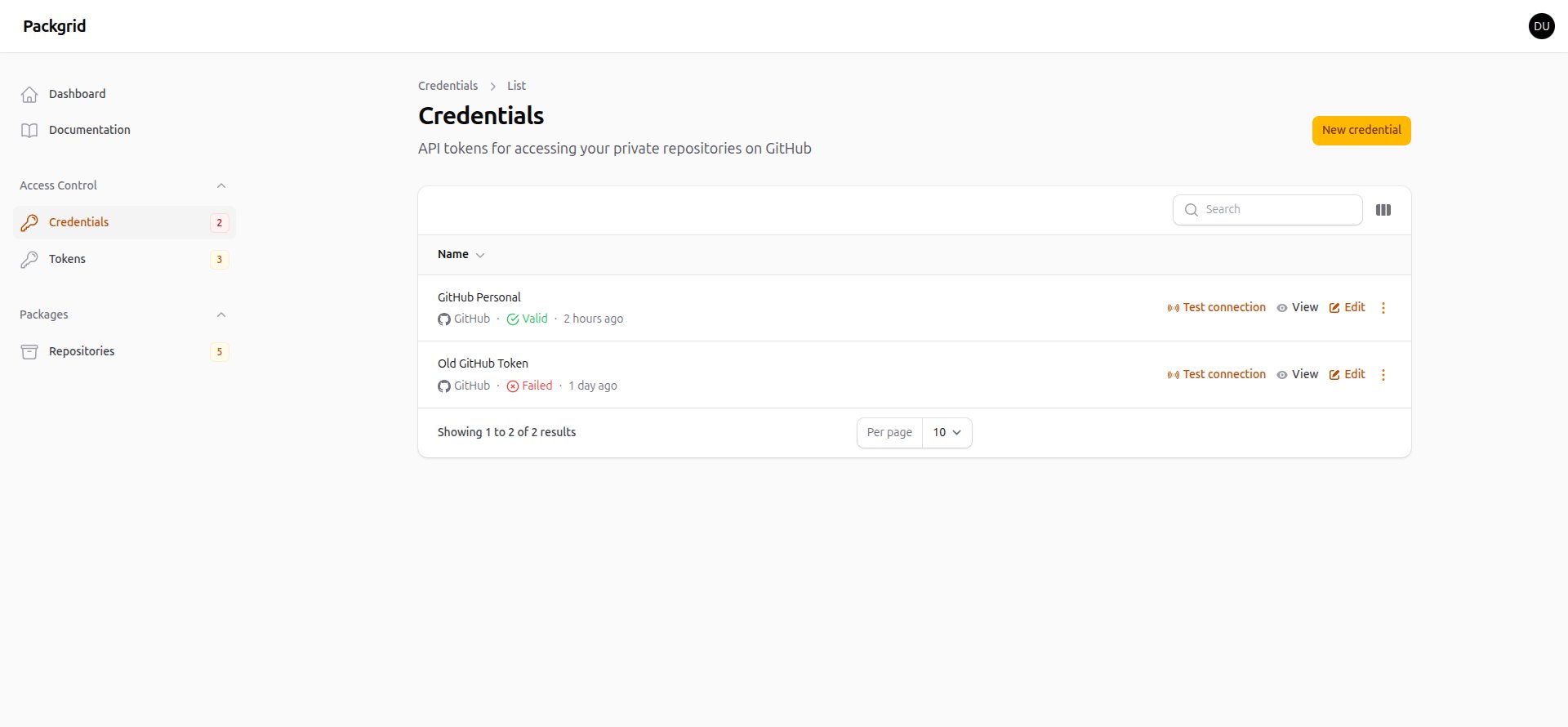
- GitHub Integration — Connect your GitHub repositories (public and private) using personal access tokens
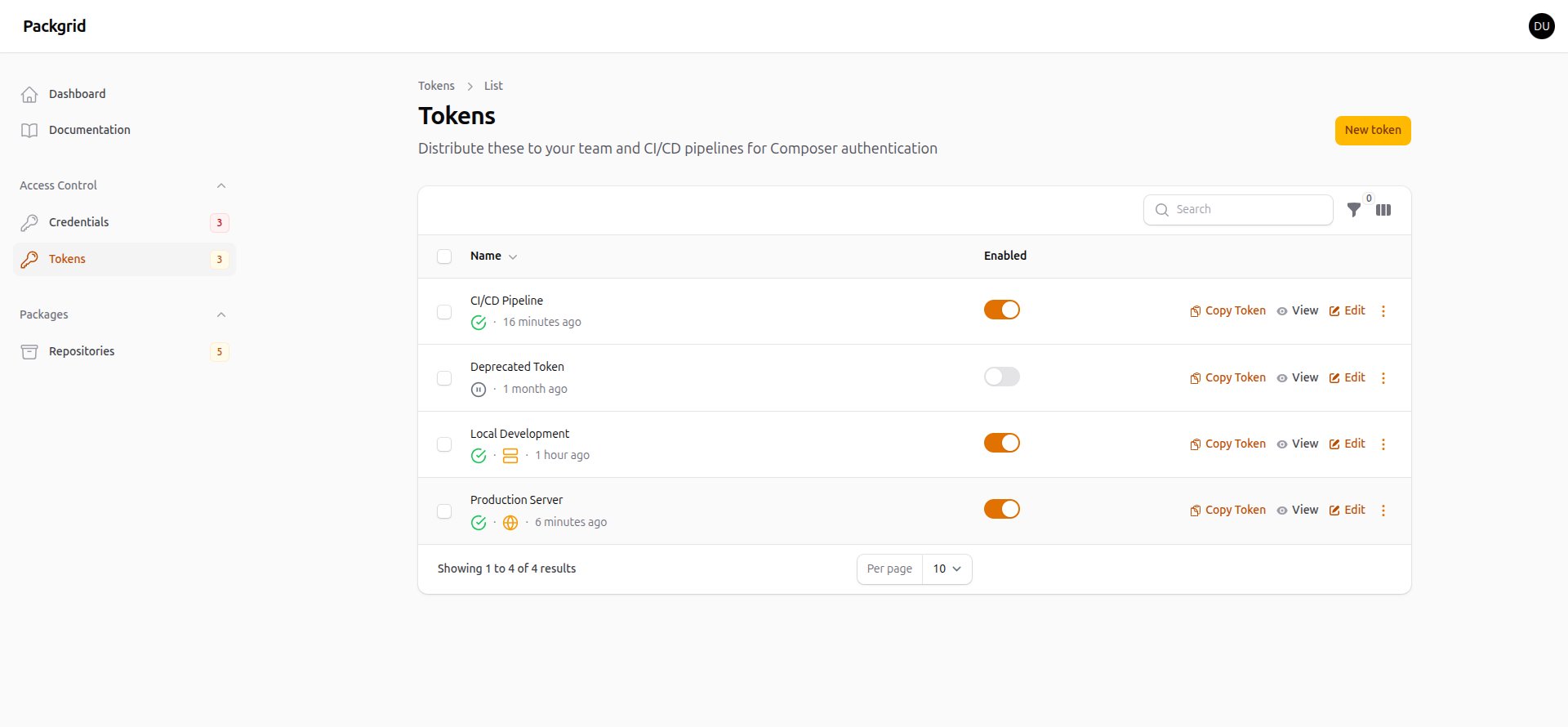
- Token Authentication — Create and manage access tokens for team members or CI/CD pipelines
- Automatic Sync — Packages are synced from GitHub and served through standard registry protocols
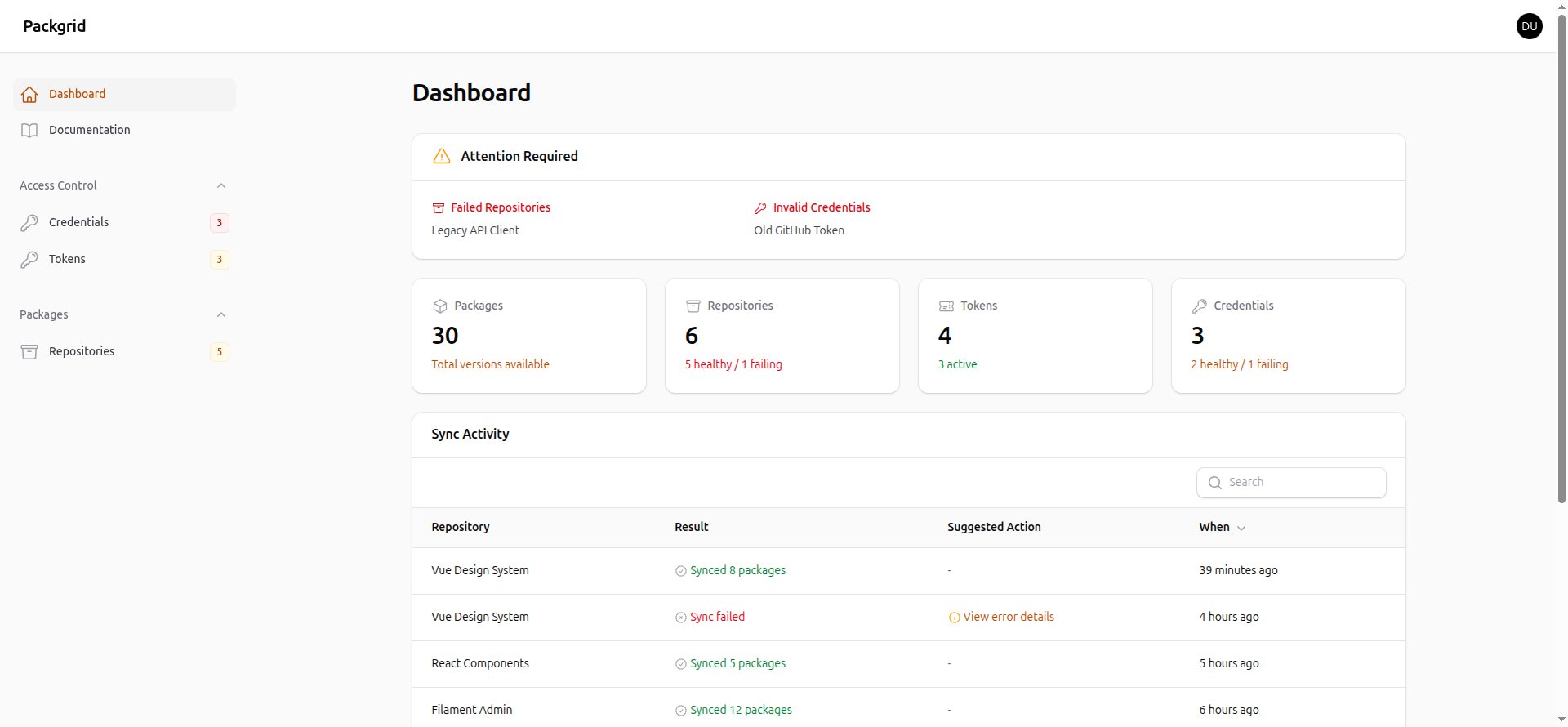
- Simple Admin Panel — Manage repositories, credentials, and tokens through a clean Filament interface
- Streaming Proxy — Package files stream directly from GitHub without being stored on your server
- Credential Isolation — Your GitHub token never leaves the Packgrid server
- Two-Factor Authentication — Secure admin accounts with TOTP-based 2FA using authenticator apps
- PHP 8.2 or higher
- Composer 2.x
- MySQL 8.0+ or PostgreSQL 13+
- Node.js 18+ (for building assets)
- A domain or subdomain pointing to your server
- SSL certificate (Let's Encrypt recommended)
# 1. Point your domain/subdomain DNS to your server IP

# 2. Clone and install
git clone https://github.com/mwguerra/packgrid.git
cd packgrid
composer install
npm ci && npm run build

# 3. Configure environment (auto-detects URL from folder name)
composer env:setup

# 4. Edit .env if needed - adjust database credentials
#    The setup command auto-configures APP_URL based on folder name

# 5. Run migrations
php artisan migrate

# 6. Configure web server (Nginx/Apache) to point to the public/ directory

# 7. Install SSL certificate (e.g., certbot for Let's Encrypt)
Then in your browser:
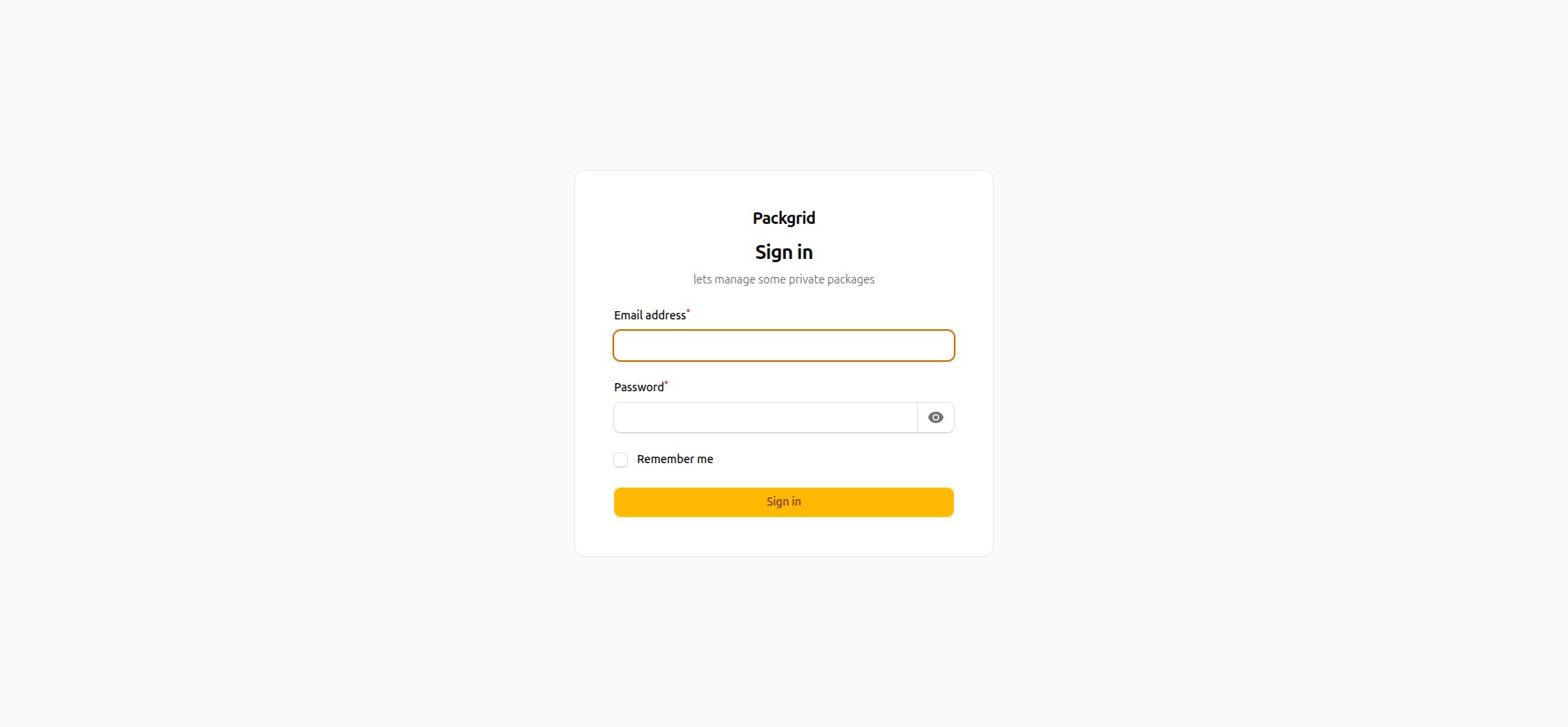
- Go to your Packgrid URL → Create your admin account
- Add a credential → Follow on-screen instructions to create a GitHub token
- Create a Packgrid token → For your team/CI to authenticate with Composer
- Add a repository → Enter the GitHub URL and click Refresh to sync metadata
- Configure your projects → See Documentation → Setup Guide in the admin panel
That's it! Your private Composer repository is ready.
Nginx:
server {
    listen 443 ssl http2;
    server_name packgrid.yourdomain.com;
    root /var/www/packgrid/public;

    ssl_certificate /etc/letsencrypt/live/packgrid.yourdomain.com/fullchain.pem;
    ssl_certificate_key /etc/letsencrypt/live/packgrid.yourdomain.com/privkey.pem;

    index index.php;

    location / {
        try_files $uri $uri/ /index.php?$query_string;
    }

    location ~ \.php$ {
        fastcgi_pass unix:/var/run/php/php8.2-fpm.sock;
        fastcgi_param SCRIPT_FILENAME $realpath_root$fastcgi_script_name;
        include fastcgi_params;
    }
}
Apache (.htaccess is included):
<VirtualHost *:443>
    ServerName packgrid.yourdomain.com
    DocumentRoot /var/www/packgrid/public

    SSLEngine on
    SSLCertificateFile /etc/letsencrypt/live/packgrid.yourdomain.com/fullchain.pem
    SSLCertificateKeyFile /etc/letsencrypt/live/packgrid.yourdomain.com/privkey.pem

    <Directory /var/www/packgrid/public>
        AllowOverride All
        Require all granted
    </Directory>
</VirtualHost>Edit .env with your settings:
APP_URL=https://packgrid.yourdomain.com
APP_LOCALE=en

DB_CONNECTION=mysql
DB_HOST=127.0.0.1
DB_PORT=3306
DB_DATABASE=packgrid
DB_USERNAME=your_username
DB_PASSWORD=your_passwordPackgrid includes an interactive setup command that auto-configures your environment:
# Production mode (auto-detects URL, sets APP_DEBUG=false)
composer env:setup

# Local development mode (uses .test domain, keeps debug on)
composer env:setup -- --local

# Preview changes without saving
composer env:setup -- --dry-run

# Or use artisan directly with options
php artisan packgrid:setup --url=https://custom.com --env=staging
How URL auto-detection works:
| Folder Name | Mode | Generated APP_URL |
|---|---|---|
packgrid |
Production | https://packgrid.com |
packgrid.io |
Production | https://packgrid.io |
packgrid |
Local (--local) | https://packgrid.test |
my-app.test |
Local (--local) | https://my-app.test |
Available options:
| Option | Description |
|---|---|
--local |
Use local development settings (.test domain, debug enabled) |
--url= |
Override auto-detected APP_URL |
--env= |
Override APP_ENV (default: production) |
--debug= |
Override APP_DEBUG (true/false) |
--dry-run |
Preview changes without saving |
The command shows a comparison table before applying changes and asks for confirmation. It preserves your APP_KEY if .env already exists.
After creating your admin user, enable Two-Factor Authentication:
- Log in and click your avatar → Profile
- In the 2FA section, click Set up next to "Authenticator app"
- Scan the QR code with your authenticator app
- Save your recovery codes securely
Packgrid includes automated background tasks that keep your packages in sync and validate your credentials. To enable these, add this single cron entry on your server:
* * * * * cd /path/to/packgrid && php artisan schedule:run >> /dev/null 2>&1What runs automatically:
| Task | Schedule | Description |
|---|---|---|
| Repository Sync | Every 4 hours | Syncs all enabled repositories from GitHub |
| Credential Testing | Daily at 6 AM | Validates all GitHub credentials are still working |
| Docker Garbage Collection | Sundays at 3 AM | Removes orphaned blobs and stale uploads |
Manual commands:
# Sync all enabled repositories now
php artisan packgrid:sync-repositories

# Sync all repositories including disabled ones
php artisan packgrid:sync-repositories --force

# Test all credentials now
php artisan packgrid:test-credentials

# Run Docker garbage collection
php artisan packgrid:docker-gc

# Verify scheduler is configured correctly
php artisan schedule:list- Go to GitHub Token Settings
- Name the token
Packgridand select thereposcope - Copy the token and create a credential in Packgrid at
/admin/credentials/create
Navigate to /admin/repositories and add your GitHub repositories. For private repositories, link them to your GitHub credential.
Go to /admin/tokens and create a token for your team or CI/CD pipeline.
Add Packgrid as a repository in your project's composer.json:
{
    "repositories": [
        {
            "type": "composer",
            "url": "https://your-packgrid-server.com"
        }
    ]
}Create an auth.json file next to your composer.json (or in your Composer home directory):
{
    "http-basic": {
        "your-packgrid-server.com": {
            "username": "composer",
            "password": "YOUR_PACKGRID_TOKEN"
        }
    }
}composer require vendor/package-namePackgrid also supports NPM packages from GitHub repositories.
When adding a repository in Packgrid, select NPM (Node.js) as the package format. The repository must contain a valid package.json file.
Create or update your .npmrc file to use Packgrid for scoped packages:
# For scoped packages (e.g., @myorg/package)
@myorg:registry=https://your-packgrid-server.com/npm

# Authentication
//your-packgrid-server.com/npm/:_authToken=YOUR_PACKGRID_TOKEN
Or configure via npm command:
npm config set @myorg:registry https://your-packgrid-server.com/npm
npm config set //your-packgrid-server.com/npm/:_authToken YOUR_PACKGRID_TOKENnpm install @myorg/package-name| Endpoint | Description |
|---|---|
GET /npm/{package} |
Package metadata (non-scoped) |
GET /npm/@{scope}/{package} |
Package metadata (scoped) |
GET /npm/-/{owner}/{repo}/{ref}.tgz |
Download tarball |
Packgrid includes a full OCI Distribution Spec v2 compliant private Docker registry. Unlike Composer and NPM packages which proxy from GitHub, Docker images are stored locally on your server.
Use your Packgrid token to authenticate:
docker login your-packgrid-server.com -u token -p YOUR_PACKGRID_TOKENThe username must be token and the password is your Packgrid token.
# Tag your image for Packgrid
docker tag myimage:latest your-packgrid-server.com/myorg/myimage:v1.0

# Push to Packgrid
docker push your-packgrid-server.com/myorg/myimage:v1.0
Repositories are created automatically on first push.
docker pull your-packgrid-server.com/myorg/myimage:v1.0version: '3.8'
services:
app:
image: your-packgrid-server.com/myorg/myapp:latest
# ...To authenticate in CI/CD:
echo $PACKGRID_TOKEN | docker login your-packgrid-server.com -u token --password-stdinDocker blobs are stored using Laravel's filesystem. By default, they're stored locally, but you can use S3 or any Laravel-supported disk:
# Default: local storage
PACKGRID_DOCKER_DISK=local

# Or use S3
PACKGRID_DOCKER_DISK=s3

# Custom storage path within the disk
PACKGRID_DOCKER_STORAGE_PATH=docker/blobs| Method | Endpoint | Description |
|---|---|---|
GET |
/v2/ |
API version check (no auth required) |
GET |
/v2/_catalog |
List all repositories |
GET |
/v2/{name}/tags/list |
List tags for a repository |
GET/HEAD |
/v2/{name}/manifests/{ref} |
Get/check manifest by tag or digest |
PUT |
/v2/{name}/manifests/{ref} |
Upload manifest |
DELETE |
/v2/{name}/manifests/{digest} |
Delete manifest |
GET/HEAD |
/v2/{name}/blobs/{digest} |
Download/check blob |
POST |
/v2/{name}/blobs/uploads/ |
Start blob upload or cross-mount |
PATCH |
/v2/{name}/blobs/uploads/{uuid} |
Upload chunk |
PUT |
/v2/{name}/blobs/uploads/{uuid} |
Complete upload |
Unreferenced blobs and stale uploads are cleaned up automatically. Run manually:
# Preview what would be deleted
php artisan packgrid:docker-gc --dry-run

# Actually delete orphaned blobs
php artisan packgrid:docker-gc
The garbage collector runs automatically every Sunday at 3 AM when the scheduler is configured.
- Your Project — Runs
composer requireornpm installand authenticates with Packgrid - Packgrid — Acts as middleware and proxy between your project and GitHub
- GitHub — The source of truth for your package code
When you add a repository to Packgrid:
- Packgrid fetches repository metadata (tags, branches) from GitHub
- For each version, Packgrid reads the manifest file (
composer.jsonorpackage.json) - Packgrid builds a registry-compatible package index
Note: During sync, only metadata is stored. Source code files are never downloaded or stored on Packgrid.
When you run composer require or npm install:
- The package manager requests the package index from Packgrid (authenticates with Packgrid token)
- Packgrid returns package metadata with download URLs
- The package manager requests the archive file (
.zipfor Composer,.tgzfor NPM) - Packgrid proxies the download from GitHub (using the stored GitHub credential)
- The archive streams through Packgrid to your project
- Credential Isolation — Your GitHub token stays on the Packgrid server
- Revocable Access — If a developer's machine is compromised, revoke their Packgrid token without affecting GitHub access
- Centralized Control — Manage all package access from one dashboard
Error: curl error 60: SSL peer certificate or SSH remote key was not OK
Solution: For local development with self-signed certificates, add SSL options:
{
    "repositories": [
        {
            "type": "composer",
            "url": "https://packgrid.test",
            "options": {
                "ssl": {
                    "verify_peer": false,
                    "verify_peer_name": false
                }
            }
        }
    ]
}Error: Invalid credentials (HTTP 401) for 'https://packgrid.test/packages.json'
Solution:
- Verify the token in
auth.jsonis correct - Check the token is enabled in Packgrid and not expired
- Ensure the host in
auth.jsonmatches your Packgrid server exactly
Error: Could not find a matching version of package vendor/package
Solution:
- The package name must match the
"name"field in the repository'scomposer.json, not the GitHub repository name - Ensure the repository has been synced in Packgrid
- Laravel projects have
"name": "laravel/laravel"by default — change this to use them as packages
Error: Could not find a version of package matching your minimum-stability (stable)
Solution: If the package only has dev versions:
composer require vendor/package:dev-mainOr add to composer.json:
{
    "minimum-stability": "dev",
    "prefer-stable": true
}Error: Your requirements could not be resolved to an installable set of packages
Solution: Use the -W flag to allow updating dependencies:
composer require vendor/package:dev-main -WError: npm error code E400 or 400 Bad Request when installing scoped packages (e.g., @myorg/package)
Cause: Traefik 3.6+ rejects URL-encoded slashes (%2f) by default for security reasons. npm URL-encodes scoped package names (@scope/pkg → @scope%2fpkg), which triggers this rejection.
Solution: Configure Traefik to allow encoded slashes. Create or update your Traefik static configuration:
# traefik.yml
entryPoints:
  websecure:
    address: ":443"
    http:
      encodedCharacters:
        allowEncodedSlash: true
Or via CLI flags:
--entryPoints.websecure.http.encodedCharacters.allowEncodedSlash=trueNote: This only affects Traefik users. Nginx and Apache handle encoded slashes by default.
Error: npm error Incorrect or missing password
Solution:
- Verify your
.npmrchas the correct token format://your-packgrid-server.com/npm/:_authToken=YOUR_TOKEN - Ensure the token is active in Packgrid (not expired or disabled)
- Check that your scope matches:
@yourscope:registry=https://your-packgrid-server.com/npm
Error: Error response from daemon: Get "https://your-server.com/v2/": unauthorized
Solution:
- Ensure username is exactly
token(not your email or username) - Verify your Packgrid token is at least 20 characters
- Check the token is enabled and not expired in Packgrid admin
- Example correct login:
docker login your-packgrid-server.com -u token -p YOUR_PACKGRID_TOKEN
Error: denied: requested access to the resource is denied
Solution:
- Check if the repository is disabled in Packgrid admin
- Verify your token has not expired
- Ensure you're pushing to the correct server URL
Error: manifest invalid: manifest verification failed
Solution:
- Ensure the image was built correctly
- Try rebuilding the image:
docker build --no-cache -t your-image:tag . - Verify all layers were pushed successfully
Error: manifest for your-server.com/repo/image:tag not found
Solution:
- Verify the image and tag exist in Packgrid admin
- Check the exact repository name matches (case-sensitive)
- Ensure you're authenticated:
docker login your-packgrid-server.com
| Feature | Packgrid | Private Packagist | Satis | Repman |
|---|---|---|---|---|
| Hosting | Self-hosted | Cloud or Self-hosted | Self-hosted | Self-hosted |
| Cost | Free | Paid | Free | Free |
| Composer Support | Yes | Yes | Yes | Yes |
| NPM Support | Yes | No | No | No |
| Web Admin Panel | Yes | Yes | No | Yes |
| Two-Factor Auth (2FA) | Yes | Via SSO | No | No |
| GitHub Integration | Yes | Yes | Yes | Yes |
| GitLab Integration | Planned | Yes | Yes | Yes |
| Bitbucket Integration | Planned | Yes | Yes | Yes |
| Webhooks | Planned | Yes | Partial | Yes |
| Security Scanning | Planned | Yes | No | Yes |
| Package Mirroring | No | Yes | Yes | No |
| Team Permissions | No | Yes | No | Yes |
| Setup Complexity | Simple | Managed | Manual | Moderate |
Packgrid's niche: If you need a simple, free, self-hosted solution for distributing private GitHub packages (both Composer and NPM) without the complexity of Satis or the cost of Private Packagist, Packgrid is a good fit.
| Feature | Packgrid | Verdaccio | GitHub Packages | JFrog Artifactory |
|---|---|---|---|---|
| Hosting | Self-hosted | Self-hosted | Cloud | Both |
| Cost | Free | Free | Free tier + Paid | Paid |
| Open Source | Yes | Yes | No | No |
| Composer Support | Yes | No | Yes | Yes |
| NPM Support | Yes | Yes | Yes | Yes |
| Web Admin Panel | Yes | Yes | Yes | Yes |
| GitHub Integration | Yes | No | Yes | Partial |
| Public Mirroring | Yes | Yes | No | Yes |
| Token Management | Advanced | Basic | Yes | Yes |
| IP Restrictions | Yes | No | No | Yes |
| Setup Complexity | Simple | Simple | Managed | Complex |
Packgrid's advantage: If you already use Packgrid for Composer packages, adding npm support requires zero additional setup. You get a unified registry for both PHP and JavaScript packages with the same token management and GitHub integration.
Future features that may be added (without compromising simplicity):
- NPM Support (completed)
- Docker Registry (completed) — Full OCI Distribution Spec v2 compliant
- GitLab Support
- Bitbucket Support
- Gitea/Forgejo Support
- Webhooks (automatic sync on push)
- Security Scanning (vulnerability alerts)
- Package Statistics (download tracking)
- PyPI Support (Python packages)
Contributions are welcome! Please follow these guidelines:
- Fork the repository
- Create a feature branch (
git checkout -b feature/amazing-feature) - Make your changes
- Run tests (
php artisan test) - Commit your changes (
git commit -m 'Add amazing feature') - Push to the branch (
git push origin feature/amazing-feature) - Open a Pull Request
# Clone your fork
git clone https://github.com/your-username/packgrid.git
cd packgrid

# Install dependencies
composer install
npm install

# Configure environment for local development
composer env:setup -- --local

# Run migrations
php artisan migrate

# Start development server (runs all services concurrently)
composer dev
The composer dev command starts the Laravel server, queue worker, log viewer, and Vite dev server concurrently.
- Follow PSR-12 coding standards
- Run
./vendor/bin/pintbefore committing - Write tests for new features
- Keep commits focused and atomic
- Describe what your PR does and why
- Reference any related issues
- Include screenshots for UI changes
- Ensure all tests pass
- Keep PRs focused on a single feature or fix
Packgrid supports multiple languages through Laravel's built-in localization system. The application currently includes translations for:
- English (en) — Default
- Portuguese (Brazil) (pt_BR)
- Spanish (es)
- French (fr)
Set the APP_LOCALE environment variable in your .env file:
APP_LOCALE=pt_BRTranslations are organized using JSON files in the lang/ directory with dot-notation keys organized by feature:
| Key Prefix | Description |
|---|---|
auth.* |
Authentication pages (login, register) |
common.* |
Common UI elements (buttons, labels) |
repository.* |
Repository management |
credential.* |
Credential management |
token.* |
Token management |
docker_repository.* |
Docker repository management |
widget.* |
Dashboard widgets |
docs.* |
Documentation pages |
api.* |
API error messages |
- Copy
lang/en.jsonto a new file (e.g.,lang/de.jsonfor German) - Translate all values while keeping the keys unchanged
- Set
APP_LOCALE=dein your.envfile
When adding new translatable strings:
- Add the English text to
lang/en.jsonwith an appropriate key prefix - Add translations to all other language files
- Use the
__('key.name')helper in PHP code
When reporting issues, please include:
- PHP and Laravel versions
- Steps to reproduce
- Expected vs actual behavior
- Error messages and stack traces
If you discover a security vulnerability, please send an email to the maintainer instead of opening a public issue. Security issues will be addressed promptly.
- Enable 2FA — All admin users should enable Two-Factor Authentication (Profile → Two-factor authentication)
- Strong Passwords — Use unique, complex passwords for admin accounts
- Use HTTPS — Always run Packgrid behind HTTPS in production
- Firewall Rules — Restrict access to trusted IP ranges if possible
- Token Rotation — Regularly rotate Packgrid tokens
- Minimal Permissions — Use GitHub tokens with only necessary scopes (
repo) - Backup Data — Regularly backup your database
USE AT YOUR OWN RISK
This software is provided "as is", without warranty of any kind, express or implied, including but not limited to the warranties of merchantability, fitness for a particular purpose, and noninfringement.
Important considerations:
- Security is your responsibility — Ensure your server is properly secured with HTTPS and firewall rules
- Backup your data — Regularly backup your database and configuration
- Token management — Treat Packgrid tokens like passwords. Rotate them regularly and revoke unused ones
- Not a replacement for proper access control — Packgrid simplifies distribution, but you should still follow security best practices
- Self-hosted means self-maintained — You are responsible for updates, security patches, and server maintenance
The authors and contributors are not responsible for any damages, data loss, or security breaches that may occur from using this software.
This project is licensed under the MIT License - see the LICENSE file for details.
MIT License

Copyright (c) 2024 Packgrid Contributors

Permission is hereby granted, free of charge, to any person obtaining a copy
of this software and associated documentation files (the "Software"), to deal
in the Software without restriction, including without limitation the rights
to use, copy, modify, merge, publish, distribute, sublicense, and/or sell
copies of the Software, and to permit persons to whom the Software is
furnished to do so, subject to the following conditions:

The above copyright notice and this permission notice shall be included in all
copies or substantial portions of the Software.

THE SOFTWARE IS PROVIDED "AS IS", WITHOUT WARRANTY OF ANY KIND, EXPRESS OR
IMPLIED, INCLUDING BUT NOT LIMITED TO THE WARRANTIES OF MERCHANTABILITY,
FITNESS FOR A PARTICULAR PURPOSE AND NONINFRINGEMENT. IN NO EVENT SHALL THE
AUTHORS OR COPYRIGHT HOLDERS BE LIABLE FOR ANY CLAIM, DAMAGES OR OTHER
LIABILITY, WHETHER IN AN ACTION OF CONTRACT, TORT OR OTHERWISE, ARISING FROM,
OUT OF OR IN CONNECTION WITH THE SOFTWARE OR THE USE OR OTHER DEALINGS IN THE
SOFTWARE.
Built with:
- Laravel — The PHP framework for web artisans
- Filament — A collection of beautiful full-stack components
- Livewire — Full-stack framework for Laravel
- Tailwind CSS — A utility-first CSS framework
Questions? Open an issue on GitHub.