Basic implementation of building of anomaly detection model. Training, Tuning and Testing models automatically with this pipeline.
Train.pymanages the training, tuning models
pip install -r requirements.txt
At a high level : For full training details, please see train.py.

- Choose how deep are you going to search for hyperparameters:
Quick,Mid,Deep - Choose which problem are you going to solve it:
ANOMALY,REGRESSION,FORECASTING,CLASSIFICATION - Choose which models are you going to use for the problem:
LSTM,FCN - Type what you want to observe during training. Ex: Different features, window_size, scaler, hyperparameter etc. This observation name is going to be added to end of the network name and the folder will be created as
NetworkName_ObservationNameundersaved_models. - After the fine-tuning(training) finished, the best models are going to save with this pattern:
WindowSize_StrideSize_ScalerType_ValRatio
# Search Hyperparameter function
def search_hyperparam(self):

    hypermodel=self.network
    callbacks=self.define_callback(early_stop=True,reduceLR=True)
    tuner=BayesianOptimization(hypermodel,objective=keras_tuner.Objective("val_loss",direction="min")
                               ,seed=1,max_trials=self.config.max_trials, directory=os.path.normpath(self.cwd),project_name='RS',overwrite=True)

    tuner.search_space_summary()
    tuner.search(self.X_train,self.y_train,validation_split=self.parameters_dict["val_ratio"],callbacks=callbacks,batch_size=self.parameters_dict['batch_size'],
                 verbose=1,epochs=self.config.epochs,use_multiprocessing=True)
return tuner- To add new model, create .py file under models/related_problem_type/.
- Create a class and inherit HyperModel from keras_tuner. Init parameters: input_shape (window_size, number_of_features), number of outputs
- Create a function with the name
build. It takes a fine-tuned hyperparameter as an argument. - Create a model under build function with parameters that will be searched/tuned. More details: https://keras.io/keras_tuner/
- Create a section in config.yaml under related problem type like other examples.
- Run main.py and select your custom model.
# Keras Tuner HyperParameter Search Class
class LSTM_AnomalyNetwork(HyperModel):
    def __init__(self,input_shape:list,nb_output:int):
        self.input_shape=input_shape
        self.nb_output=nb_output

    def build(self,hp):
        input_layer=Input(self.input_shape)
        lstm1=LSTM(units=hp.Choice(f"LSTM_1_units",values=[128,256]))(input_layer) #128
        dropout1=Dropout(rate=hp.Float(f"Dropout_1_rate",min_value=0.2,max_value=0.7))(lstm1)   #0.55
        repeat_vector=RepeatVector(n=self.input_shape[0])(dropout1)
        lstm2=LSTM(units=hp.Choice(f"LSTM_2_units",values=[128,256]), return_sequences=True)(repeat_vector) #128
        dropout2=Dropout(rate=hp.Float(f"Dropout_2_rate",min_value=0.2,max_value=0.7))(lstm2)   #0.55
        output_layer=TimeDistributed(Dense(units=1))(dropout2)
        lr=hp.Float(f"learning_rate",min_value=1e-6,max_value=1e-3)
        model=Model(inputs=input_layer,outputs=output_layer)
        model.compile(loss='mae',optimizer=Adam(learning_rate=lr))
        model.summary()
return modelThis is a very limited project with this version but it will develop very soon.
- To run mlflow ui, run this command under DeepAutoTraining directory:
mlflow ui

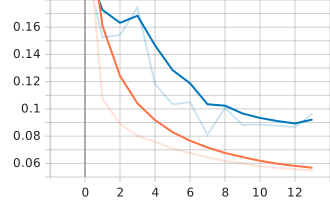
- To see tensorboard graphs, run this command under saved_models/LSTM_observation_name/time_path/models directory:
tensorboard --logdir tensorboard/