
@openeditor/react-native-prose-editor is a native rich text editor for React Native with a Rust document core, native iOS and Android rendering, configurable schemas, and a React-facing toolbar and theme API.
This project is currently in alpha and the API, behavior, and packaging may still change.
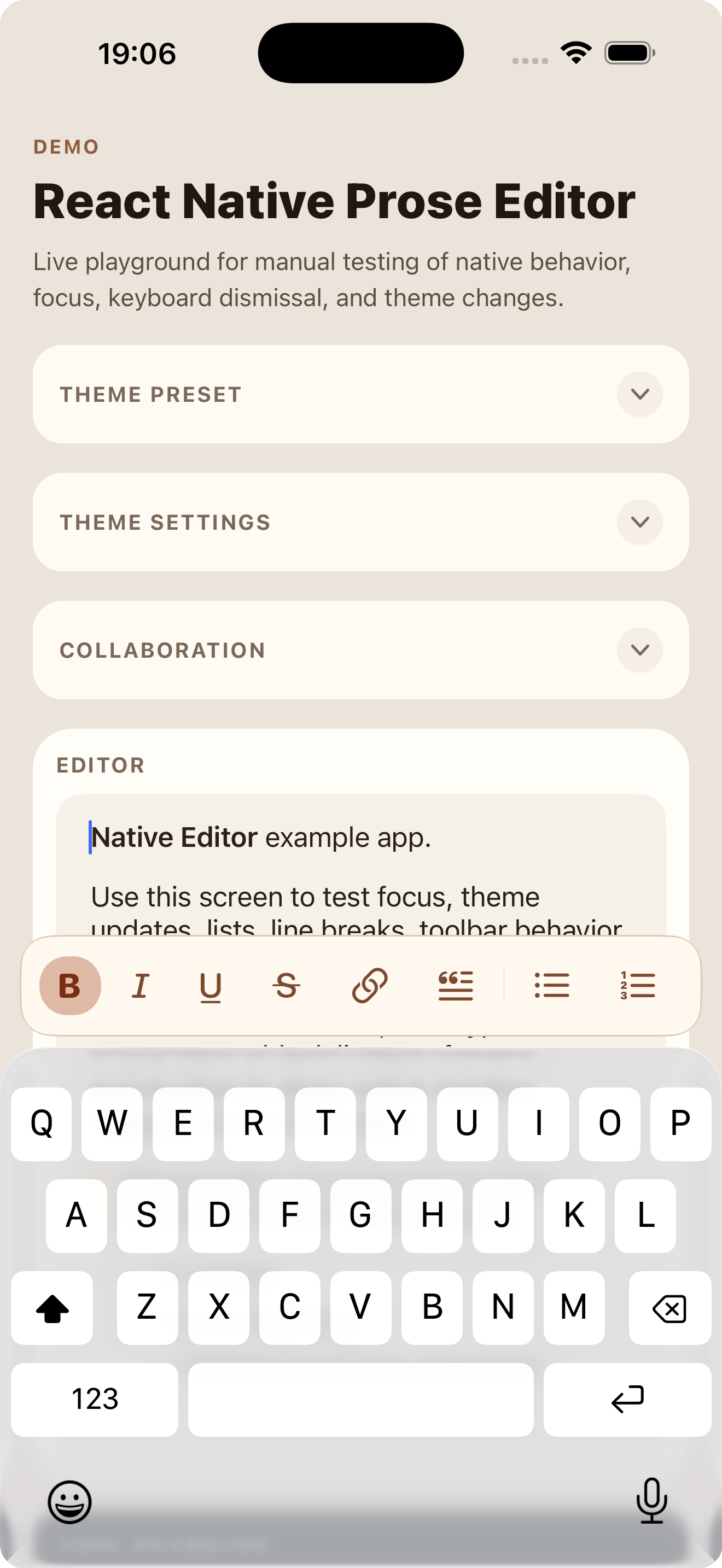
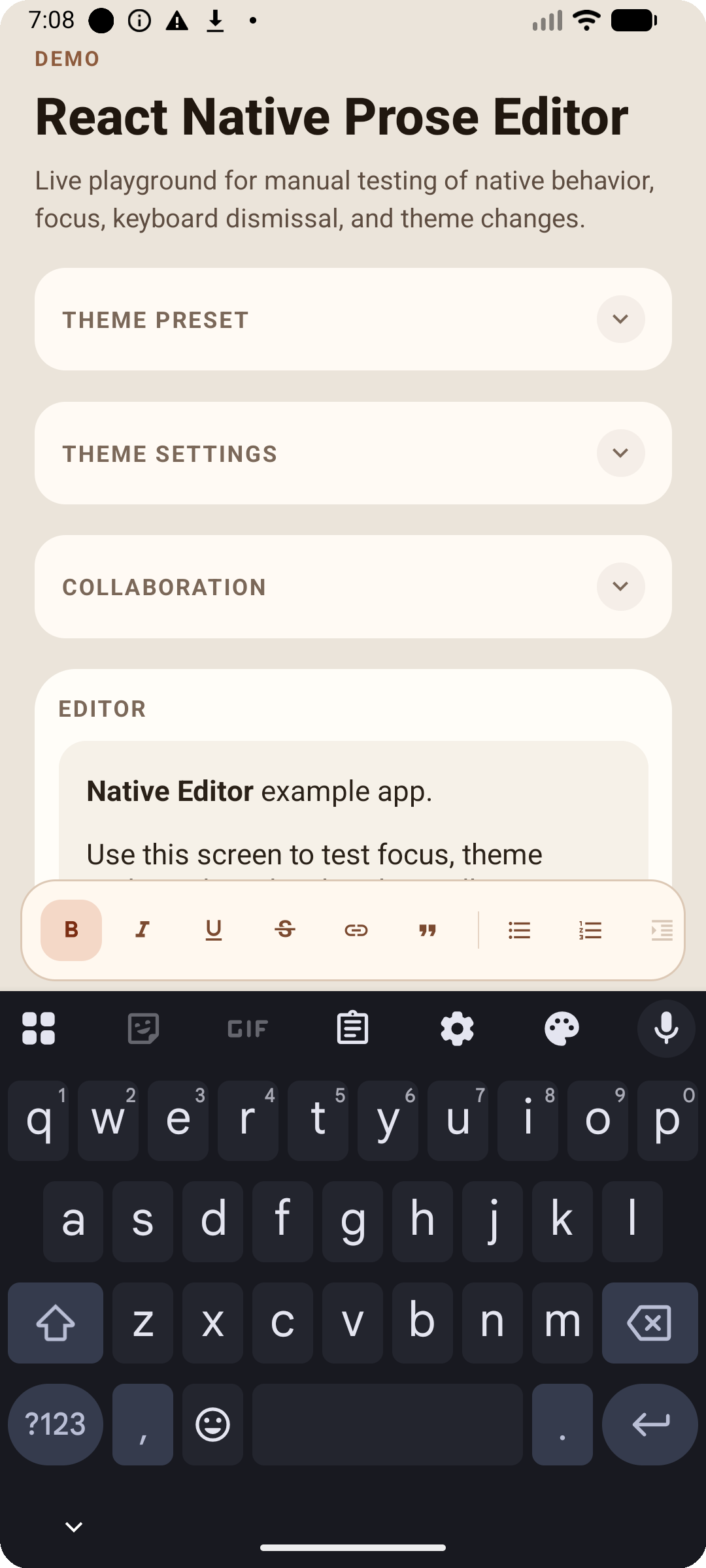
This repository contains three main pieces:
- the editor package itself under
src,ios,android, andrust - an Expo SDK 54 development app under
example - a runnable iOS XCTest harness for native regression coverage
The editor already supports:
- HTML and ProseMirror JSON content input/output
- configurable schemas
- marks such as bold, italic, underline, strike, and links
- blockquotes
- bullet and ordered lists with indent/outdent behavior
- hard breaks and horizontal rules
- native @-mentions with themed suggestion UI in the toolbar area
- native theming for text, lists, horizontal rules, mentions, and the toolbar
- configurable toolbar items, including app-defined actions
- auto-grow height behavior for parent-managed scroll containers
- a Rust-backed undo/redo history model
src: React Native component API, toolbar, schemas, and TypeScript typesios: iOS native view, toolbar accessory, rendering bridge, and generated Rust bindingsandroid: Android native view, rendering bridge, and Expo module wiringRust Editor Core: document model, transforms, schema system, selection, history, serialization, and testsexample: Expo 54 app for manual QA and development
Project documentation now lives in the GitHub Wiki.
This package currently requires Expo Modules. Use it in an Expo development build or in a bare React Native app that has Expo Modules configured.
The minimum tested Expo version is SDK 54.
Required peer dependencies:
exporeactreact-native@expo/vector-icons
Install the package:
npm install @openeditor/react-native-prose-editor@0.0.1Expo prebuild apps should add the package config plugin so Android excludes obsolete JNA ABI copies that modern NDKs cannot strip:
export default {
  expo: {
    plugins: ['@openeditor/react-native-prose-editor'],
  },
};
For bare React Native apps or existing generated Android projects, add the same
packaging exclude to android/gradle.properties when your template applies
android.packagingOptions.* properties:
android.packagingOptions.excludes=**/armeabi/libjnidispatch.so,**/mips/libjnidispatch.so,**/mips64/libjnidispatch.soIf your Android project does not read those Gradle properties, add the patterns
directly under the app module's android.packagingOptions.jniLibs.excludes.
For local package development in this repo:
npm install
npm --prefix example install
npm run example:prebuild
For full setup details, including peer dependencies, example app setup, and iOS pods, see the Installation Guide.
import React, { useRef } from 'react';
import {
  NativeRichTextEditor,
  type NativeRichTextEditorRef,
} from '@openeditor/react-native-prose-editor';

export function EditorScreen() {
  const editorRef = useRef<NativeRichTextEditorRef>(null);

  return (
    <NativeRichTextEditor
      ref={editorRef}
      initialContent="<p>Hello world</p>"
      placeholder="Start typing..."
      onContentChange={(html) => {
        console.log(html);
      }}
    />
  );
}The main extension points today are:
schema: provide a custom schema definitiontheme: style text blocks, blockquotes, lists, horizontal rules, background, and toolbar chrome, including a native-looking keyboard toolbar modetoolbarItems: define the visible toolbar controls and orderonToolbarAction: handle app-defined toolbar buttonsonRequestLink: collect or edit hyperlink URLs when a toolbar link item is pressedaddons: configure optional features like @-mentionsheightBehavior: switch between internal scrolling and auto-grow
For setup and customization details, start with the Documentation Index.
For realtime collaboration, including the correct useYjsCollaboration() wiring, encoded-state persistence, remote cursors, and automatic reconnect behavior, see the Collaboration Guide.
For whole-document JSON loads, initialJSON, controlled valueJSON, and setContentJson() will normalize an empty root document like { type: 'doc', content: [] } to the active schema's empty text block so block-constrained schemas still load a valid empty document. For chat composer or draft-reset flows, prefer the ref method clearContent().
Common commands:
npm run typecheck
npm run bench:rust -- --quick
npm run publish:prepare
npm run example:start
npm run example:ios
npm run example:android
npm run build:rust
Tests:
npm test                                             # TypeScript unit tests
cargo test --manifest-path rust/editor-core/Cargo.toml  # Rust core tests
npm run android:test                                  # Android Robolectric tests
npm run android:test:perf                             # Android native perf test suite
npm run android:test:perf:device                      # Android on-device perf instrumentation suite
npm run ios:test:perf                                 # iOS native perf XCTest suite
npm run ios:test:perf:device                          # iOS on-device perf XCTest suite
Benchmarks:
npm run bench:rust -- --quick
npm run bench:rust -- --filter collaboration
npm run bench:rust -- --json > perf-results.json
npm run android:test:perf
npm run android:test:perf:device
npm run ios:test:perf
npm run ios:test:perf:device
Documentation is published in the GitHub Wiki.
- Documentation Index: main documentation index
- Installation Guide: installation and local setup
- Getting Started: first setup and first editor
- Collaboration Guide: Yjs collaboration wiring, source-of-truth rules, and persistence
- Toolbar Setup: toolbar setup patterns and examples
- Mentions Guide: @-mentions addon setup and configuration
- Styling Guide: content, toolbar, and mention styling
- NativeRichTextEditor Reference: component props and ref methods
- Design Decisions: rationale for key API and architecture decisions
The project is usable and already covers the core editing flows, but the API and documentation are still evolving as the package moves toward wider use.