KSP Multi Script for manual divisi of Infinite Brass/Woodwinds.
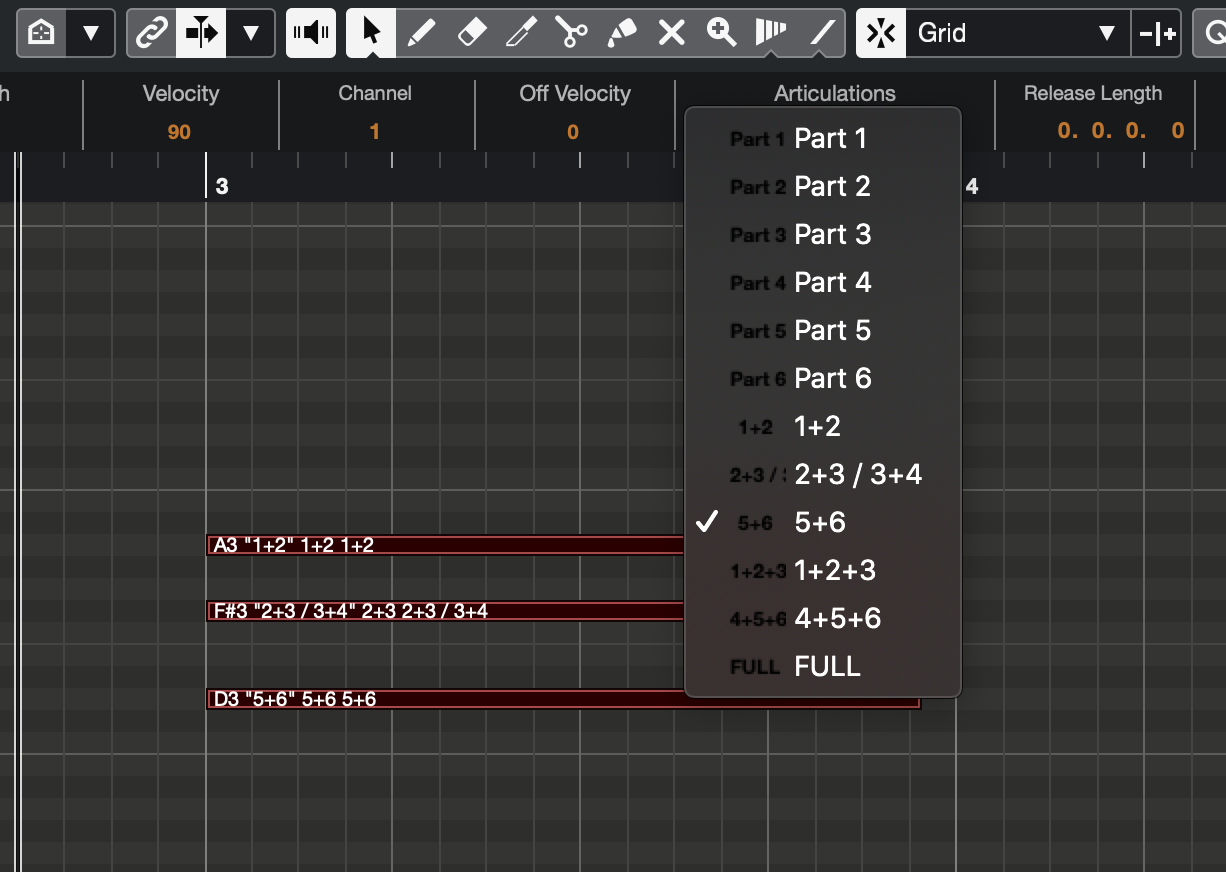
It allows you to assign each note to divisi parts you want to play in by Expression Maps.
To use this script, you can use Infinite Brass/Woodwinds as an ensemble patch without recording each part.
If you have any trouble using this script, please feel free to contact me @nabemon
- 日本語の説明はこちらをご覧ください
Download InfiniteRouter.ksp and put it into KONTAKT script folder.
- Windows
- C:\Users(Username)\Documents\Native Instruments\Kontakt\presets\Multiscripts
- Mac
- Macintosh HD\Users(Username)\Documents\Native Instruments\Kontakt\presets\Multiscripts
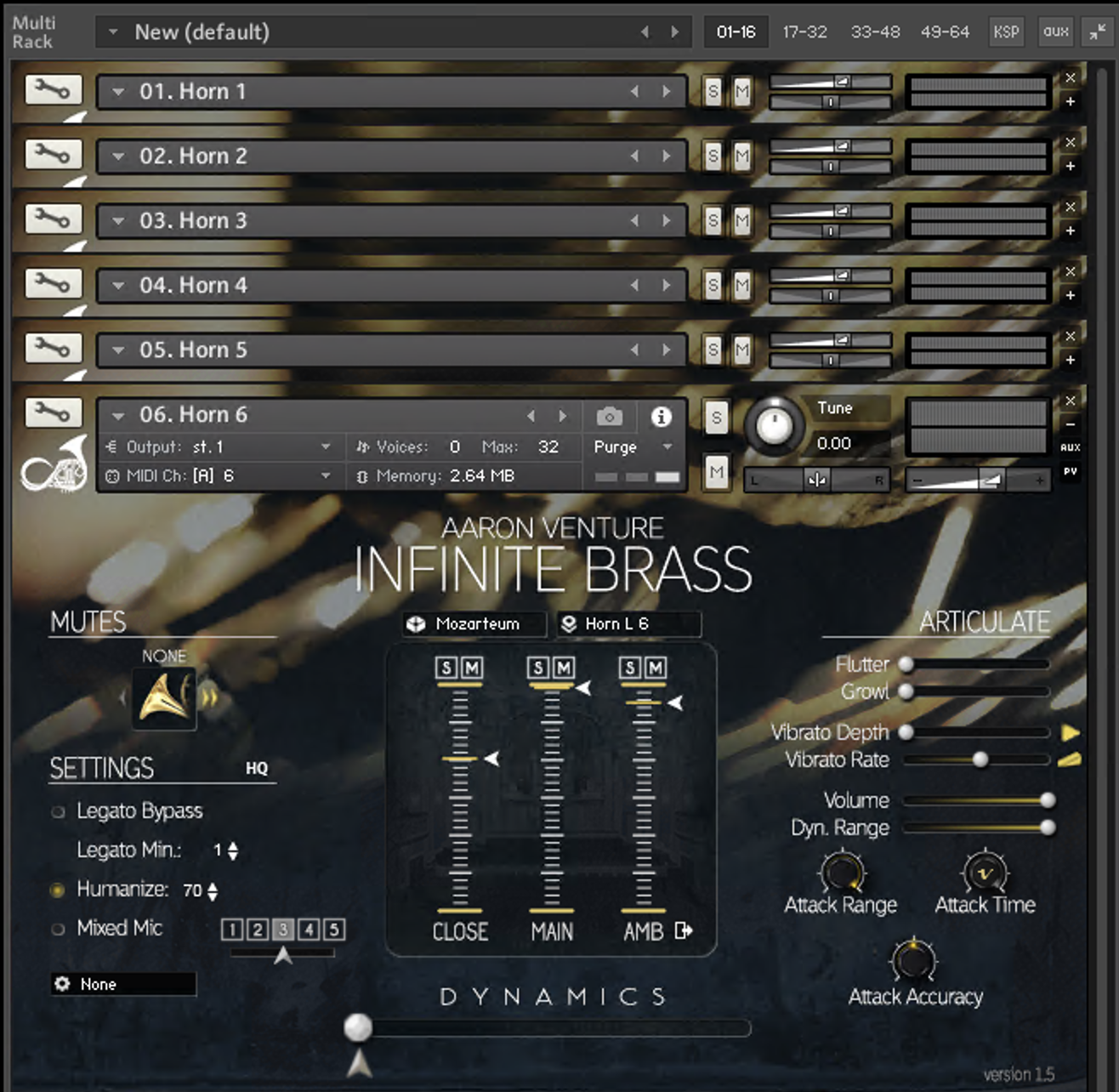
Launch KONTAKT for each instrument and load patches into Ch1-6.
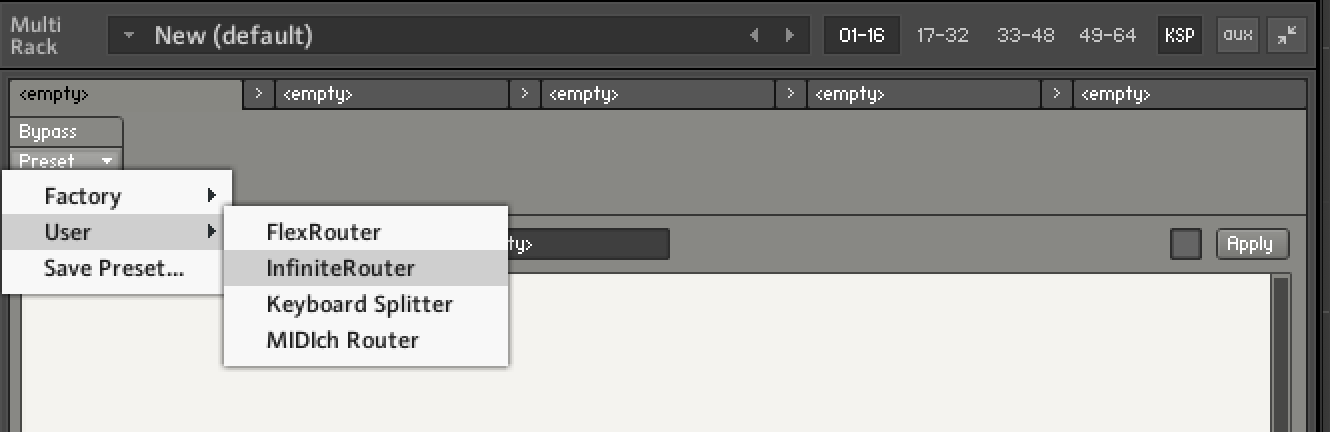
Load InfiniteRouter.ksp in KSP Multi.
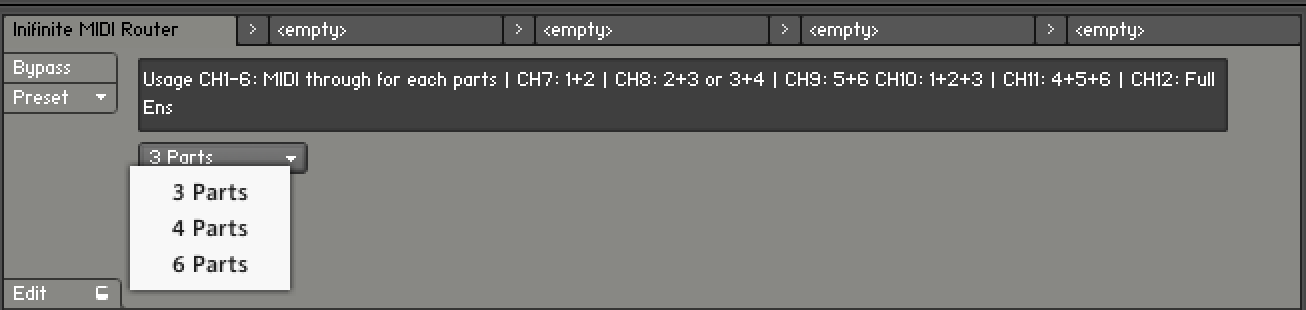
Set maximum parts you want to use. For example:
- 6 Horns : 6 Parts
- 3 Flutes : 3 Parts
Download Infinite Woodwinds(Div).expressionmap and load it into Cubase.
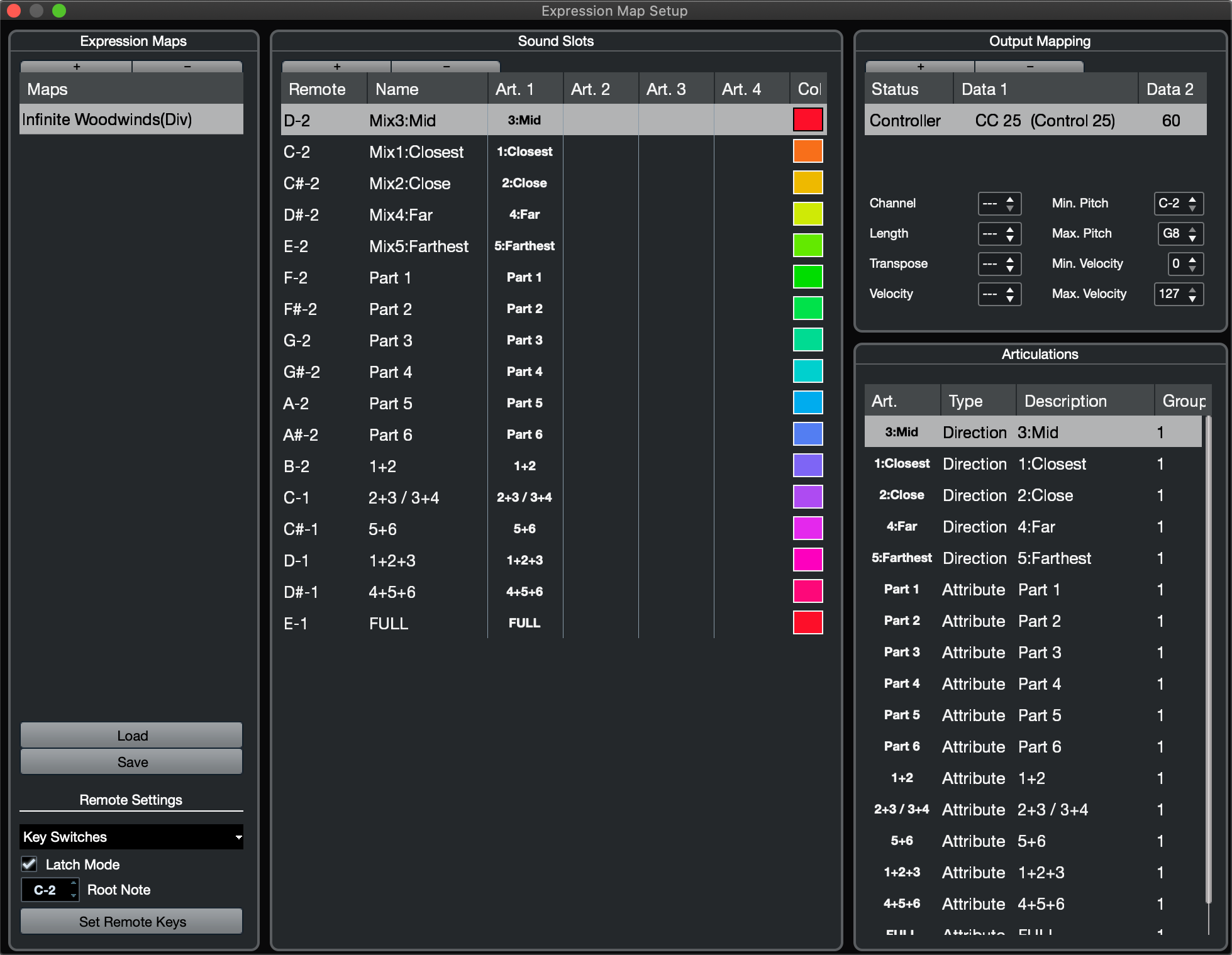
Now you can assign each note to divisi parts you want to play in by note Attribute or Expression Maps.
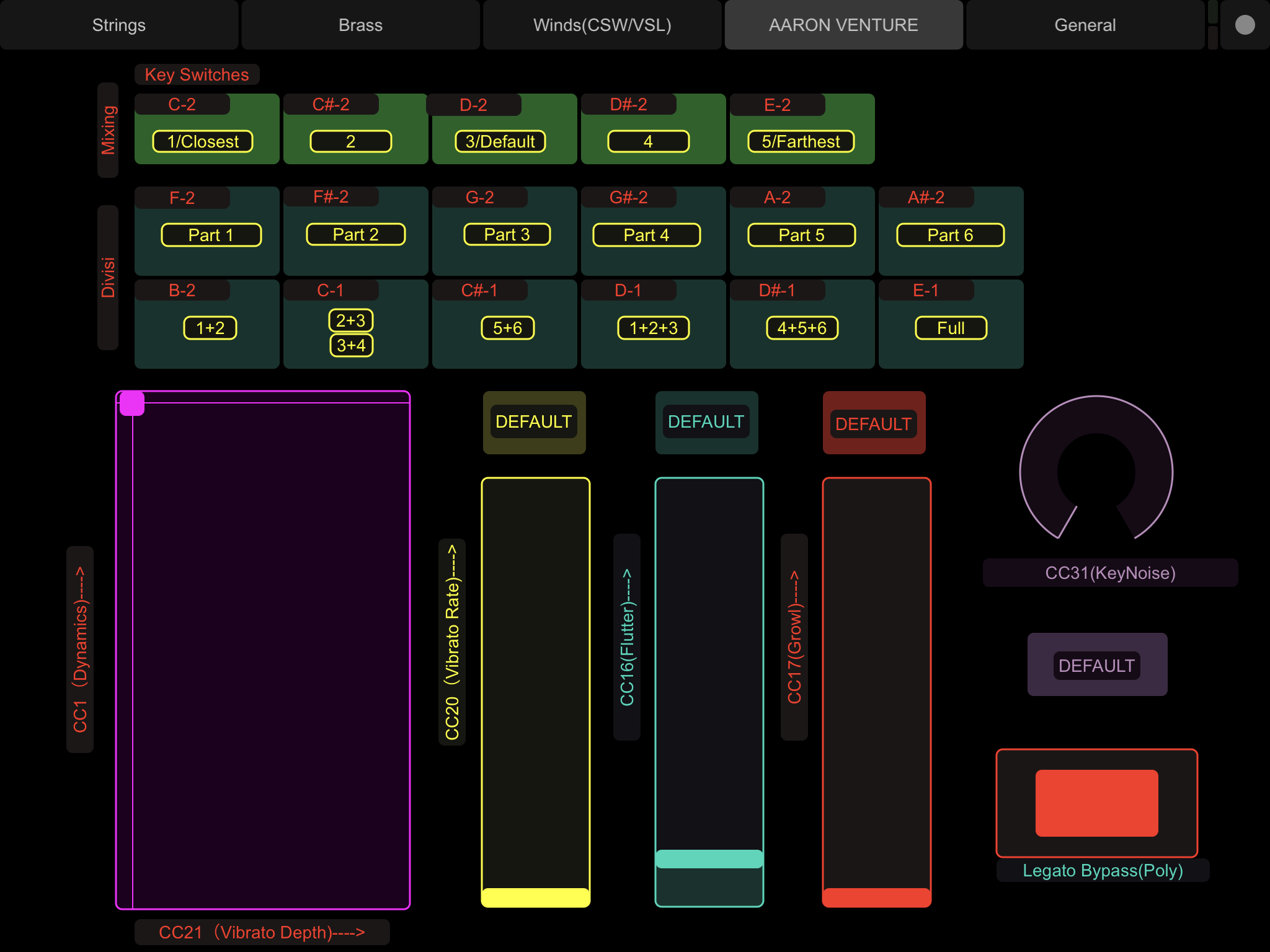
In addition, I uploaded TouchOSC controller for this script and Expression Maps as a bonus. You can also control mix when "Mixed Mic" is enabled.
- Fast phrases or a large amount of MIDI CC can causes dropping notes or CC.
- I recommend to use this script just for sketching and write each part individually in production phase.
Infinite Brass/Woodwindsで手動ディヴィジを行うためのマルチスクリプトです。 アーティキュレーション(属性)で、ノートごとに演奏させるパートを指定することができます。 Infinite Brass/Woodwindsを、パートごとに入力しなくても、通常のアンサンブル音源に近い感覚で扱えるようになります。
もし動かない、わからないことがあれば、Twitter @nabemonまでお知らせください。
InfiniteRouter.kspをダウンロードして、KONTAKTのスクリプトフォルダに置きます。
- Windowsの場合
- C:\Users(ユーザ名)\Documents\Native Instruments\Kontakt\presets\Multiscripts
- Macの場合
- Macintosh HD>ユーザ>(ユーザ名)>書類>Native Instruments>Kontakt>presets>Multiscripts
各楽器ごとにKONTAKTを立ち上げ、それぞれのパッチを読み込みます。 このとき、チャンネルは1〜6を使用してください。
KSPで、さきほどのInfiniteRouter.kspを読み込みます。
メニューで最大パートを指定します。
例えば、Horn 1〜6であれば6 Partsを、Flute 1〜3であれば3 Partsです。
CubaseのExpression Mapをダウンロードして、読み込みます。
これで、ノートごとにどのパートで演奏させるかを指定することができるようになりました。
TouchOSC用のコントローラーも用意しました。タブレットをお持ちの方はぜひご活用ください。なお、ミックスのコントロールは、"Mixed Mic"を使用している場合のみ有効です。
- 早いフレーズや大量のデータが集中すると、処理落ちしてCCが正しく処理されない可能性があります。
- あくまでもスケッチ用途で、本番では各パートに直接振り分けることをオススメします。
- 本スクリプトは、もちろんInfinite Brass/Woodwinds以外の音源にも使用可能です。ただ、キースイッチに対応していないので、その辺りは各自でカスタマイズしてください。
Ch1-6に立ち上げた各パートに対して、入力されたノートのチャンネルに応じて以下のような動作をします。
- Ch1-6
- 素通し
- Ch7
- パート1(Ch1)+パート2(Ch2)にルーティング
- Ch8
- 最大パート3の場合
- パート2(Ch2)+パート3(Ch3)にルーティング
- 最大パート4 or 6の場合
- パート3(Ch3)+パート4(Ch4)にルーティング
- 最大パート3の場合
- Ch9
- パート5(Ch5)+パート6(Ch6)にルーティング
- Ch10
- パート1+2+3にルーティング
- Ch11
- パート4+5+6にルーティング
- Ch 12
- 全パートにルーティング
MIDI CCは最大パート数に応じて、全てのチャンネルにルーティングされます