Important: This repository is under active development including breaking changes. If you are looking for the crane you used in last few years, use the old-main branch or v0.0.6 tag.
Crane is a migration tool under the Konveyor community that helps application owners migrate Kubernetes workloads and their state between clusters.
| Branch | Build & unit tests (after merge) | E2E CI (after merge) | E2E Nightly (cron) |
|---|---|---|---|
| main |  |
 |
 |
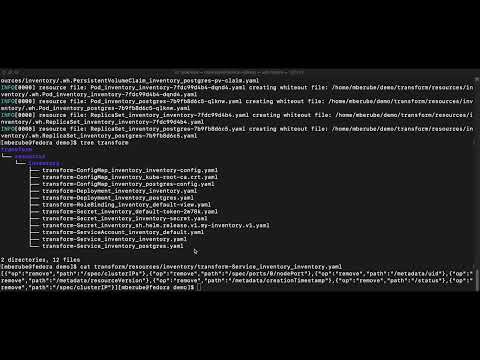
Migrating an application between Kubernetes clusters may be more nuanced than one would imagine. In an ideal situation, this would be as simple as applying the YAML manifests to the new cluster and adjusting DNS records to redirect external traffic, yet often there is more that is needed. Below are a few of the common concerns that need to be addressed:
- YAML manifests - do we have the original YAML manifests stored in version control or accessible so we can reapply to the new cluster?
- Configuration Drift - if we do have the YAML manifests, do we have confidence they are still accurate and represent the application as it’s running in the cluster? Perhaps the application has been running for a period of time, been modified, and we no longer have confidence we can reproduce it exactly as it’s currently running.
- State - we may need to address persisted state that has been generated inside of the cluster, either small elements of state such as generated certificates stored in a Secret, data stored in Custom Resources, or gigabytes of data in persistent volumes.
- Customizations needed for new environment - we may be migrating across cloud vendors or environments that require transformations to the applications so they run in the new environment.
Crane helps users do more than just handle a point in time migration of a workload, it is intended to help users adopt current best practices such as onboarding to GitOps by reconstructing redeployable YAML manifests from inspecting a running application. The project is the result of several years of experience performing large-scale production Kubernetes migrations and addressing the lessons learned.
Crane follows the Unix philosophy of building small sharply focused tools that can be assembled in powerful ways. It is designed with transparency and ease-of-diagnostics in mind. It drives migration through a pipeline of non-destructive tasks that output results to disk so the operation can be easily audited and versioned without impacting live workloads. The tasks can be run repeatedly and will output consistent results given the same inputs without side-effects on the system at large.
Crane is composed of several repositories:
- konveyor/crane: (this repo) The command line tool that migrates applications to the terminal.
- konveyor/crane-lib: The brains behind Crane functionality responsible for transforming resources.
- konveyor/crane-plugins: Collection of plugins from the Konveyor community based on experience from performing Kube migrations.
- konveyor/crane-plugin-openshift: An optional plugin specifically tailored to manage OpenShift migration workloads and an example of a repeatable best-practice.
- backube/pvc-transfer: The library that powers the Persistent Volume migration ability, shared with the VolSync project. State migration of Persistent Volumes is handled by rsync allowing storage migrations between different storage classes.
- konveyor/crane-runner: A collection of resources showing how to leverage Tekton to build migration workflows with Crane
- konveyor/crane-ui-plugin: A dynamic UI plugin for the openshift/console
- konveyor/mtrho-operator: An Operator which deploys Crane in an opinionated manner leveraging Tekton for migrating applications
How does it work? Crane works by:
- Inspecting a running application and exporting all associated resources
- Leveraging a library of plugins to aid in transforming the exported manifests to yield redeployable manifests
- Applying the transformed manifests into the destination cluster
- Optionally orchestrating persistent state migrations
- Obtain the
cranebinary from either:- Download a prebuilt release from https://github.com/konveyor/crane/releases
- Clone this repo and build the crane binary via:
go build -o crane main.go
- Install the
cranebinary in your$PATH
$ kubectl create namespace guestbook$ kubectl --namespace guestbook apply -k github.com/konveyor/crane-runner/examples/resources/guestbook$ crane export -n guestbook
- Discovers and exports all resources in the 'guestbook' namespace
- A directory 'export/resources/guestbook' is populated with the raw YAML content of each exported resource
- Example:
-
$ cat export/resources/guestbook/Secret_guestbook_builder-dockercfg-5ztj6.yamlkind: Secret apiVersion: v1 metadata: name: builder-dockercfg-5ztj6 namespace: guestbook resourceVersion: "3213488" uid: 8fb75dcd-68b2-4939-bfb9-1c8241a7b146 ... data: .dockercfg: < ...SNIP.... >
-
$ crane transform
- A directory
transform/10_KubernetesPlugin/is created with a Kustomize layout:resources/- Exported resources grouped by typepatches/- JSONPatch operations to clean resourceskustomization.yaml- Kustomize configuration
- The built-in Kubernetes plugin generates patches to remove live/runtime metadata
- Example:
-
$ cat transform/10_KubernetesPlugin/patches/guestbook--v1--Secret--builder-dockercfg-5ztj6.patch.yaml- op: remove path: /metadata/uid - op: remove path: /metadata/resourceVersion - op: remove path: /metadata/creationTimestamp- These patches remove server-managed fields that would conflict when applying to a new cluster.
-
$ cat transform/10_KubernetesPlugin/resources/secret.yaml- Contains the original exported Secret with all metadata
-
$ crane apply
- Runs
kubectl kustomizeon the transform stage to apply patches - Outputs clean, declarative YAML to
output/output.yaml - Example:
-
$ cat output/output.yaml--- apiVersion: v1 kind: Secret metadata: name: builder-dockercfg-5ztj6 namespace: guestbook data: .dockercfg: < ...SNIP.... > -
Note that the fields
metadata.uid,metadata.resourceVersion, andmetadata.creationTimestamphave been removed.
-
- The content in
output/output.yamlis now ready to be deployed to the target cluster or checked into Git for GitOps workflows:$ kubectl apply -f output/output.yaml
Please see konveyor/crane-runner/main/examples for further scenarios to explore what can be done with Crane + Tekton for migrating applications.
- v0.0.2 (alpha1)
- The new-namespace optional arg (and associated functionality) in the
built-in kubernetes plugin is incomplete.
metadata.namespacewill be modified, but other required changes will not be made. It will be removed from this plugin in the next release and expanded functionality will most likely be added via a separate (optional) plugin.
- The new-namespace optional arg (and associated functionality) in the
built-in kubernetes plugin is incomplete.