Repository navigation
EN 09 Cockpit
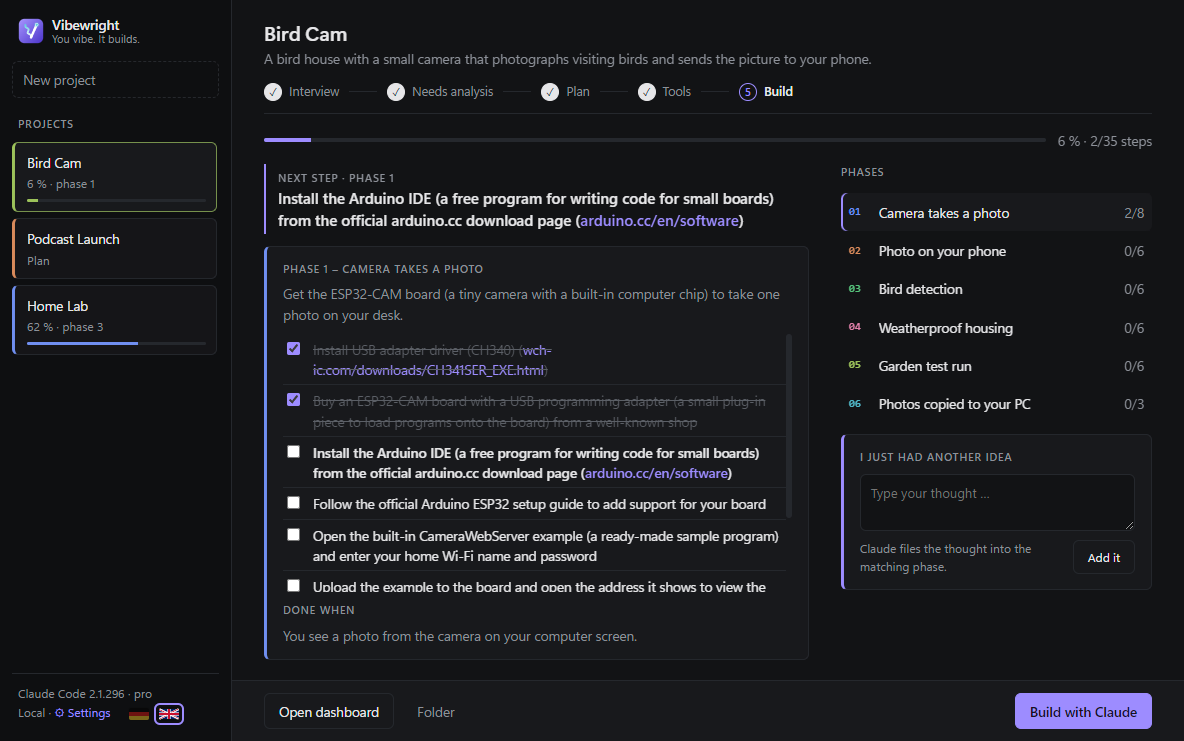
After the plan, the Build step opens the cockpit:
- Next step at the top, the current phase with its checklist in the middle, all phases with their progress on the right.
- Tick a step → it pops, the progress bar moves, the dashboard is updated. Finish a whole phase → 🎉 confetti.
- Click another phase on the right to look at (and tick) its steps.
- Open dashboard opens it in Obsidian or your browser; Folder opens the project folder.
← The files Vibewright creates · Contents · Build with Claude →