


Wired is a cross-platform, C++23, 2D/3D, game and render engine.
The Wired Renderer currently ships with a Vulkan-based GPU implementation.

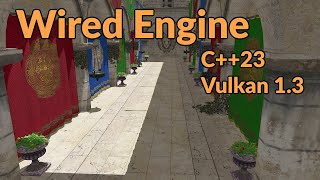
- Cross Platform
- 2D & 3D Rendering
- Entity Component System
- Asset Loading System
- Point, Spot, and Directional Lights
- Single, Cubic, and Stabilized Cascaded Shadow Mapping
- Material, Mesh, and Texture Systems
- PBR lighting
- Heightmap Mesh Generation
- Compute-Based GPU Culling, LOD Selection, Post Processing
- Node and Skeleton-Based Model Animations
- 3D Physics System
- Global and 3D Spatialized Audio System
- Player Controller
- Input Handling
The only public transitive dependency of Wired is the GLM math library (https://github.com/g-truc/glm), which must be made available by your project at build time. Either install it via a system package (e.g. the libglm-dev package on Ubuntu), or make it available via whichever mechanism your project uses to fetch its external dependencies (vcpkg, conan, etc.).
- Download the latest SDK release from the releases tab and extract it
- Configure your project to link against the Wired binaries/headers (see instructions below if your project uses CMake)
- Copy the sdk's
wireddirectory to your project's build output / runtime directory - Follow the details in the
Sample Clientsection below for how to write code that uses Wired
On Windows, at runtime you will also need to have either added the SDK's bin directory to your system path, or have copied the DLLs from the SDK's bin directory to your project's build output / runtime directory.
The SDK includes a WiredEngineConfig.cmake file for easy integration with your project.
Tell CMake where to find Wired, such as providing this parameter at configure time:
-DCMAKE_PREFIX_PATH={/path/to/Wired}/cmake/WiredEngine
You can then link to Wired in CMake via:
find_package(WiredEngine CONFIG REQUIRED)
target_link_libraries(YourProject PRIVATE Wired::WiredDesktop)
A sample client can be found at the link below. It's a minimal example of using Wired to create a window, load a package's resources, and render a model in 3D space.
--
If you want to use package loading functionality to load assets from disk (LoadPackageResources), a sample/stub disk package can be found at the link below.
Note that the package must be located in the runtime wired directory, placed under packages/{package_name}.
(Also note that models must be in their own subdirectory under assets/models, with the directory name matching the model file name, as demonstrated in the sample package).