Repository navigation
Overlay Looks
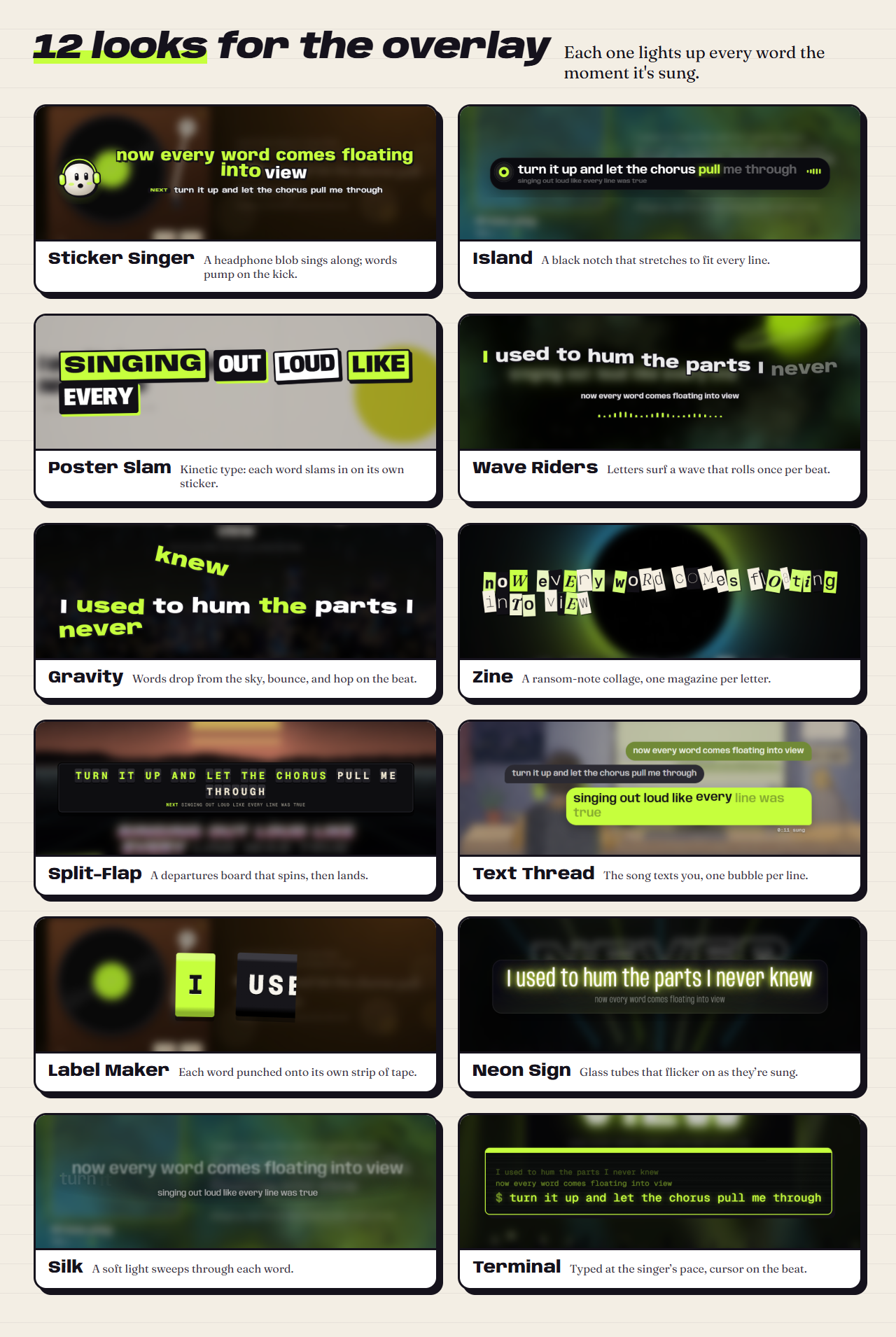
The overlay has twelve looks. Each one lights up every word the moment it's sung and moves on the beat; they differ in how. Pick one in settings, where each plays as a live preview, or press Ctrl Alt K to flip through them. The settings window also filters looks by vibe.
| Look | What it does | Vibe |
|---|---|---|
| Sticker Singer | A headphone blob sings along. Sticker words pop in and pump on the kick. | Soft & cute |
| Island | A black notch that stretches to fit each line. The album art spins and EQ bars bounce. | Deep focus |
| Poster Slam | Kinetic type: each word slams onto its own sticker the instant it's sung. | Main character, Artsy chaos |
| Wave Riders | Letters surf a wave that rolls once per beat, with a spectrum underneath. | Main character |
| Gravity | Words drop from the sky as they're sung, bounce to rest, and hop on every beat. | Main character, Soft & cute |
| Zine | A ransom-note collage: every letter is cut from a different magazine and slapped on as it's sung. | Artsy chaos, Main character |
| Split-Flap | A departures board. Every tile spins through letters before landing on its own. | Retro nerd |
| Text Thread | The song texts you, one bubble per line, with typing dots while the singer breathes. | Soft & cute |
| Label Maker | Each word is punched onto its own strip of tape, which feeds out as it's sung. | Artsy chaos, Retro nerd |
| Neon Sign | Dark tubes on a sign board flicker on as each word is sung, and surge on the beat. | Retro nerd, Deep focus |
| Silk | A soft light sweeps through each word. Calm. | Deep focus |
| Terminal | Typed out at the singer's pace, with a cursor blinking on the beat. | Retro nerd, Deep focus |
- Beat punch sets how hard things react to the beat, from chill to unhinged.
- Colour comes from the album art by default (the loudest colour on the cover), or set a fixed one.
- Next line, singer and song tag can each be turned off for a cleaner look.
- Size goes from 60% to 180%.
See Settings and sync for all of them.