Repository navigation
Settings and Sync
Open settings by clicking the tray icon or pressing Ctrl Alt O. Every change applies to the real overlay right away; there's no Save button.
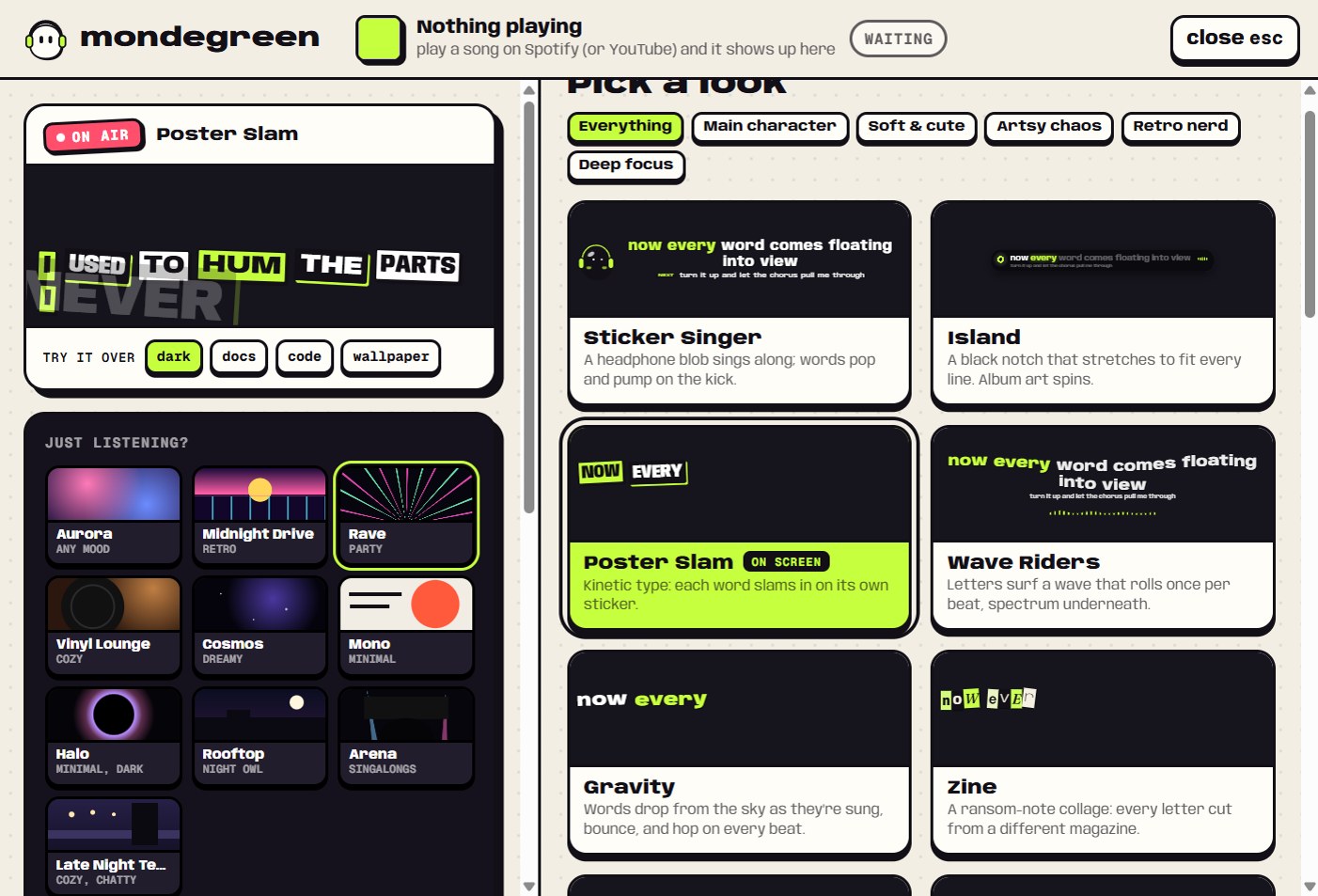
Pick any of the 12 looks. Each card plays a live preview when you hover it. The vibe chips (Main character, Soft & cute, Artsy chaos, Retro nerd, Deep focus) filter the list.
- On the little monitor: drag the lyrics bar where you want it. With more than one display, pick which one.
-
By hand: click Place it by hand (or press
CtrlAltM). The real lyrics become draggable: drag them anywhere, scroll to resize, then pressEnterorEsc.
The position is saved relative to the screen, so it stays put when the resolution changes.
| Setting | What it does |
|---|---|
| Size | 60% to 180%. |
| Beat punch | How hard the lyrics react to the beat, from chill to unhinged. |
| Colour | From the album art picks the loudest colour on each cover. Or choose a fixed colour. |
mondegreen follows the player's own clock, so it's usually right on. When it isn't:
-
Tap to sync: press
CtrlAltT(or Tap in settings) the moment you hear a line start. It snaps to the nearest line and remembers the offset for that song. -
Nudge:
CtrlAlt[and]move the lyrics 0.1 s earlier or later, also remembered per song. - Bluetooth delay: wireless headphones play audio a little late. Choose Bluetooth (220 ms) or set your own delay from 0 to 500 ms. It holds both the lyrics and the beat back to match what you hear.
| Setting | What it does |
|---|---|
| Next line | Shows the upcoming line under the current one. |
| Singer | The headphone blob in the Sticker Singer look. |
| Song tag | The small label with what's playing. |
| Hide after pause | Hides the lyrics 5 s, 15 s or 1 min after the music pauses, or never. |
| Start with Windows | Starts mondegreen when you sign in. |
| 60 or 30 fps | Silky 60 or Battery 30. The overlay never draws faster than this. |
%APPDATA%\mondegreen\settings.json. To reset everything, quit mondegreen (tray → Quit) and delete that file.