Java Spring Boot App using: spring-boot-starter-data-jpa, spring-boot-starter-web, spring-boot-devtools and spring-boot-starter-test.
To run this project better use the newest version of IntelliJ IDEA, Postman, JDK 1.8_x, Tomcat 9.0.x and newest version of MySQL Workbench.
Also you need to download and run this (settings.txt) sql code to create database, that will be used in app.
If you've got any problems caused by this upgration, better look up the documents in Spring Framework Reference.
It's server application so you can only send requests using Postman, to see all employees(get), employee by id(get), change employee info(put) or remove employee (delete).
Firstly, when you start this application with Tomcat, you will see this list of employees:

To see all the employees use Postman and GET method with link http://localhost:8080/com_spring_app_rest_mvc/api/employees

To see single employee with specified id you need to add /(enter id) to previous link http://localhost:8080/com_spring_app_rest_mvc/api/employees
To add employee you need to use POST method and write information about your employee is JSON body:
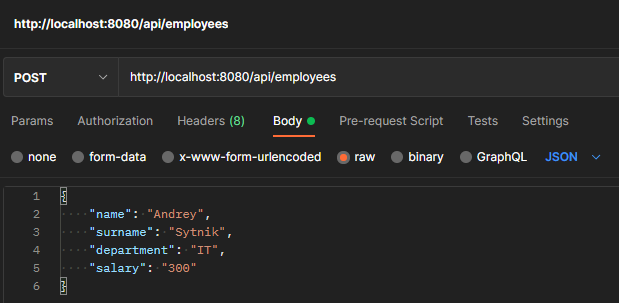
To change employee's information use PUT method and write changed info:

To delete employee use DELETE method and same link with specified id http://localhost:8080/com_spring_app_rest_mvc/api/employees/(enter id)
