

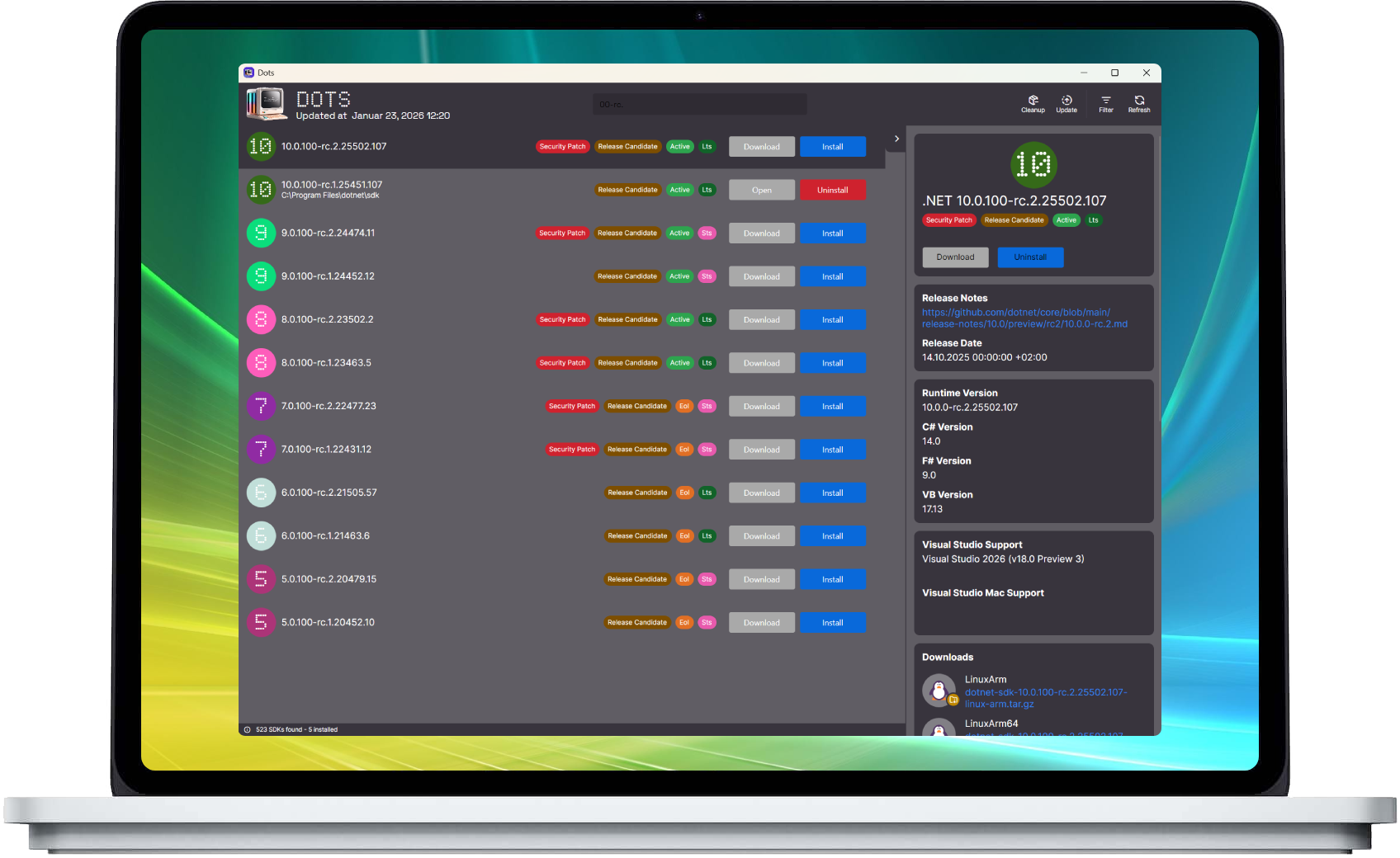
Dots is a .NET SDK manager that allows you to install, uninstall, and switch between .NET SDKs with ease. It is a cross-platform tool that works on Windows, macOS and Linux. It is written in C# and uses .NET with Avalonia as the UI framework.
- Search for SDKs
- Install SDKs
- Uninstall SDKs
- Check Release Notes
- Show Metadata
- ...and more!
Grab the latest build from the releases page.
| Platform | Installer | Portable |
|---|---|---|
| Windows (x64 / x86 / arm64) | nor0x.Dots-win-<arch>-Setup.exe |
nor0x.Dots-win-<arch>-Portable.zip |
| macOS (Apple Silicon / Intel) | – | nor0x.Dots-osx-<arch>-Portable.zip |
| Linux (x64 / arm64) | nor0x.Dots-linux-<arch>.AppImage |
nor0x.Dots-linux-<arch>-Portable.tar.gz |
The .nupkg and releases.*.json assets are the update feed - you don't need to download those.
On Linux, chmod +x the AppImage and run it. Only the AppImage updates itself - the tarball is a plain
unpack-and-run build. Dots installs SDKs into ~/.dotnet, so no root password is ever needed; SDKs that
came from your distribution's package manager are listed but have to be removed with that package manager.
Dots keeps itself up to date from version 2.3.0 onwards - it checks GitHub once a day and offers a one-click update in the header bar. You can also check manually from the About window.
If you are still running a pre-2.3.0 portable
Dots.exe, download once from the link above. Older builds have no updater and cannot migrate themselves.
Make sure to have .NET 10.0 and Avalonia installed. Then, clone the repository and run dotnet build in the src directory. You can also use Visual Studio, Rider or Visual Studio Code to build the project. Also make sure to check out the release.yml workflow file for more information on how to build the project.