[ADD] Marketing Card: Add new doc#17662
Conversation


|
|

 stepperpig
force-pushed
the
18.0-marketing-card-new-doc-kaili
branch
from
stepperpig
force-pushed
the
18.0-marketing-card-new-doc-kaili
branch
from
20ae147 to
ffb4db6
Compare

 meval1006
left a comment
meval1006
left a comment
meval1006
left a comment
There was a problem hiding this comment.
Hi @stepperpig, great job on the new page! I have a list of minor technical edits and some suggestions. Feel free to ignore the suggestions.

|
Hi @AntoineVDV (: We're documenting a new app and need your help adding stepperpig as the code owner. Thank you in advance for your help! |


|
Hi @Felicious, could you create the corresponding GitHub team and let me know its name? |


Co-authored-by: meval1006 <meval@odoo.com>

Co-authored-by: meval1006 <meval@odoo.com>
stepperpig
force-pushed
the
18.0-marketing-card-new-doc-kaili
branch
from
129cc4d to
7b2a05b
Compare
|
Hi @AntoineVDV ! marketing-card is the team name (: |
|
@Felicious Ideally, this team should be a sub-team of content-doc, so we don't mix the teams for this repo with those for development repositories. We also usually name them with the format Could you let me know when this is fixed? Then I will create the codeowner rule, because ci/codeowner_coverage doesn't like it when rules are updated. |
|
Hi @AntoineVDV ! I renamed the team to |
|
@Felicious Should be good now, I restarted the ci/codeowner_coverage build 🙂 |

 Felicious
left a comment
Felicious
left a comment
Felicious
left a comment
There was a problem hiding this comment.
Great job @stepperpig (: This is a strong doc overall on a completely undocumented app! The structure is clear, the flow is easy to follow, and I can tell a lot of thought and testing with mixed media went into this.
As such, I put in a bit more effort than usual to test this, and particularly as someone unfamiliar with the Events and Marketing Card, I provided some suggestions that could help beginners understand:
- what certain recipient types could represent
- how the targeting/preview flow works
- which form we're on and how to get there at the beginning of a section
I'll let you decide as the author whether those misunderstandings were a me problem or not 😂
@robodoo delegate+
| - :guilabel:`Event Booth`: Send cards to contacts with registered event booths. | ||
| - :guilabel:`Event Registration`: Send cards to contacts with event registrations. | ||
| - :guilabel:`Event Track`: Send cards to contacts with event tracks. |
There was a problem hiding this comment.
This might be because I'm unfamiliar with what this app does, but as a new user I don't think I'm given enough context to confidently fill out Recipients.
Right now, the options describe who receives the cards, but not why a user might choose one recipient type over another or what these records represent in practice. For example, if someone isn’t already familiar with Events app terminology, they might not know what "event booth" or "event track" mean off the bat.
I don’t think this needs a lot more detail, but a little more context would help orient the reader. A good starting point could be:
- adding inline links to the Event Booth, Event Registration, and Event Track documentation when mentioned
- briefly explaining the use case for each recipient type (e.g., why someone would send cards to booth contacts vs. event registrants)
I’ll leave it to you to find the right balance between concise and explanatory!
| - :guilabel:`Event Track`: Send cards to contacts with event tracks. | ||
|
|
||
| Once selected, a :guilabel:`Preview on...` field appears, allowing the user to preview the campaign | ||
| on a specific contact from the selected recipient type. After choosing a preview target, a |
There was a problem hiding this comment.
I may have gotten too in the weeds of the implementation details (and dragged Ethan into it too 💀 ), but maybe there is something we can clarify here!
To me, the current doc as written reads to me that the Recipients field defines the actual people receiving the campaign. And, it might be the way I read docs while setting stuff up in the database, but I read up to line 44 and was trying to fill out the Recipient field. I had yet to get to your explanation about what the "Preview on..." field does (wah 😢 ) on line 46 and misunderstood while filling out the field in runbot that "Preview on" was there to further filter the recipient list.
It might just be me, but do you think it would be helpful to give a quick overview of the workflow around line 30, or line 38? Personally I was lost until you clarified in our group chat with Ethan:
the "recipients" field targets the type (e.g., contacts, registrations, booths) and then the email form is where you would specify/filter the actual contacts
So maybe slightly modifying the language here to more directly explain that Recipient is really defining the type/source of records the campaign targets, and it can target all event registrations, booth-related records, track-related records. And that the final recipient list is actually configured later in the email form/filter section (maybe with an internal link forward to that part of the doc?).
|
|
||
| - :guilabel:`Post Link`: Relative URL of a page on the user's Odoo website. | ||
| - :guilabel:`Post Suggestion`: Description below the card when sharing on X. | ||
| - :guilabel:`Responsible`: User responsible for the card campaign. |
There was a problem hiding this comment.
it might be helpful to briefly mention whether assigning a responsible user has any functional impact
For example, in the eLearning app, the responsible user receives notifications for new comments added below the tutorial. If there's similar notification or follow-ups that get sent to that user for marketing cards, let's include that context (:
|
|
||
| A preview of the resulting card allows the user to interactively visualize their configuration. | ||
| Above the preview are selectable themes to change the appearance of the card. | ||
|
|
There was a problem hiding this comment.
the image mockup from the R&D spec cannot be published, but it might be helpful at a later date to know where each of these fields show up on the card in relation to each other
| .. image:: marketing_card/marketing-card-form.png | ||
| :alt: New marketing card campaign form in Odoo Marketing Card. |
There was a problem hiding this comment.
i like that a fully configured example of a marketing card is displayed after the description of what it can do! (:
| After configuring the email form, click the :guilabel:`Update (#) Cards` button to generate or | ||
| update the personalized cards for each recipient. Then, on the :guilabel:`Confirm Cards Update` | ||
| pop-up window, click :guilabel:`Update Cards`, or click :guilabel:`Cancel` to cancel. | ||
|
|
There was a problem hiding this comment.
this isn't the "happy path" that you're currently documenting, but what does clicking "Save" or "Discard" at the bottom of the "Send Cards" popup do?

might be good to include a quick explanation in a note block? (:
|
|
||
| Once the cards have been updated, users can either send the cards or schedule the mailing for a | ||
| future date. | ||
|
|
There was a problem hiding this comment.
what you're currently documenting is the end-to-end workflow of creating and sending a marketing card for the first time, and I think the doc does that well! 😊
One small improvement that could make the doc even more useful for returning users (and improve skimmability) would be including a quick navigation note explaining how to access existing mailings/cards to get to this mailing page you're on currently.
From my testing, it seems to be done by going to Marketing Cards > Campaigns, selecting the card, clicking the Mailings smart button, and opening the specific record. (feel free to replace this path if you find one that has fewer steps 😅 )

Co-authored-by: Felicia Kuan <freakyotaku@gmail.com>
5 participants


This PR creates a new doc for the Marketing Card application, introduced in 18.0. Previous documentation did not exist. This doc covers the introduction of the application and how to create & initiate card campaigns.
Task card
Changelog
Additional Notes
Future PRs may be opened to restructure the documentation.
Version Scope
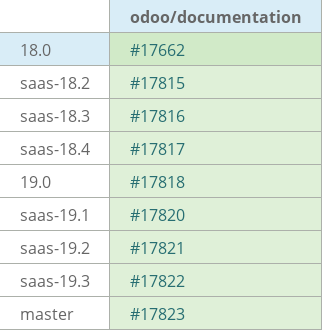
This 18.0 PR should be FWP up to master. Additional PRs will be opened to address version differences.