[IMP] General: Google Oauth Docs edit #3965
Conversation


 tiku-odoo
force-pushed
the
14.0-Misc-Oauth-Update-All-Oauth-Pages
branch
from
tiku-odoo
force-pushed
the
14.0-Misc-Oauth-Update-All-Oauth-Pages
branch
from
7c648ee to
7f4370b
Compare
tiku-odoo
force-pushed
the
14.0-Misc-Oauth-Update-All-Oauth-Pages
branch
from
7f4370b to
bf9ceae
Compare

|
@bouvyd When you have a moment, can you review this PR's changes for accuracy? I updated the 3 Google Oauth docs for UI accuracy and clarified the User Type (Internal Vs. External). Thanks in advance for your review 👍 |
tiku-odoo
force-pushed
the
14.0-Misc-Oauth-Update-All-Oauth-Pages
branch
from
bf9ceae to
6ffbc30
Compare
|
@odoo/us-doc-review This set of docs is ready for your review when you have some time. Thanks in advance for your time on these 👍 |

 ksc-odoo
left a comment
ksc-odoo
left a comment
ksc-odoo
left a comment
There was a problem hiding this comment.
Hey @tiku-odoo Just finished a peer review on this one - Great work! Let me know if you have any questions or need clarification on anything.
content/applications/general/calendars/google/google_calendar_credentials.rst
Outdated
Show resolved
Hide resolved
content/applications/general/calendars/google/google_calendar_credentials.rst
Outdated
Show resolved
Hide resolved
content/applications/general/calendars/google/google_calendar_credentials.rst
Outdated
Show resolved
Hide resolved
content/applications/general/calendars/google/google_calendar_credentials.rst
Outdated
Show resolved
Hide resolved
content/applications/general/calendars/google/google_calendar_credentials.rst
Outdated
Show resolved
Hide resolved
 tiku-odoo
force-pushed
the
14.0-Misc-Oauth-Update-All-Oauth-Pages
branch
2 times, most recently
from
tiku-odoo
force-pushed
the
14.0-Misc-Oauth-Update-All-Oauth-Pages
branch
2 times, most recently
from
1018e30 to
1be920c
Compare
tiku-odoo
requested review from
StraubCreative and
samueljlieber
and removed request for
StraubCreative
|
@samueljlieber These docs are ready for your technical review. Thanks in advanced for your help on these. |
 samueljlieber
force-pushed
the
14.0-Misc-Oauth-Update-All-Oauth-Pages
branch
from
samueljlieber
force-pushed
the
14.0-Misc-Oauth-Update-All-Oauth-Pages
branch
from
1be920c to
f9a7849
Compare

|
Fixed merge conflict in f9a7849. |

|
I think your last force-push is incorrect as it moves the calendar docs back to general/calendars. The docs were moved to productivity/calendar, as introduced in #4032 |


This comment was marked as outdated.
This comment was marked as outdated.
Sorry, something went wrong.
Hi @jcs-odoo Ah - I see I may have misunderstood the changes in this PR when correcting the merge conflict. Let me review with @tiku-odoo and @StraubCreative and I will correct this. |
Thanks 😊 |
samueljlieber
force-pushed
the
14.0-Misc-Oauth-Update-All-Oauth-Pages
branch
from
f9a7849 to
c559778
Compare
|
Hi @tiku-odoo & @jcs-odoo 👋 I reverted the changes I made in my merge conflict commit (f9a7849) and applied my technical changes on the correct structure, my apologies for the mix-up! I received approval of the technical changes from @tiku-odoo externally, so I'm ready to hand this off to @StraubCreative for a final review. Thank you 🙂 |

There was a problem hiding this comment.
Hi @tiku-odoo
Pausing here. Seeing a bunch of RST tag use and capitalization issues here.
There are spots where passive language is hurting your ability to communicate clearly and also justify the use of specific RST tags. As a result there's lots of gray area for how to format things...
Ideally, there's no question around formatting if the language is clear/assertive and we don't unnecessarily refer to UI elements unless using active instruction. For example, why are we talking about field names/values if we're not even on the screen yet (e.g. Client ID/Keys)?
Can you take another look please?
Thanks!
| Click on :guilabel:`OAuth consent screen` in the left menu, under :guilabel:`User Type` options, | ||
| select the appropriate :guilabel:`User Type`, and then click on :guilabel:`Create` again, which will | ||
| finally navigate to the :guilabel:`Edit app registration` page. | ||
|
|
||
| .. warning:: | ||
| Personal Gmail accounts are only allowed to be :guilabel:`External` User Type, which means Google | ||
| may require an approval, or for :guilabel:`Scopes` to be added on. Using a Google WorkSpace | ||
| account allows for :guilabel:`Internal` User Type. It should also be noted, that while the API | ||
| connection is in the :guilabel:`External` :guilabel:`Testing` mode, then no approval is necessary | ||
| from Google. User limits in this *testing* mode is set to 100 users. |
There was a problem hiding this comment.
@tiku-odoo can you take another look here around guilabel usage?
It seems that some of these should be in bold or italics since they appear to:
- be referred to theoretically, and not through active UI instruction
- not be the actual names of headings, buttons, fields, values, etc. on the UI
Also consider not mentioning field names, headings, etc. at all unless active UI instruction is given.
As well, check capitalization since none of these appear to be proper nouns or product names, i.e. is External User Type supposed to be capitalized? Is this unique to Google?
I'm not saying there's a clear right answer for every case, however with the way this is written it's difficult to decipher. You might benefit from changing the language around slightly to force specific RST use more clearly, or again, omit UI elements entirely from the copy leading up to active instruction.
samueljlieber
force-pushed
the
14.0-Misc-Oauth-Update-All-Oauth-Pages
branch
from
c559778 to
ad7795f
Compare
|
Hi @tiku-odoo, I pushed your changes to the docs in ad7795f. Please review and tag ZST when you are ready 🙂 To pull down these changes, please use |
|
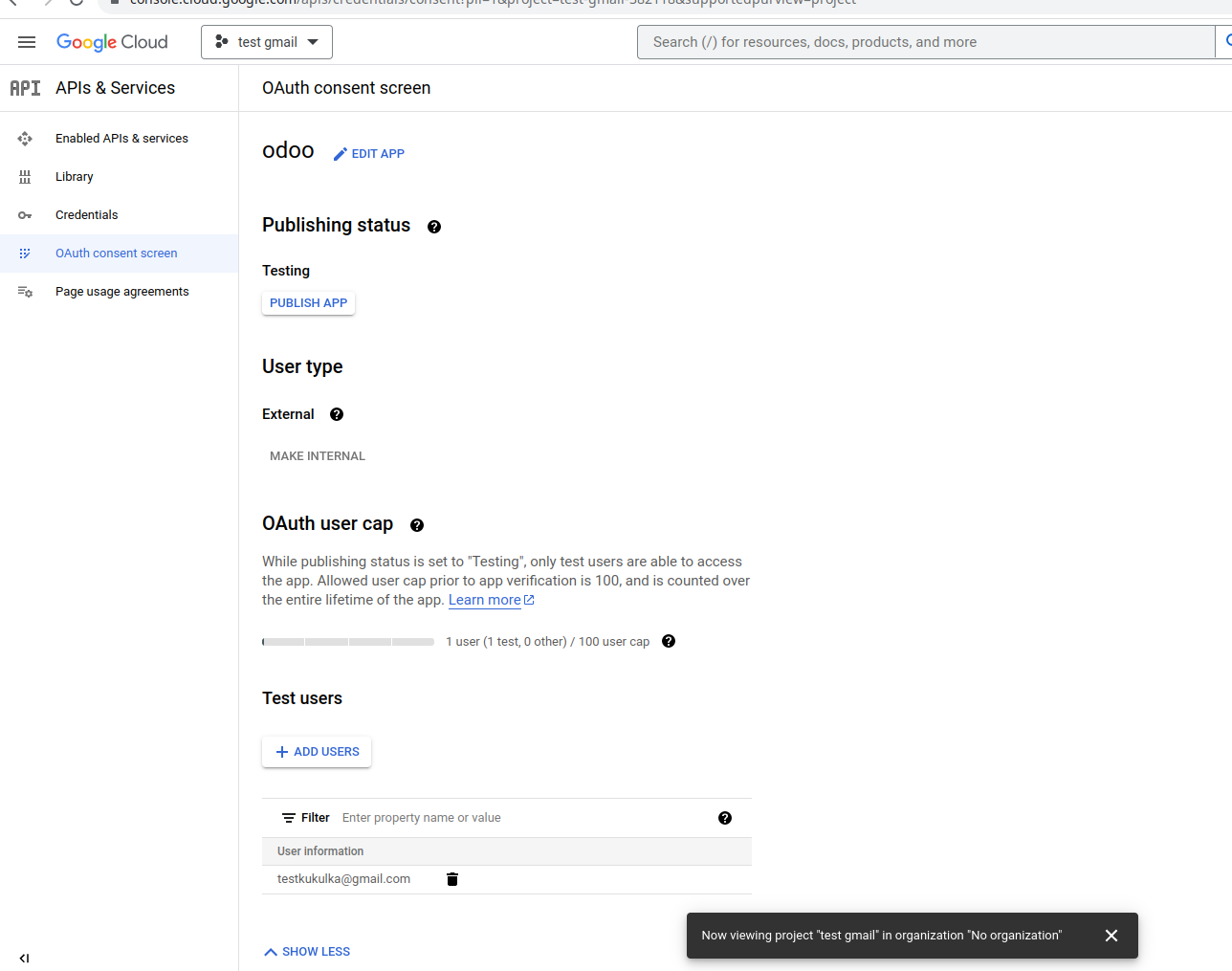
@StraubCreative This doc is ready for another look by you. I made changes to the GUI Labels. They do appear capitalized in the UI. I've used italics in many of the cases. Thanks for your suggestions.
|
 tiku-odoo
force-pushed
the
14.0-Misc-Oauth-Update-All-Oauth-Pages
branch
2 times, most recently
from
tiku-odoo
force-pushed
the
14.0-Misc-Oauth-Update-All-Oauth-Pages
branch
2 times, most recently
from
7ca40fb to
2d2c835
Compare
 StraubCreative
left a comment
StraubCreative
left a comment
StraubCreative
left a comment
There was a problem hiding this comment.
Hi @tiku-odoo
Nice cleanup here.
I have change requests below which I'll be pushing up momentarily for merge.
There are a few questions in my review which we might want to consider for different versions of these docs. As well, I'm not convinced the "bullet-list style" works (vs. a narrative guide) so wherever that's the dominant style on a doc, a rewrite might be warranted there.
There was a problem hiding this comment.
Formatting suggestion to help emphasize terms vs. differences in account types.
| Personal Gmail Accounts are only allowed to be *External* User Type, which means Google may | |
| require an approval, or for *Scopes* to be added on. Using a Google WorkSpace account allows for | |
| *Internal* User Type. It should also be noted, that while the API connection is in the *External* | |
| testing mode, then no approval is necessary from Google. User limits in this testing mode is set | |
| to 100 users. | |
| *Personal* Gmail Accounts are only allowed to be **External** User Type, which means Google may | |
| require an approval, or for *Scopes* to be added on. However, using a *Google WorkSpace* account | |
| allows for **Internal** User Type to be used. | |
| Note, as well, that while the API connection is in the *External* testing mode, then no approval is | |
| necessary from Google. User limits in this testing mode is set to 100 users. |
There was a problem hiding this comment.
Reverting this section to paragraph form and adding an intro sentence + conclusion.
| - Finally, scroll to the bottom and click on :guilabel:`Back to Dashboard`. | |
| Next we will configure the app registration of the project. | |
| On the :guilabel:`OAuth consent screen` step, under the :guilabel:`App information` section, enter | |
| `Odoo` in the :guilabel:`App name` field. Select the organization's email address under the | |
| :guilabel:`User support` email field. | |
| Next, under :menuselection:`App Domain --> Authorized domains`, click on :guilabel:`Add Domain` and | |
| enter `odoo.com`. | |
| After that, under the :guilabel:`Developer contact information` section, enter the organization's | |
| email address. Google uses this email address to notify the organization about any changes to your | |
| project. | |
| Next, click on the :guilabel:`Save and Continue` button. Then, skip the :menuselection:`Scopes` page | |
| by scrolling to the bottom and clicking on :guilabel:`Save and Continue`. | |
| If continuing in testing mode (External), add the email addresses being configured under the | |
| :guilabel:`Test users` step, by clicking on :guilabel:`Add Users`, and then the :guilabel:`Save and | |
| Continue` button. A summary of the app registration appears. | |
| Finally, scroll to the bottom and click on :guilabel:`Back to Dashboard` to finish setting up the | |
| project. |
There was a problem hiding this comment.
Reverting to single backticks for standard/consistency.
| - In the :guilabel:`Name` field, enter ``Odoo``. | |
| - In the :guilabel:`Name` field, enter `Odoo`. |
There was a problem hiding this comment.
100th char
| - Next, click on :guilabel:`Create` to generate an OAuth :guilabel:`Client ID` and | |
| :guilabel:`Client Secret`. Finally, copy each generated value for later use when configuring in | |
| Odoo, and then navigate to the Odoo database. | |
| - Next, click on :guilabel:`Create` to generate an OAuth :guilabel:`Client ID` and :guilabel:`Client | |
| Secret`. Finally, copy each generated value for later use when configuring in Odoo, and then | |
| navigate to the Odoo database. |
There was a problem hiding this comment.
Justifying the guilabels
| a Gmail Sever`. Then, copy and paste the :guilabel:`Client ID` and :guilabel:`Client Secret` into | |
| the respective fields and :guilabel:`Save` the settings. | |
| a Gmail Sever`. Then, copy and paste the respective values into the :guilabel:`Client ID` and | |
| :guilabel:`Client Secret` fields and :guilabel:`Save` the settings. |
There was a problem hiding this comment.
| .. warning:: | |
| Personal Gmail Accounts are only allowed to be *External* User Type, which means Google may | |
| require an approval, or for *Scopes* to be added on. Using a Google WorkSpace account allows for | |
| *Internal* User Type. It should also be noted, that while the API connection is in the *External* | |
| testing mode, then no approval is necessary from Google. User limits in this testing mode is set | |
| to 100 users. | |
| .. warning:: | |
| *Personal* Gmail Accounts are only allowed to be **External** User Type, which means Google may | |
| require an approval, or for *Scopes* to be added on. However, using a *Google WorkSpace* account | |
| allows for **Internal** User Type to be used. | |
| Note, as well, that while the API connection is in the *External* testing mode, then no approval is | |
| necessary from Google. User limits in this testing mode is set to 100 users. |
There was a problem hiding this comment.
this is string input so gets pre formatting
also, 100th char line breaks
| In the second step, :guilabel:`OAuth Consent Screen`, type *Odoo* in the :guilabel:`App name` | |
| field, select the email address for the :guilabel:`User support email` field, and type the email | |
| address for the :guilabel:`Developer contact information` section. Then, click :guilabel:`Save | |
| and Continue`. | |
| In the second step, :guilabel:`OAuth Consent Screen`, type `Odoo` in the :guilabel:`App name` field, | |
| select the email address for the :guilabel:`User support email` field, and type the email address | |
| for the :guilabel:`Developer contact information` section. Then, click :guilabel:`Save and | |
| Continue`. |
There was a problem hiding this comment.
| The *Client ID* and the *Client Secret* are both needed to connect Google Calendar to Odoo. This | |
| is the last step in the Google console. Begin by clicking :guilabel:`Credentials` in the left menu. | |
| The *Client ID* and the *Client Secret* are both needed to connect Google Calendar to Odoo. This is | |
| the last step in the Google console. Begin by clicking :guilabel:`Credentials` in the left menu. |
There was a problem hiding this comment.
menuselection has too many colons (::)
these are guilabels anyway.
| - Under the ::menuselection:`Authorized JavaScript Origins` section, click :guilabel:`+ Add URI` and | |
| type the company's Odoo full :abbr:`URL (Uniform Resource Locator)` address. | |
| - Under the ::menuselection:`Authorized redirect URIs` section, click :guilabel:`+ Add URI` and type | |
| - Under the :guilabel:`Authorized JavaScript Origins` section, click :guilabel:`+ Add URI` and | |
| type the company's Odoo full :abbr:`URL (Uniform Resource Locator)` address. | |
| - Under the :guilabel:`Authorized redirect URIs` section, click :guilabel:`+ Add URI` and type |
There was a problem hiding this comment.
This should be relevant for all versions @StraubCreative


 StraubCreative
force-pushed
the
14.0-Misc-Oauth-Update-All-Oauth-Pages
branch
from
StraubCreative
force-pushed
the
14.0-Misc-Oauth-Update-All-Oauth-Pages
branch
from
2d2c835 to
143812c
Compare
closes #3965

Signed-off-by: Zachary Straub (zst) <zst@odoo.com>

7 participants


Targets 14.0 onward.
Google Oauth Changes to Sign-On, Calendar, Gmail
Changes: update to match new interface and remove second person, add details on Internal and External User Types.
Google Calendar Sync doc
https://www.odoo.com/web#id=3246409&cids=3&menu_id=4720&action=333&active_id=3835&model=project.task&view_type=form
[Calendar] Google Sync warning
https://www.odoo.com/web#id=3000531&cids=3&menu_id=4720&action=333&active_id=3835&model=project.task&view_type=form
Google Calendar Sync Videos
https://www.odoo.com/web#id=2859258&cids=3&menu_id=4720&action=333&active_id=3835&model=project.task&view_type=form
Google Sign-In Authentication User Type
https://www.odoo.com/web#id=3247706&cids=3&menu_id=4720&action=333&active_id=3835&model=project.task&view_type=form
[auth] rewrite google.rst
https://www.odoo.com/web#id=3252200&cids=3&model=project.task&view_type=form