[Under Development]
This is an implementation of a restaurant/bar management and Point of Sale system. The system provides tools to set and track menu items prices, order items and assign orders to tables, record staff check in and check out times, automatically or manually order supplies from distributors, monitor tables vaccancies, and staff availabilites.
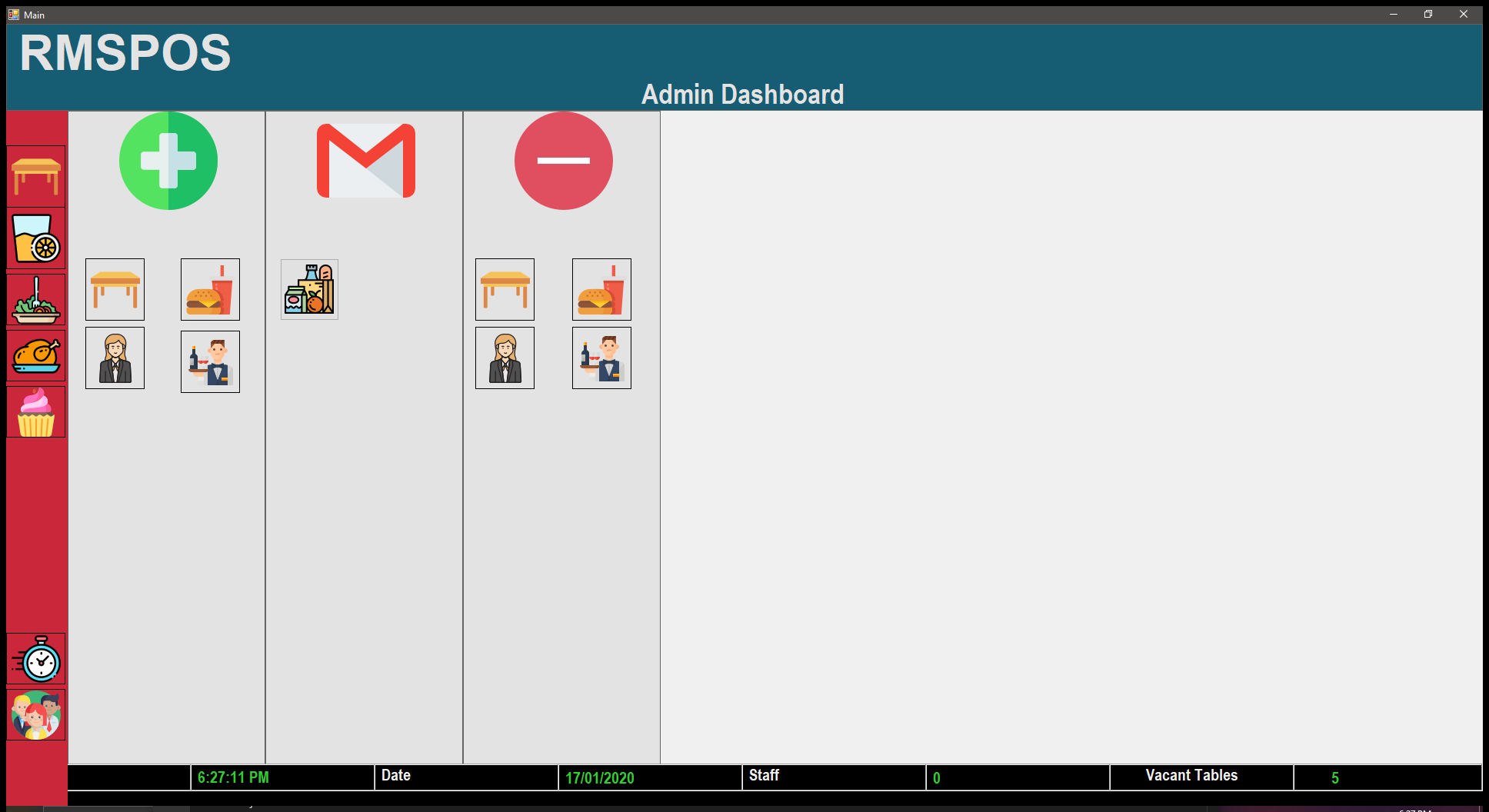
The system provides a side panel to allow easy navigation through different sections. The side panel consists of explanatory images rather than texts to be easily understandable despite someone's language.

The system allows admins to customize tables positions so the table layout can accurately resemble the restaurant's actual layout, making it less confusing for waiters to identify tables. Furthermore, the system detects vacant and non vacant tables by coloring them green and red respectively. Hence, staff can quickly find tables for incoming diners.

The system includes a secured admins and super admins dashboards. Super Admins have the priviliges of:
- Add/Remove staff.
- Add/Remove menu items.
- Add/Remove tables.
- Add/Remove admins.
- View staff details
admins have the priviliges of super admins, except adding/removing admins, and viewing staff details.
The system records staff clock in and clock out times in an external database, allowing super admins to view the amount of hours worked, and expect pay. Furthermore, the system keeps count of on-shift staff by showing the number of clocked in staff at the footer.

The system includes 4 menu categories:
- Drinks
- Entrees
- Mains
- Desserts
Only admins and super admins have the privilege of adding items to the categories, and only clocked in staff have the privilege of ordering menu items to tables.


- Table ordering: You can assign orders to tables from the software's simple user interface.
- Tables customizing: You can customize the table layout in the software to accurately resemble the actual layout of your restaurant, so it can be less confusing to your staff.
- POS: You can use the software to process transactions.
- Staff check in/check out: Your staff can securely log in and log out to record their check in and check out times. Allowing you to monitor their working times and breaks.
- Order supplies: You can use the software to register suppliers and contact them through E-mail to order supplies.
[ ] = Completed. [
 ] = In progress. [
 ] = Not started.
This list will be continuously edited to keep track of project progress.
- [
 ] Develop drinks menu.
 - [] Develop entrees menu.
- [] Develop mains menu.
- [] Develop desserts menu.
- [] Develop menu item creation tool.
- [] Develop admin panel.
- [] Develop admin creation implementation.
- [] Develop staff creation implementation.
- [] Develop staffclock in implementation.
- [] Develop staff clock off implementation.
- [
 ] Develop POS system.
 - [
 ] Develop supplier creation implementation.
 - [] Develop supply panel.
- [] Develop supply ordering implemenetion.
- [] Create email field for new staff and admins.
- [] Develop implementation to send credentials to created new staff/admins emails.
- [] Develop menu item price modification tool.
- [] Develop binding database to record data in case of software shutdown.
- [] Develop Super Admin dashboard.
- [] Restructure project files into folders [src, headers, resources, images].
- [] Add comments to code.
- [] Organize code.
- [] Create unit test code.
- []Staff shifts scheduling.
- []Connect system to Arduino board to simulate POS drawer opening/closing.
- C++ environment (Preferably VS2019)
- Common Language Support.
- Open the project by clicking
RMSPOS.sln. - Build the project.
- Navigate to
\x64\Debugand run the exeutableRMSPOS.exe.