Home
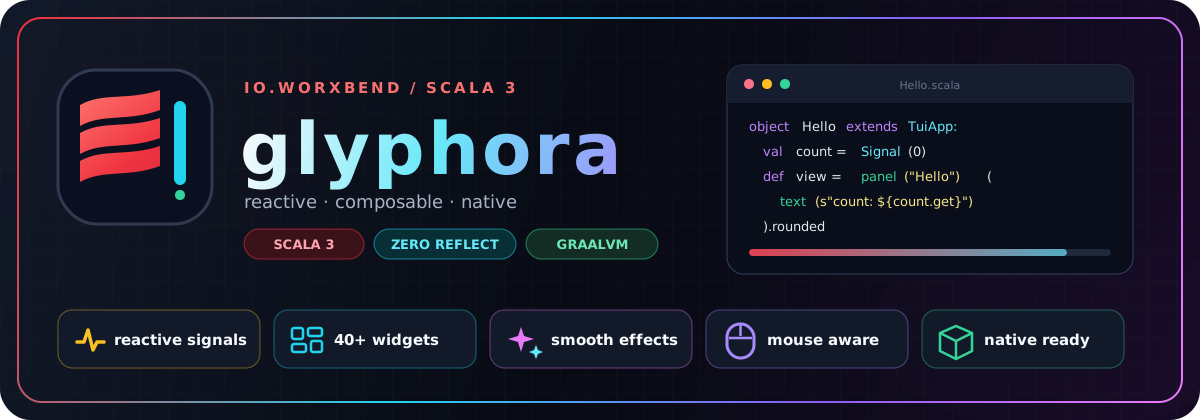
glyphora is a Scala 3 toolkit for building terminal applications with reactive state, composable views, rich widgets, keyboard and mouse input, motion, and GraalVM-native delivery. It is small enough for a focused CLI companion and structured enough for dashboards, forms, file browsers, and full-screen tools.
New here? You can have a working counter on screen in about five minutes. Follow Getting started, then return here when you want the mental model behind it.
You model changing values with Signal, describe a view as an Element tree, and
let glyphora handle invalidation, layout, focus, terminal diffing, and cleanup:
import io.worxbend.tui.dsl.*

object Counter extends TuiApp:
  private val count = Signal(0)

  def view(using ReactiveScope): Element =
    panel("Counter")(
      text(s"Count: ${count.get}").bold.color(Color.Cyan),
      text("+ increment · q quit").dim,
    ).rounded
      .onKey(Key.char('+')) { count.update(_ + 1) }
      .onKey(Key.char('q')) { quit() }

  def main(args: Array[String]): Unit =
    run().foreach(_ => ())
There is no separate template language. The view is ordinary typed Scala; state reads are tracked while it runs, and key handlers update the same values directly on the render thread.
flowchart LR
  Event["⌨️ key / 🖱️ mouse / ⏱️ tick"] --> Route["route event"]
  Route --> Write["update Signal"]
  Write -. invalidates .-> View["run view"]
  View --> Tree["Element tree"]
  Tree --> Buffer["render Buffer"]
  Buffer --> Diff["changed cells"]
  Diff --> Terminal["ANSI terminal"]
  Buffer -. same frame .-> Test["HeadlessBackend"]
The important pieces are:
-
State —
Signal[A]stores mutable application state;Computed[A]derives cached values from it. -
View —
view(using ReactiveScope)reads state and returns an immutableElementdescription. -
Widgets — elements measure and render backend-agnostic widgets into a
two-dimensional
Buffer. - Runtime — input, timers, redraws, effects, and the single render thread live in one predictable loop.
-
Backend — a real terminal receives minimal ANSI diffs; tests receive the same
buffers through
HeadlessBackend.
This separation is why a full app can be tested without opening a PTY, and why widgets do not need to know anything about JLine, ANSI escape sequences, or signals.
| If you are building… | Start with | You will probably use |
|---|---|---|
| A focused interactive CLI | Getting started |
panel, input, Signal, key handlers |
| A dashboard or monitor | Widget catalog | gauges, sparklines, charts, onTick
|
| A form or wizard | Forms & validation |
deriveForm, FormState, screens |
| A file or deployment tool | The app shell | sidebar, tabs, command palette, toasts |
| An app with HTTP or background work | Async work & timers |
RenderThread.runOnRenderThread, loading widgets |
| A distributable executable | Native binaries | GraalVM native-image, zero reflection |
| A custom widget library | Architecture |
Widget, StatefulWidget, Buffer, CharWidth
|
- ⚡ Reactive without ceremony — a view subscribes to the signals it actually reads. Conditional branches drop subscriptions they no longer use.
- 🧩 A real widget vocabulary — inputs, tables, trees, markdown, forms, charts, loading states, menus, dialogs, and application chrome ship together.
- ⌨️ Terminal interactions are first-class — focus order, bubbling key events, mouse hit-testing, bracketed paste, and terminal resize events are part of the model.
- 🌍 Unicode width is infrastructure — grapheme clusters, emoji ZWJ sequences, flags, CJK, combining marks, wrapping, and cursor placement use generated Unicode data.
- 🎬 Motion is composable — effects transform a completed frame, keeping widget rendering deterministic and simple.
- 🧪 Production and tests share a pipeline —
Pilotdrives actual input/render cycles against aHeadlessBackend. - 📦 Native-image is a design constraint — compile-time derivation replaces
runtime reflection, so apps need no
reflect-config.json.
- I want a screen running now → Getting started
- I learn from complete code → Examples
- I have a specific UI problem → Cookbook
- I want to understand every layer → Architecture
- Something is already broken → Troubleshooting
The Scaladoc API is the exact-signature reference. This guide is the task-oriented companion: it explains when to use those APIs and how the pieces fit together.