

#Fridge Assistant
Android application to keep track of products in a fridge and to assist with grocery shopping. Haaga-Helia University of applied sciences, Mobile development course.
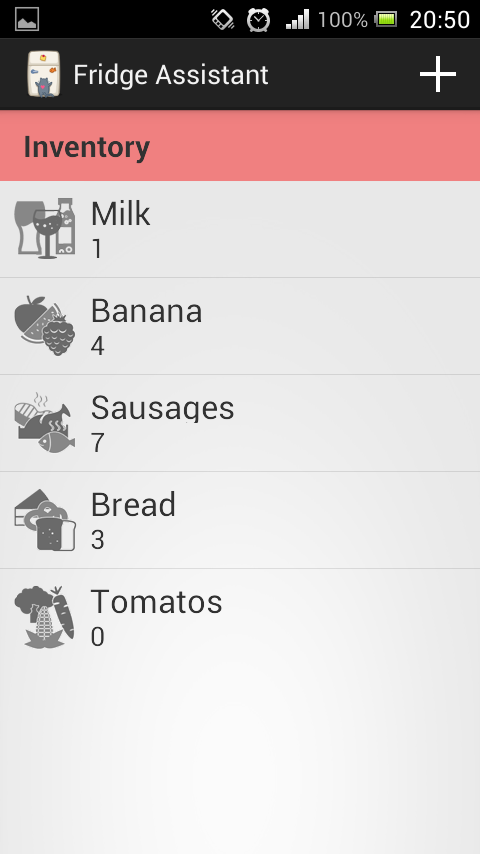
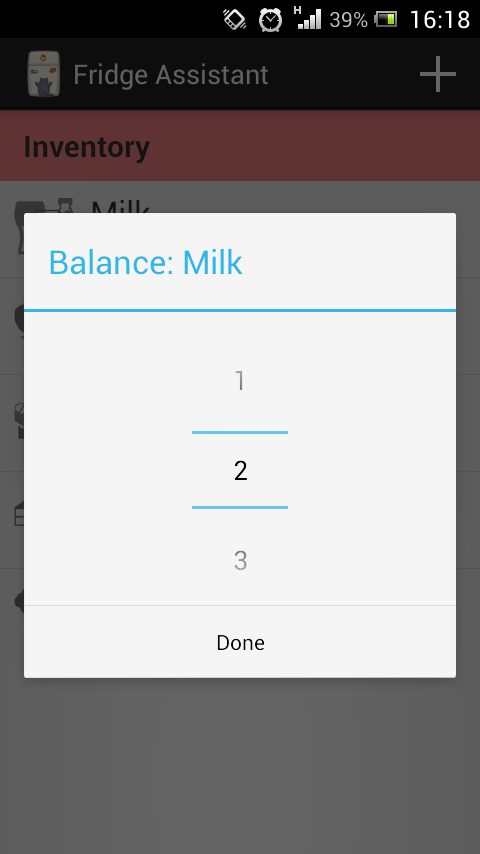
FridgeAssistant implements a very simple and intuitive interface. The first view is the list of items that the user currently has.
At first, the list view should be completely empty, but it is possible to add a new item by clicking the '+' icon on the action bar, located on the top of the screen. In the Create view the user may enter the name of the item and select the category accordingly with the spinner widget, located below the textbox. After the user is done entering the required info he/she can just touch the save button to add the item to the list. In order to delete an item, the user has to long tap the desired item until the context menu show up. Once it pops up it's possible to delete the item by selecting the 'Delete' option. In case the user desires to update an item, he/she has to long tap the desired item until the context menu pops up. Once the menu pops up select edit to be taken to the create edit view. After entering the necessary info the user can press save in order to save the data. If the user wants to update the balance of any given item, he/she can tap the desired item and select the new desired value, which will be automatically saved.| Daniel Freitas | Developer | dantrieslinux.wordpress.com |
|---|---|---|
| Alexander Shkunov | Developer | alexshkunov.com |
- Android SDK, Java
- SQLHelper, SQL, SQLite
GNU GENERAL PUBLIC LICENSE