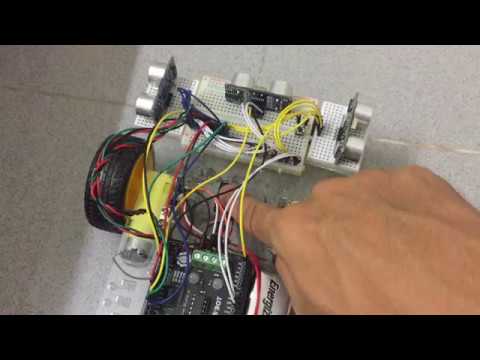
This robot is able to trace out the boundaries of a surrounding, for example, the walls and output the map onto a computer.

- Arduino Uno.
- Ultrasonic Sonic Sensor HC-SR04.
- Sensor 1, 2 and 3 is on port, front, starboard side respectively.
- Arduino Motor Shield similar to model (L293) (SKU: DRI0001) with no brake control.
- Motor A and B is on port and starboard side respectively.
- Wheel Encoders (SKU: SEN0038).
- Encoder A and B is attached to motor A and B respectively.
- Arduino IDE
- Connect to computer and long press the pushbutton to initiate and reset the map in EEPROM.
- Place arduino car near a boundary.
- Switch on the Arduino board and the motors.
- Long press the pushbutton to begin mapping.
- Press pushbutton when arduino car is moving in a straight line after mapping is completed.
- Connect to computer to obtain map via EEPROM.
Below is a video of the robot in action.
'0' indicates free space while '1' indicates boundaries.

This robot is following the boundaries using left-hand rule.
- Is obstacle in front?
- Yes: Turn right
- No: Proceed checking
- Is there free space at the left?
- Yes: Turn left
- No: Move forward at a distance from the boundaries at the left
- Look up the direction the robot is facing via dead reckoning (North, South, East, West)
- If robot turn left: change internal direction towards left (i.e. North to West)
- If robot turn right: change internal direction towards right (i.e. North to East)
- If robot move forward: change '0' to '1' in previous position